
Sis.lgti.ac.tz Student Information System: A Simple Guide for Students
Introduction
The Sis.lgti.ac.tz Student Information System is the official online portal used by students of LGTI to manage their academic information in one place. From logging in to checking your records or resetting a forgotten password, this system is designed to make student life more organized and less stressful.
If you’re a new or continuing student, this guide will walk you through what Sis.lgti.ac.tz is, why it matters, and how you can use it confidently—step by step—without confusion.
How to Begin with Sis.lgti.ac.tz
Getting started with Sis.lgti.ac.tz is straightforward. All you need is a device with internet access and your student login details. Once logged in, the system becomes your go-to space for academic updates and essential services.
Step-by-Step Instructions to Access Sis.lgti.ac.tz
Step 1: Visit the Official Portal
Open your browser and go to the official Sis.lgti.ac.tz Student Information System at
👉 https://sis.lgti.ac.tz/
Step 2: Enter Your Login Details
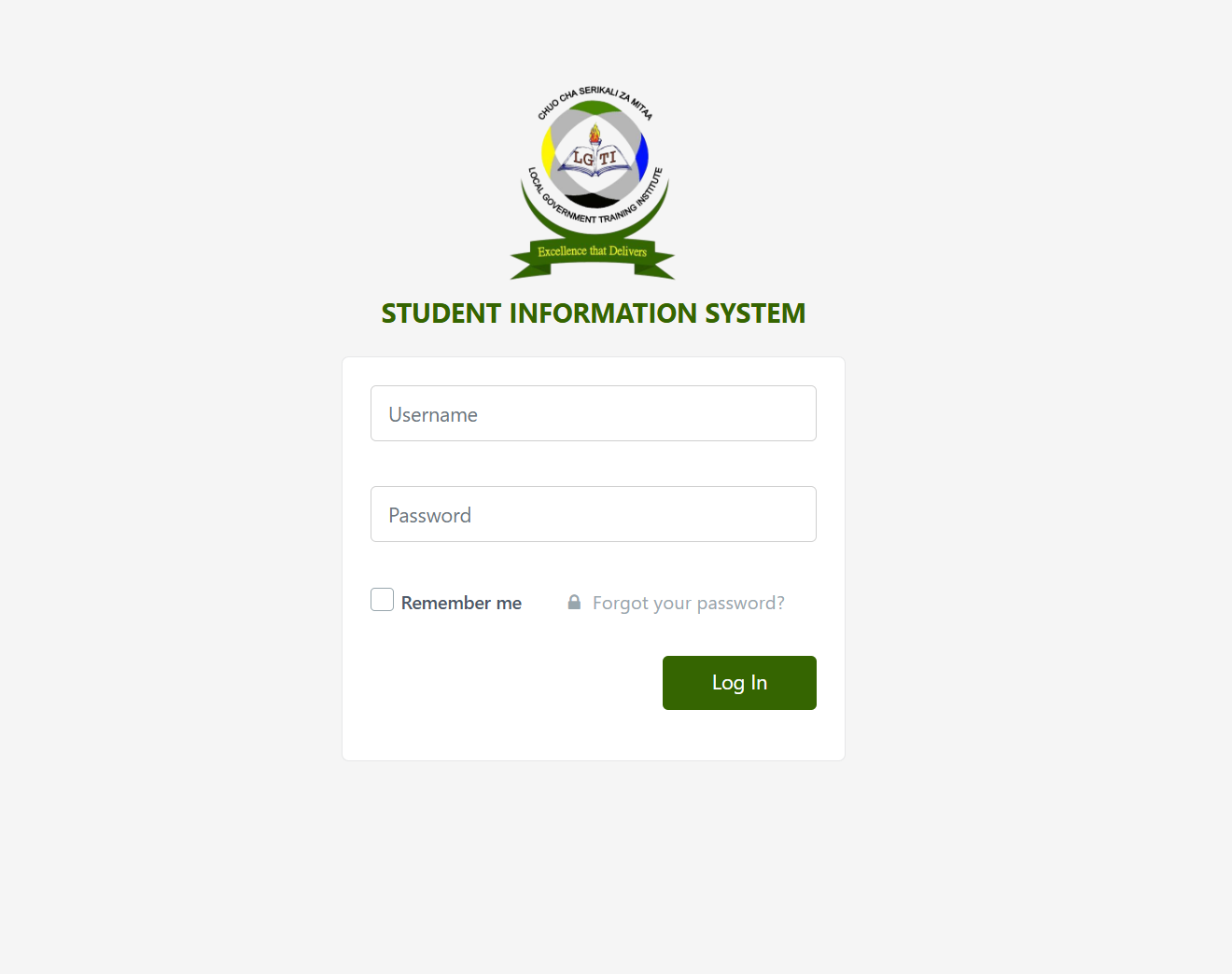
On the login page, you’ll see fields for:
-
Username
-
Password
Enter the credentials provided by your institution. If you’re on a personal device, you can tick Remember me to save time next time.
Step 3: Sign In to Your Account
Click the login button to access your student dashboard. From here, you can view and manage your academic information.
Available Services on Sis.lgti.ac.tz
The Sis.lgti.ac.tz platform brings several student services together in one system. Depending on your access level, you may be able to:
-
View personal and academic details
-
Check registration or enrollment status
-
Access course or semester-related information
-
Stay updated with official student records
Everything is organized to reduce paperwork and unnecessary campus visits.
What You Can Do After Logging In
Once inside Sis.lgti.ac.tz, students typically use the system to:
-
Confirm their academic information
-
Monitor important updates related to their studies
-
Manage login credentials securely
The dashboard layout is simple, making it easy even for first-time users.
Resetting a Password on Sis.lgti.ac.tz
Forgot your login details? No need to worry.
How to Reset Your Password
-
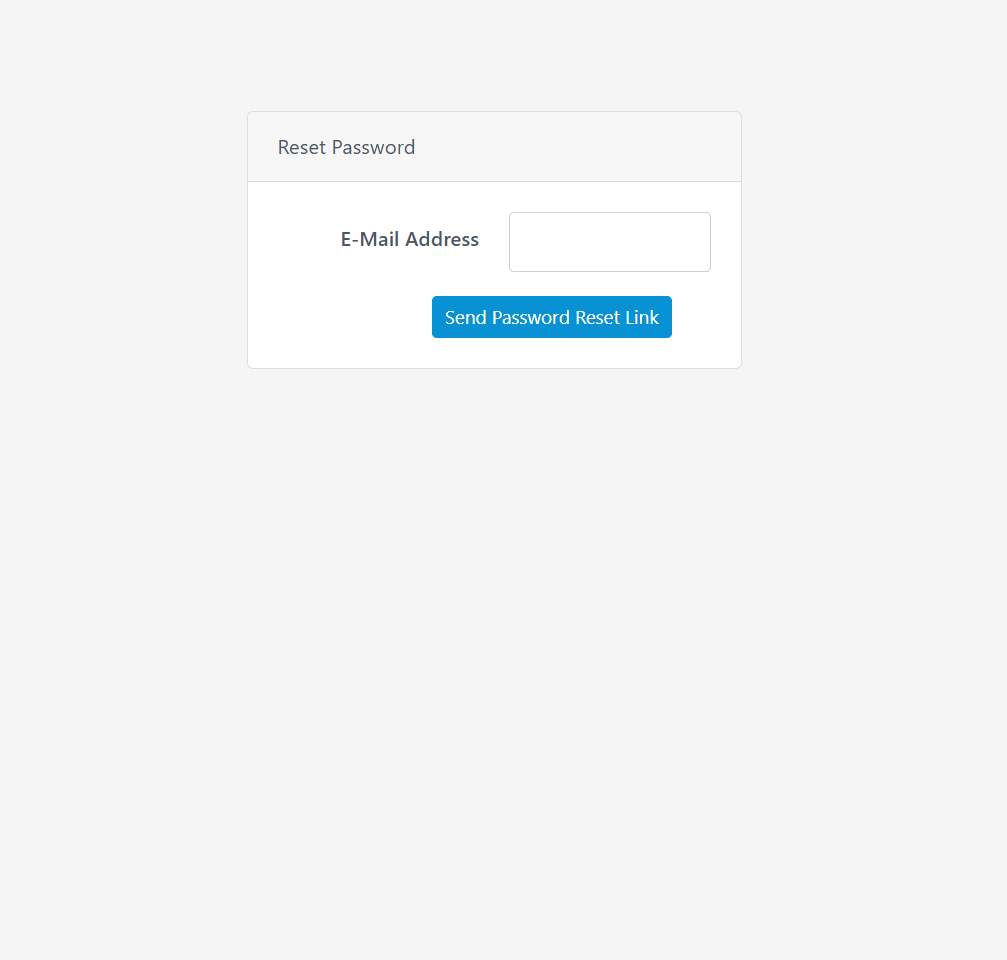
On the login page, click Forgot your password? Reset Password
-
Enter your E-Mail Address
-
Follow the instructions sent to your email to create a new password
This process helps ensure your account stays secure while giving you quick access again.
Tips & Quick Answers for Sis.lgti.ac.tz Users
-
Always double-check your username and password before logging in
-
Use a strong password and avoid sharing it
-
If the page doesn’t load, refresh your browser or check your internet connection
-
For repeated login issues, use the password reset option promptly
Extra Notes About Sis.lgti.ac.tz
The Sis.lgti.ac.tz Student Information System is an official platform, so it’s best accessed only through the correct link. Avoid third-party sites or shared links to protect your personal information.
Conclusion
The Sis.lgti.ac.tz portal is a practical tool designed to support students throughout their academic journey. By understanding how to log in, reset your password, and use its basic features, you can save time and stay informed with ease. Once you get familiar with the system, managing your student information becomes simple and stress-free.
Go to our Homepage To Get Relevant Information.
Contents
- 1 Sis.lgti.ac.tz Student Information System: A Simple Guide for Students
- 2 How to Begin with Sis.lgti.ac.tz
- 3 Step-by-Step Instructions to Access Sis.lgti.ac.tz
- 4 Available Services on Sis.lgti.ac.tz
- 5 What You Can Do After Logging In
- 6 Resetting a Password on Sis.lgti.ac.tz
- 7 Tips & Quick Answers for Sis.lgti.ac.tz Users
- 8 Extra Notes About Sis.lgti.ac.tz
- 9 Conclusion