
Sokoine University of Agriculture: A Friendly Guide to Logging In, Resetting Your Password, and Making the Most of SUA Online Services
Introduction
If you’re new to the online systems at Sokoine University of Agriculture, or you simply want a clearer path through the login and account-support process, this guide is here to help. Many students, staff, and visitors use SUA’s digital platforms every day, and knowing how to access them smoothly can save time and frustration.
Below, you’ll find a simple walk-through of how to begin, how to log in, how to reset your password, and where to find useful services—all written in a friendly, easy-to-follow format.
How to Begin at Sokoine University of Agriculture
Before you can take full advantage of SUA’s online tools—whether for academics, research, or campus information—you’ll need an active account. This typically includes your official SUA username and password, provided by the university.
If you already have these, you’re ready to start. If not, your department or ICT support team can help you get set up.
Step-by-Step Instructions: Logging in to Sokoine University of Agriculture Platforms
Step 1: Visit the Official Login Page
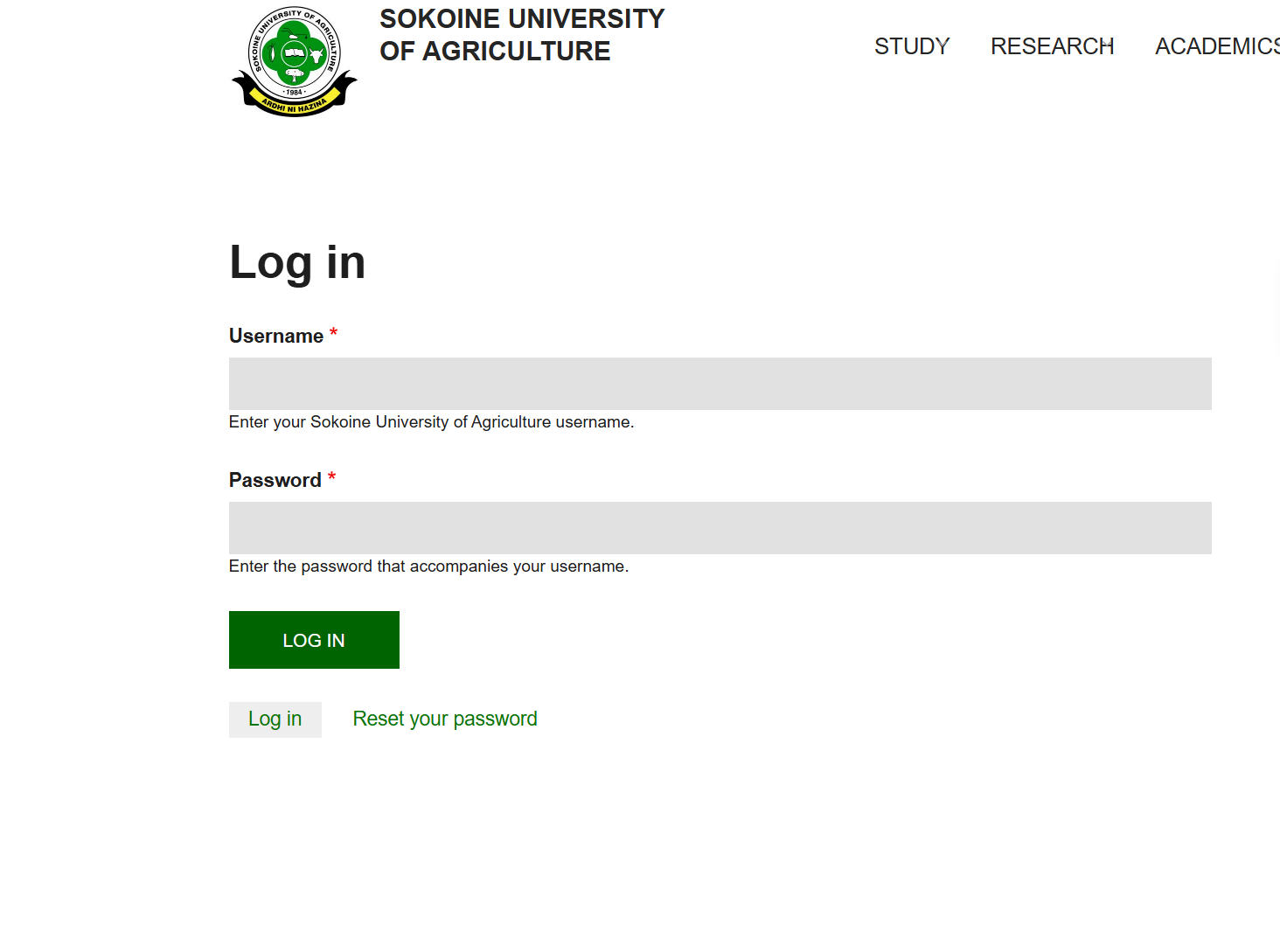
Go to the university’s secure login portal:
https://www.sua.ac.tz/user/login
This is where you’ll enter your SUA credentials for access to key online resources.
Step 2: Enter Your Username
Type in the Sokoine University of Agriculture username issued to you. Make sure you enter it exactly as provided.
Step 3: Enter Your Password
Add the password linked to your SUA account. If you believe your password is incorrect, don’t worry—you can reset it using the steps below.
Step 4: Click “Log In”
Once logged in, you can access academic information, research resources, campus announcements, newsletters, and various services offered across SUA’s digital platforms.
Resetting Your Password at Sokoine University of Agriculture
If you forget your password or can’t access your account, the system allows you to request a reset link.
Step 1: Open the Password Reset Page
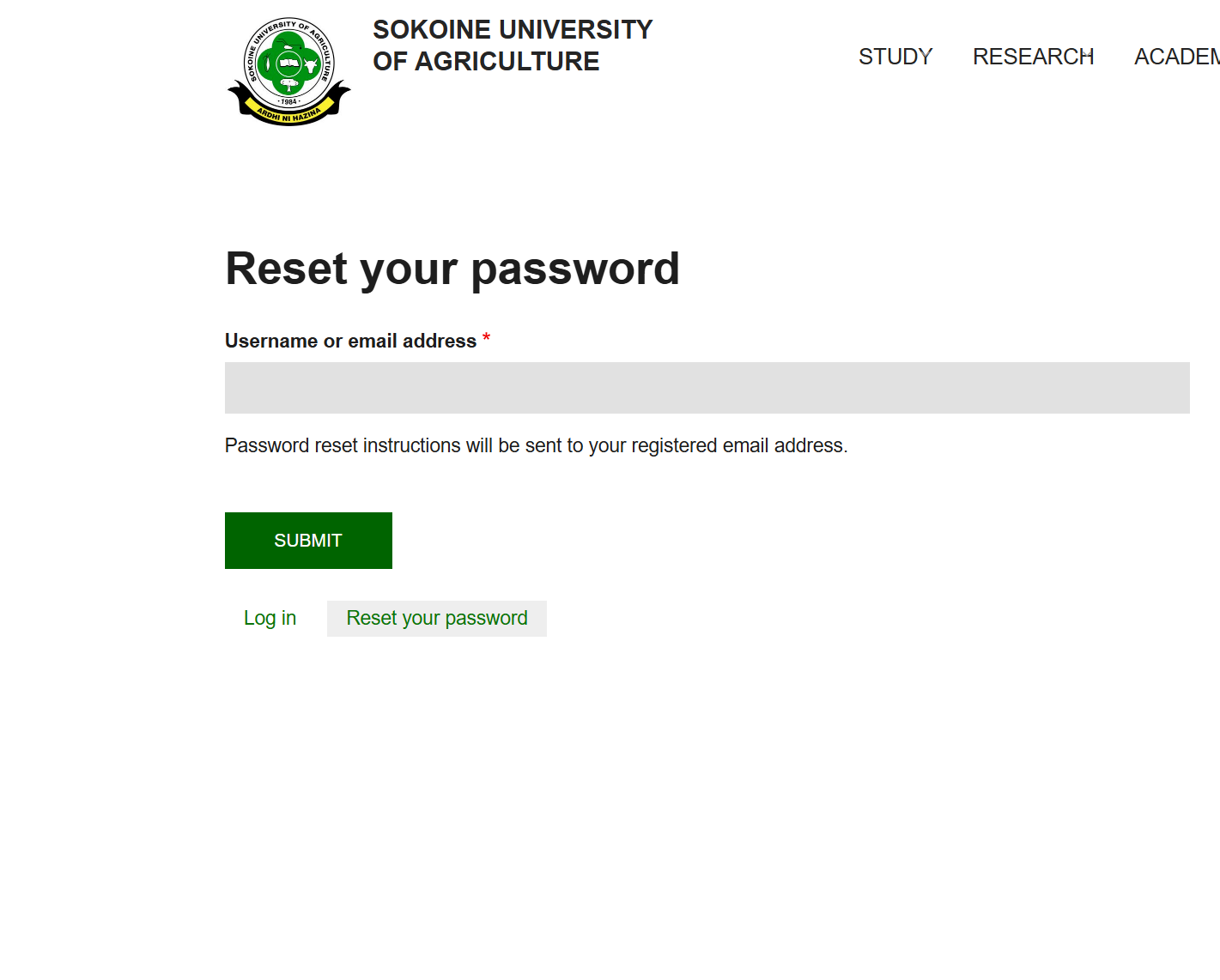
Visit the dedicated recovery page:
https://www.sua.ac.tz/user/password
Step 2: Enter Your Username or Email Address
The system needs this to confirm your account and send reset instructions.
Step 3: Check Your Email
You’ll receive a message with a link to create a new password. Follow the instructions carefully and choose a secure password you’ll remember.
Available Services at Sokoine University of Agriculture
A wide range of digital services is designed to support both students and staff in their daily activities. Here are some of the most commonly accessed features:
Academic Portal
The academic portal provides course details, grades, registration tools, and key academic updates.
ICT Services
Helpful for troubleshooting account issues, accessing Wi-Fi, or getting technical support.
Library Services
SUA’s library platform offers digital journals, e-books, research repositories, and access to global academic databases.
Outreach and Research Information
Researchers can view reports, upload progress documents, and explore university publications through the online repository.
Campus Services
From accommodation information to health services and security contacts, SUA’s digital platform keeps essential campus details organized and accessible.
What You Can Do After Logging In
Once signed in at Sokoine University of Agriculture, users can:
-
Review academic information
-
Access newsletters such as SUA HEET publications
-
View job vacancies and announcements
-
Explore the University Charter, Prospectus, Master Plan, and more
-
Submit research updates
-
Locate campus maps and contact details
-
Apply for admissions or scholarships
It’s all built to make learning and working at SUA smoother and more connected.
Tips & Quick Answers
Forgot your username?
Contact your department or the ICT team for assistance.
Can you access services without logging in?
Some general information is public, but personalized services require a valid login.
Do passwords expire?
SUA may require periodic password updates for security watch for notices in your email.
Is the login page secure?
Yes. Always ensure you’re using the official link to protect your account.
Extra Notes
Sokoine University of Agriculture is based in Morogoro, Tanzania, positioned at the foothills of the Uluguru Mountains. Known for its strong agricultural and environmental programs, SUA supports students, researchers, and the wider community through digital tools that help make information accessible and organized. Its online systems are an extension of that mission.
Conclusion
Navigating online services at Sokoine University of Agriculture becomes much simpler once you know where to go and how the process works. Whether you’re logging in for the first time, resetting your password, or browsing the university’s wide range of digital resources, the steps above will help you move forward with confidence.
If you ever run into challenges, the ICT and support teams at SUA are there to help—you’re never on your own.
Go to our Homepage To Get Relevant Information.
Contents
- 1 Introduction
- 2 How to Begin at Sokoine University of Agriculture
- 3 Step-by-Step Instructions: Logging in to Sokoine University of Agriculture Platforms
- 4 Resetting Your Password at Sokoine University of Agriculture
- 5 Available Services at Sokoine University of Agriculture
- 6 What You Can Do After Logging In
- 7 Tips & Quick Answers
- 8 Extra Notes
- 9 Conclusion