
Mu-arms Mzumbe Login Guide: How to Access and Use the MU-ARMS System
Introduction
Mu-arms Mzumbe is the official Academic Records Management System used by Mzumbe University to help students and authorized users manage essential academic information. The platform brings together key functions such as registration, bill payments, exam results, accommodation, and file tracking.
This guide walks you through how to log in, reset your password, and understand the core services available inside Mu-arms Mzumbe. Everything is explained clearly so you can access what you need without confusion.
What Is Mu-arms Mzumbe?
Mu-arms Mzumbe is a web-based system designed to store academic data and support day-to-day academic operations. It ensures students and staff can securely access important information anytime, whether on campus or remotely.
Key areas managed inside the system include:
-
Student registration
-
Billing and payments
-
Examination results
-
Tracking academic files
-
Accommodation processes
The university retains the right to use system data for lawful institutional purposes, as noted in the terms of use displayed at login.
How to Log In to Mu-arms Mzumbe
Follow the steps below to access your account through the official login page.
Step-by-Step Login Instructions
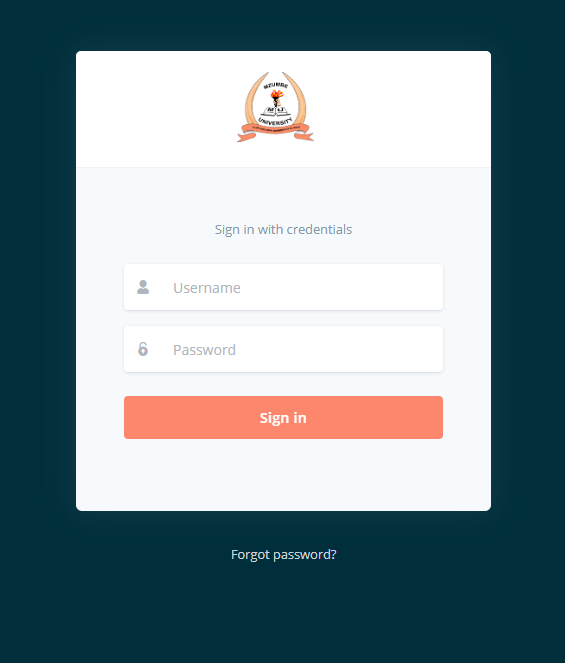
Step 1: Open the official login page:
Visit the Mu-arms Mzumbe portal at https://arms.mzumbe.ac.tz/user-accounts/login/.
Step 2: Enter your username.
Use the username provided by Mzumbe University. For students, this typically relates to your university email details.
Step 3: Enter your password.
Type your correct password in the password field.
Step 4: Click “Sign In.”
The system will redirect you to your dashboard once your credentials are verified.
By logging in, you accept the system’s terms and conditions as outlined on the portal.
How to Reset Your Password in Mu-arms Mzumbe
If you forget your password, Mu-arms Mzumbe offers a straightforward reset process.
Password Reset Guide
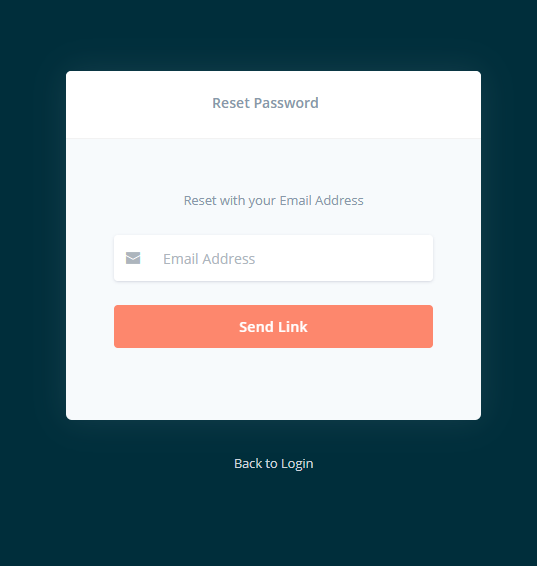
Step 1: Go to the password reset page.
From the login page, select “Forgot password?” or directly navigate via the provided reset option.
Step 2: Choose the correct email type.
-
Students: Use your student’s email address.
-
Other Users: Use your MU-ARMS email address.
Step 3: Enter your email address.
Provide the email linked to your Mu-arms Mzumbe account.
Step 4: Select “Send Link.”
The system will email you a password-reset link.
Step 5: Check your inbox.
Open the reset link sent to your email and follow the instructions to set a new password.
Once complete, return to the login page and sign in using your updated credentials.
Services Offered Through Mu-arms Mzumbe
Mu-arms Mzumbe includes several essential academic functions. Here’s a breakdown of the main services available:
1. Student Registration
Allows both new and continuing students to complete academic registration for each semester or academic year.
2. Students’ Bills and Payments
Shows billing statements and payment status. Users can track payment history and outstanding balances.
3. Examination Results
Students can securely access their exam results once released by the university.
4. Students’ Files Tracking
Monitors academic file movements and updates for users who need to check the status of their documents.
5. Accommodation Management
Supports allocation and management of student housing, allowing users to view accommodation status and related information.
Key Features of Mu-arms Mzumbe
-
Web-Based Access: Available anytime through a secure online portal.
-
Centralized Data Records: Consolidates academic details into one system.
-
Secure Login Control: Protects user data through authentication protocols.
-
Email-Based Password Recovery: Simple reset process for account access.
-
User-Friendly Navigation: Clear interface designed for students and staff.
FAQs About Mu-arms Mzumbe
1. Can I log in without my student email?
No. Students must use their official Mzumbe student email for password resets and login support.
2. What if I do not receive the password reset link?
Check your spam or promotions folder. If the email does not appear, request another link or contact your university’s ICT support office.
3. Are my academic records safe on the platform?
Yes. Mu-arms Mzumbe securely stores academic data and follows university policies.
4. Can parents or guardians access the system?
Only authorized users with valid credentials can log in.
Additional Tips for Using Mu-arms Mzumbe
-
Keep your login details confidential to protect your academic data.
-
Always use an updated browser for better system performance.
-
Log out after each session, especially on shared devices.
-
Regularly check your student email for system notifications.
Conclusion
Mu-arms Mzumbe plays an essential role in helping students and staff manage academic information efficiently. Whether you need to register, check results, pay bills, or update account details, the system keeps everything centralized and accessible. With the login and password reset steps provided above, you can navigate Mu-arms Mzumbe with confidence and ease.
Go to our Homepage To Get Relevant Information.
Contents