
Tra Recruitment Portal: A Simple, Friendly Guide to Signing In and Getting Started
The Tra Recruitment Portal is the official online gateway for applicants interested in Tanzania Revenue Authority opportunities. Whether you want to create an account, sign in, reset your password, or check your application status, everything happens in one place.
This guide walks you through the essentials in a clear, reassuring way so you can use the portal with confidence—no guesswork, no confusion.
Introduction
If you’re applying for TRA vacancies, the Tra Recruitment Portal is where your journey begins. It’s designed to help applicants register, upload documents, track progress, and stay updated on recruitment announcements.
By the end of this guide, you’ll know exactly how to create an account, log in, troubleshoot common issues, and make the most of the services available.
Getting Started with the Tra Recruitment Portal
Before you can access openings or submit an application, you’ll need to understand how the portal works. The steps below outline how to begin smoothly.
Step-by-Step Instructions for Using the Tra Recruitment Portal
Step 1: Visit the Official Portal
Go to the official page: https://recruitment.tra.go.tz/tra_careers/Login.aspx
This is where you can sign in, register, or recover your password.
Step 2: Sign In or Create an Account
If you already have an account:
-
Enter your email, password, and verification code.
-
Click Sign In to access your dashboard.
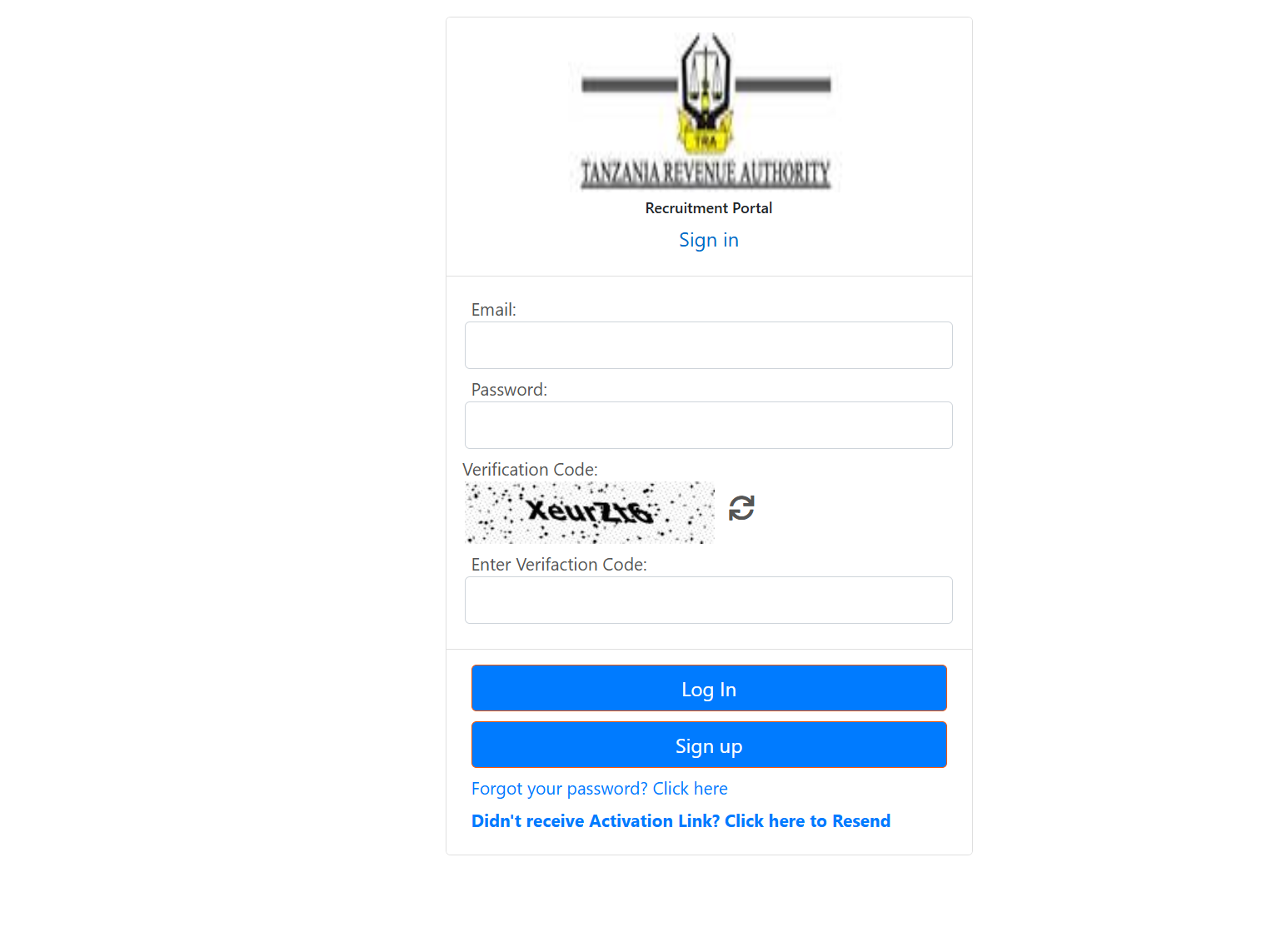
If you’re new:
-
Look for the registration option and follow the prompts to create a personal profile.
Step 3: Complete Your Application Tasks
Once logged in, you can update your profile, upload required documents, browse vacancies, and submit applications whenever openings are available.
What You Can Do Inside the Tra Recruitment Portal
The portal is built to make the application process straightforward. Here are the core actions you can take:
Profile Management
Update personal details, education history, professional experience, and attachments.
Online Applications
Select available job listings and submit applications directly through the system.
Document Uploads
Attach scanned copies of academic certificates, identification, and other requirements.
Status Tracking
Monitor your application progress without needing to visit TRA offices.
Notifications
Stay informed about activation links, application updates, and required actions.
Additional Help: Registration, Password Reset, and Activation Issues
Creating a New Account
If you’re registering for the first time, provide a valid email address and follow the instructions sent to your inbox. Make sure you complete activation right away to avoid sign-in issues later.
Resetting Your Password
If you’ve forgotten your password:
-
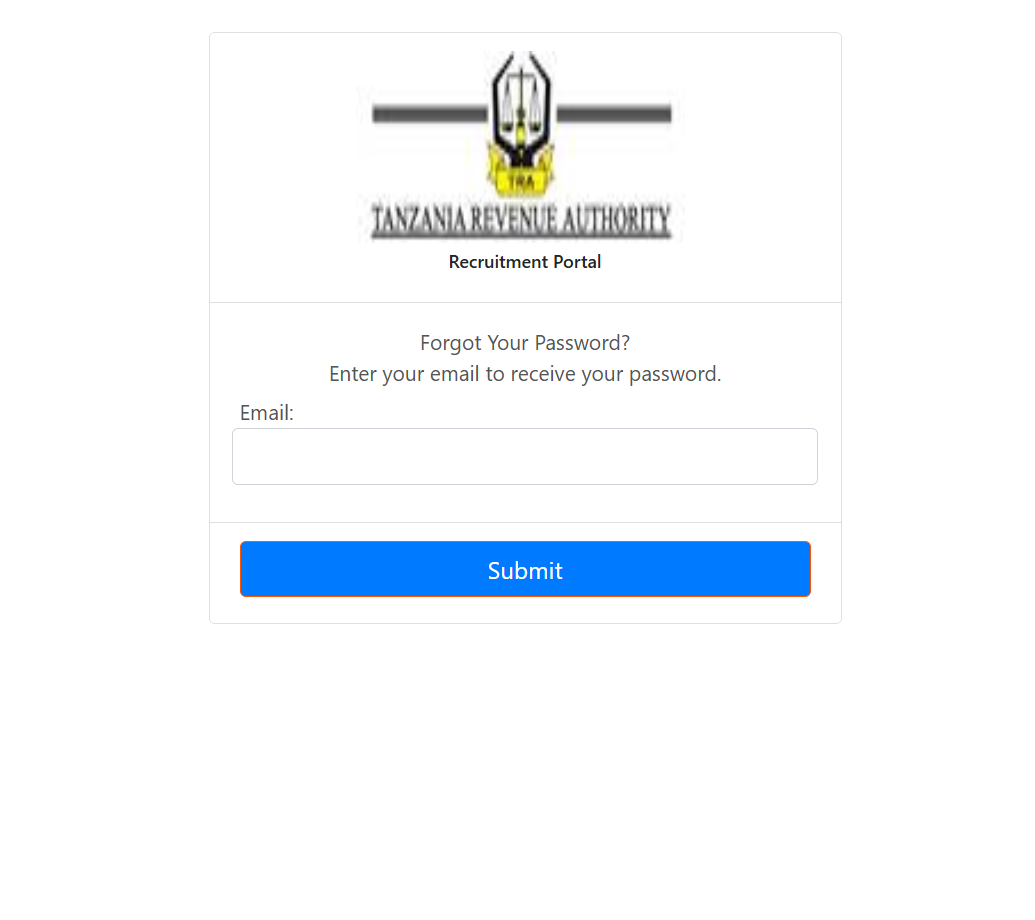
On the login page, click Forgot Your Password?
-
Enter your email.
-
A reset link will be sent to your inbox so you can create a new password.
Didn’t Receive an Activation Link?
Use the Resend Activation Link option on the same page. Check your spam or promotions folder if you don’t see the message quickly.
Available Services Inside the Tra Recruitment Portal
The portal is more than just a login page—it’s a complete recruitment workspace. Here’s a quick breakdown:
-
Vacancy listings with details and requirements
-
Application form submission
-
Automatic screening prompts
-
Document verification tools
-
Self-service account recovery
-
Real-time notification updates
Everything is centralized, reducing delays and keeping the process transparent.
Tips & Quick Answers
Keep your email accessible.
Most portal actions require email confirmation.
Enter the verification code carefully.
It’s case-sensitive and must match exactly.
Use clear, correctly scanned documents.
Poor document quality may affect your application.
Save your progress.
Before exiting, ensure each section is completed or saved properly.
Helpful Notes
The Tra Recruitment Portal is the only official channel for TRA recruitment. Applications submitted outside the system aren’t accepted. Keeping your login details secure ensures your information remains protected.
Conclusion
The Tra Recruitment Portal gives applicants a streamlined, convenient way to manage the entire recruitment process from start to finish. With a clear understanding of how to sign in, reset credentials, upload documents, and track applications, you’re set up for a much smoother experience.
Take your time, follow the steps, and you’ll navigate each stage with confidence.
Go to our Homepage To Get Relevant Information.
Contents
- 1 Tra Recruitment Portal: A Simple, Friendly Guide to Signing In and Getting Started
- 1.1 Introduction
- 1.2 Getting Started with the Tra Recruitment Portal
- 1.3 Step-by-Step Instructions for Using the Tra Recruitment Portal
- 1.4 What You Can Do Inside the Tra Recruitment Portal
- 1.5 Additional Help: Registration, Password Reset, and Activation Issues
- 1.6 Available Services Inside the Tra Recruitment Portal
- 1.7 Tips & Quick Answers
- 1.8 Helpful Notes
- 1.9 Conclusion