
Saut Sims: A Simple, Friendly Guide for Students and Staff
Introduction
If you’re part of St. Augustine University of Tanzania, chances are you’ll interact with Saut Sims, the university’s Student Information Management System. It’s the digital home for course registration, results, academic progress, and a range of tools that make day-to-day academic tasks easier.
This guide walks you through how to get started, how to log in, what you can do inside the platform, and a few supportive tips to help you feel confident from your first visit.
How to Begin With Saut Sims
Before you can register courses or check results, you’ll first need to access the official login page and sign in with your university credentials. Everything you need is centralised in one place, so once you’re in, navigation is straightforward.
Step-by-Step Instructions for Using Saut Sims
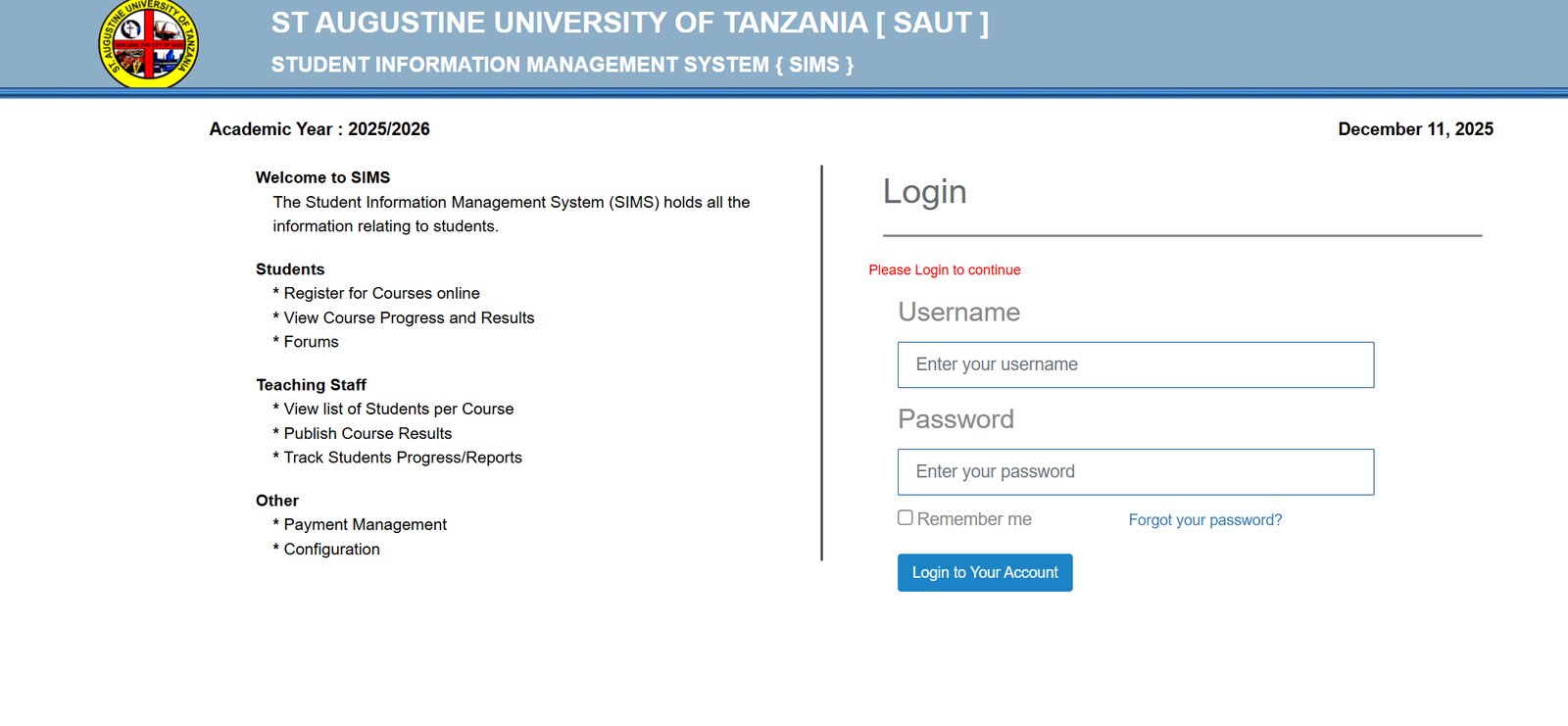
Step 1: Visit the Official Login Page
Go to the main access point for the system:
https://sims.saut.ac.tz/login/?callback=https://sims.saut.ac.tz/
Step 2: Enter Your Username
Type in the university-provided username. This is usually assigned during your admission or onboarding process.
Step 3: Enter Your Password
Fill in your password. If you’re logging in on your own device, you can select Remember me for quicker future access.
Step 4: Click Login to Continue
After logging in, you’ll be taken to your personalized dashboard.
If You Forgot Your Password
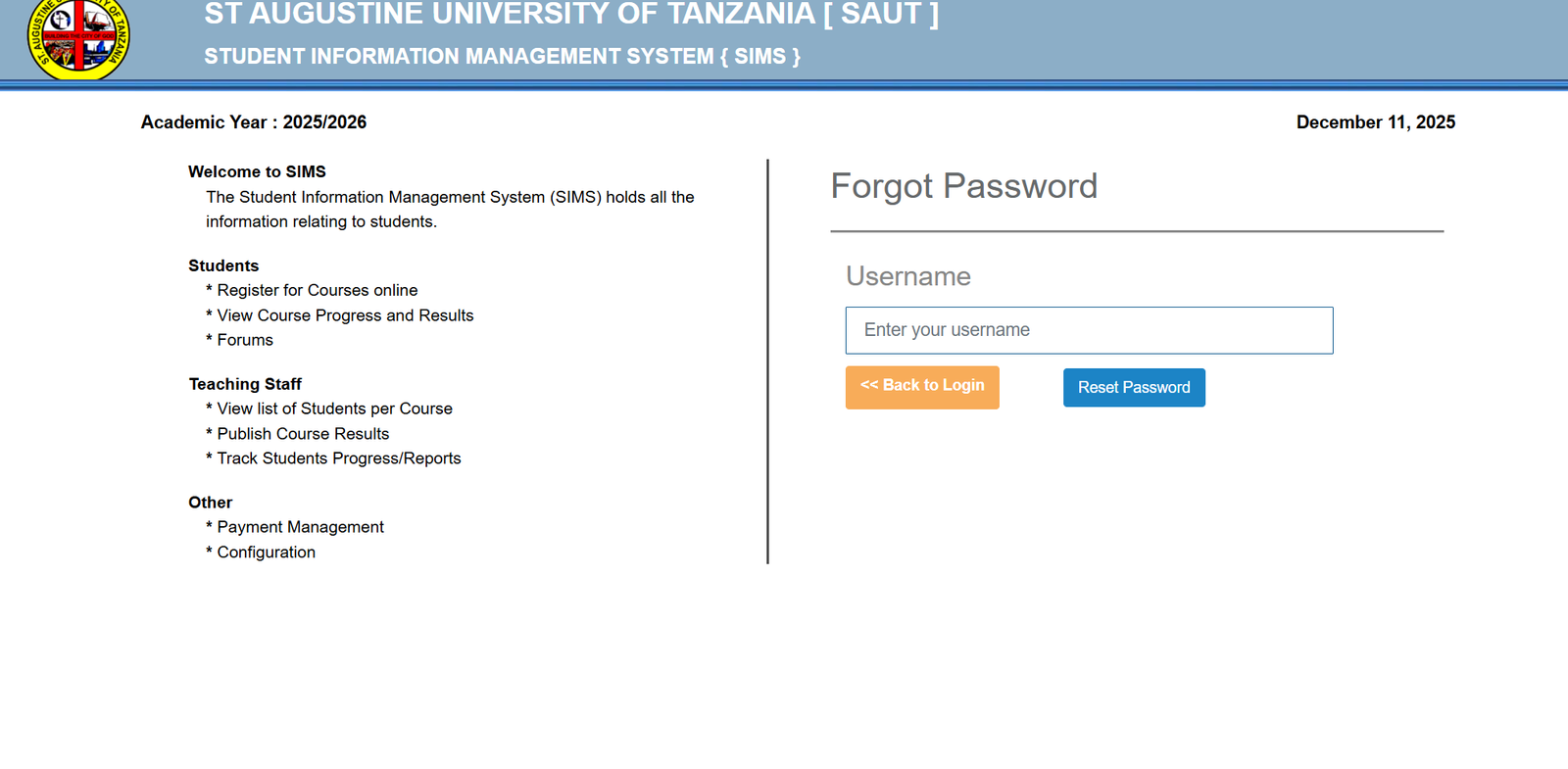
Use the Forgot your password? link on the login screen. Follow the prompts to reset it securely. You may need access to the email or phone number associated with your account.
Available Services Inside Saut Sims
Once you’re logged in, Saut Sims provides a clean layout with essential tools for students, teaching staff, and administrators.
Student Services
Students can manage most academic tasks from inside the system, including:
-
Register for Courses Online
Choose and submit your course selections for the academic year. -
View Course Progress and Results
Track your academic performance throughout the semester. -
Access Forums
Engage with classmates, ask questions, and share resources.
Teaching Staff Tools
Lecturers and instructors use Saut Sims to support teaching and academic record-keeping:
-
View Students per Course
Check enrollment lists and track attendance. -
Publish Course Results
Upload grades and make them available for students. -
Track Students’ Progress and Reports
Monitor ongoing performance and generate needed reports.
Other Useful Features
-
Payment Management
Handle fee and payment confirmations. -
Configuration Options
Administrative users can update system settings and institution-wide preferences.
What You Can Do With Saut Sims
Whether you’re a student or staff member, Saut Sims acts as a central hub for academic activities. You can:
-
Confirm your enrollment status
-
Manage semester registrations
-
Check fee records
-
Review published results
-
Stay updated on academic information shared through forums
Registration in Saut Sims
If you’re new, registration is typically completed by the institution. Once your account is created, you receive login details. After your first successful login, it’s a good idea to update your password to something secure and memorable.
Resetting a Password in Saut Sims
If your password needs to be changed or you can’t remember it:
-
Return to the login page.
-
Select Forgot your password?
-
Follow the reset instructions.
-
Create a strong new password before signing in again.
Checking Your Status in Saut Sims
Your dashboard gives quick access to your academic status, including:
-
Registered courses
-
Pending tasks
-
Announcements
-
Published results
-
Payment updates
The system is updated regularly by the university, so the information you see is current and reliable.
Extra Notes
St. Augustine University of Tanzania’s Student Information Management System is designed to bring all academic information together in one secure digital space. Designed and developed by ICT Solutions Design, the platform supports both the 2025/2026 academic year and future updates as the institution grows.
Conclusion
Saut Sims makes academic management smoother by giving students and staff a dependable place to work, learn, and stay connected. Once you’re logged in, everything—from course registration to results—is only a few clicks away. Use this guide anytime you need quick clarity or a confidence boost while navigating the system.
Go to our Homepage To Get Relevant Information.
Contents
- 1 Saut Sims: A Simple, Friendly Guide for Students and Staff
- 1.1 Introduction
- 1.2 How to Begin With Saut Sims
- 1.3 Step-by-Step Instructions for Using Saut Sims
- 1.4 Available Services Inside Saut Sims
- 1.5 What You Can Do With Saut Sims
- 1.6 Registration in Saut Sims
- 1.7 Resetting a Password in Saut Sims
- 1.8 Checking Your Status in Saut Sims
- 1.9 Extra Notes
- 1.10 Conclusion