
Mzumbe University: A Friendly Guide to Using the Online Application & Admission Portal
Introduction
If you’re planning to apply to Mzumbe University, the Online Application and Admission Portal (OAAP) is your main gateway. It’s designed to walk you through creating an account, signing in, completing your application, and managing your admission details. This guide keeps everything simple and friendly, so you know exactly what to do and where to click. By the end, you’ll be able to move confidently through each step.
How to Begin With Mzumbe University OAAP
Before anything else, you’ll need an MU-OAAP account. This account allows you to apply, track your progress, and receive updates. The setup is straightforward, and you only need a few details to get started.
Step-by-Step Instructions for Creating Your MU-OAAP Account
Step 1: Visit the Official Portal
Go to the official application page:
https://admission.mzumbe.ac.tz/
You’ll land on the Mzumbe University Online Application and Admission Portal homepage.
Step 2: Create an Account
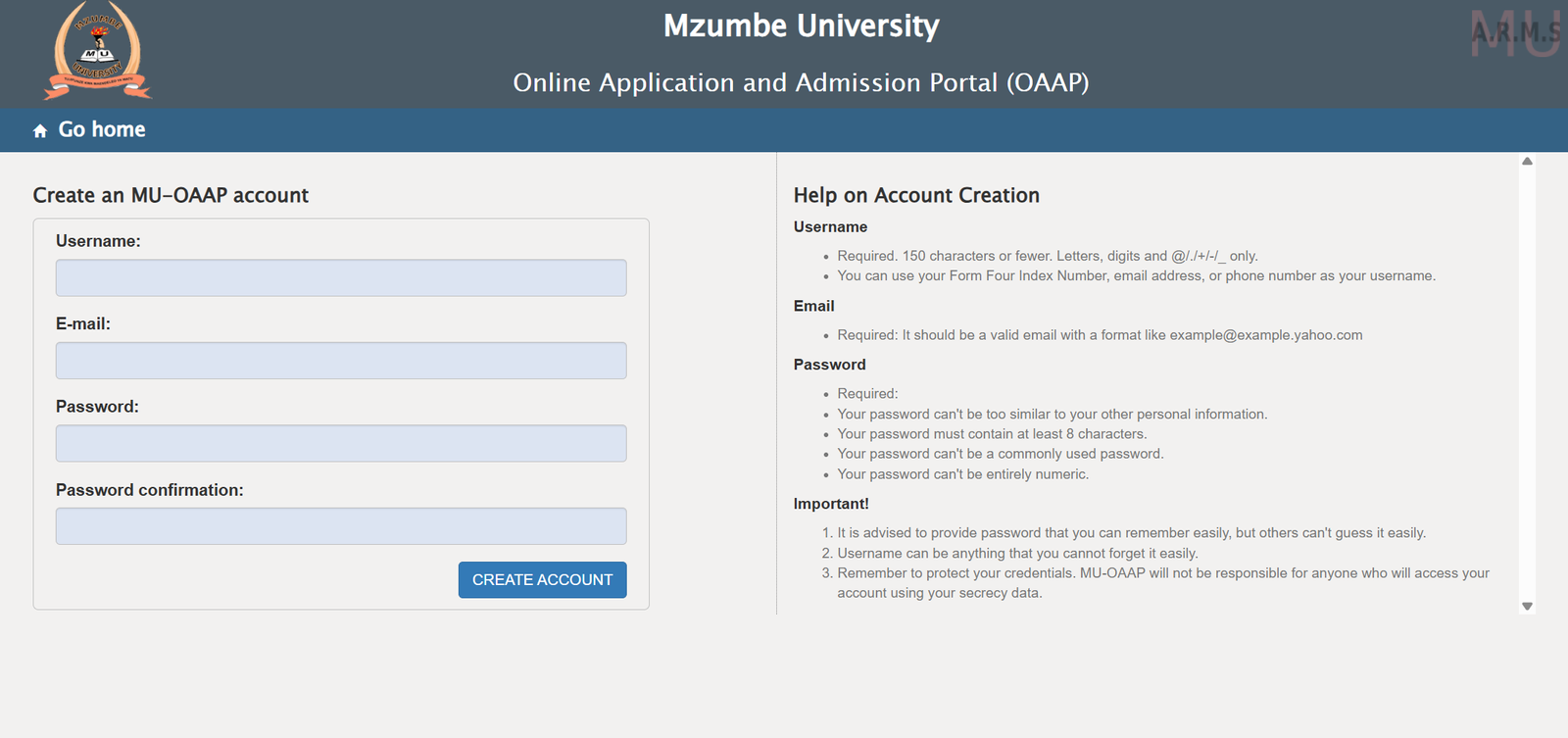
Select Create an MU-OAAP Account and fill in the required fields:
-
Username:
You can use your Form Four Index Number, email address, or phone number.
It must be 150 characters or fewer and may include letters, digits, and @/./+/-/_. -
Email:
Make sure it’s a valid email, such as example@example.yahoo.com. This is where password reset instructions will be sent if needed. -
Password:
Requirements include:-
At least 8 characters
-
Not similar to personal information
-
Not a common password
-
Not entirely numeric
Choose something secure but easy for you to remember.
-
Step 3: Confirm and Submit
Re-enter your password, double-check your details, and create your account. Once done, your MU-OAAP profile is ready.
What You Can Do Inside the Mzumbe University Portal
Once logged in, the portal gives you access to several important features:
1. Start a New Application
You can begin a fresh application, enter your academic records, and upload required documents.
2. View Application Status
Track your progress and check for updates from the admission office.
3. Update Personal Information
If you typed something incorrectly the first time, you can correct it before submission.
4. Receive Notifications
Official updates about deadlines, missing documents, or selection results show up in your dashboard.
Available Services on the Mzumbe University OAAP
Account Creation Support
The portal gives short help notes to guide you on usernames, email formats, and password security.
Secure Login System
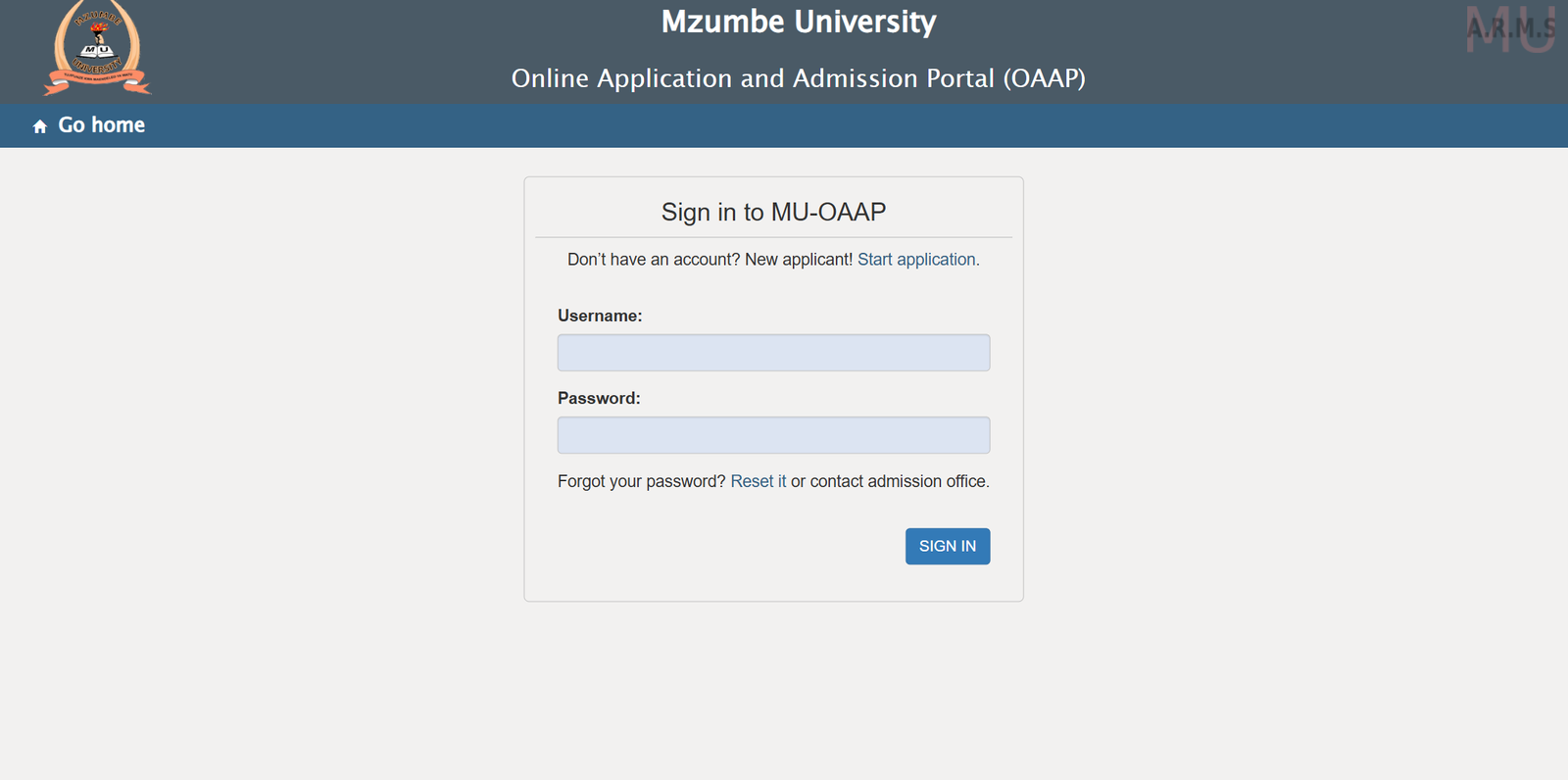
After registering, use the Sign in to MU-OAAP section to enter your username and password.
Password Reset
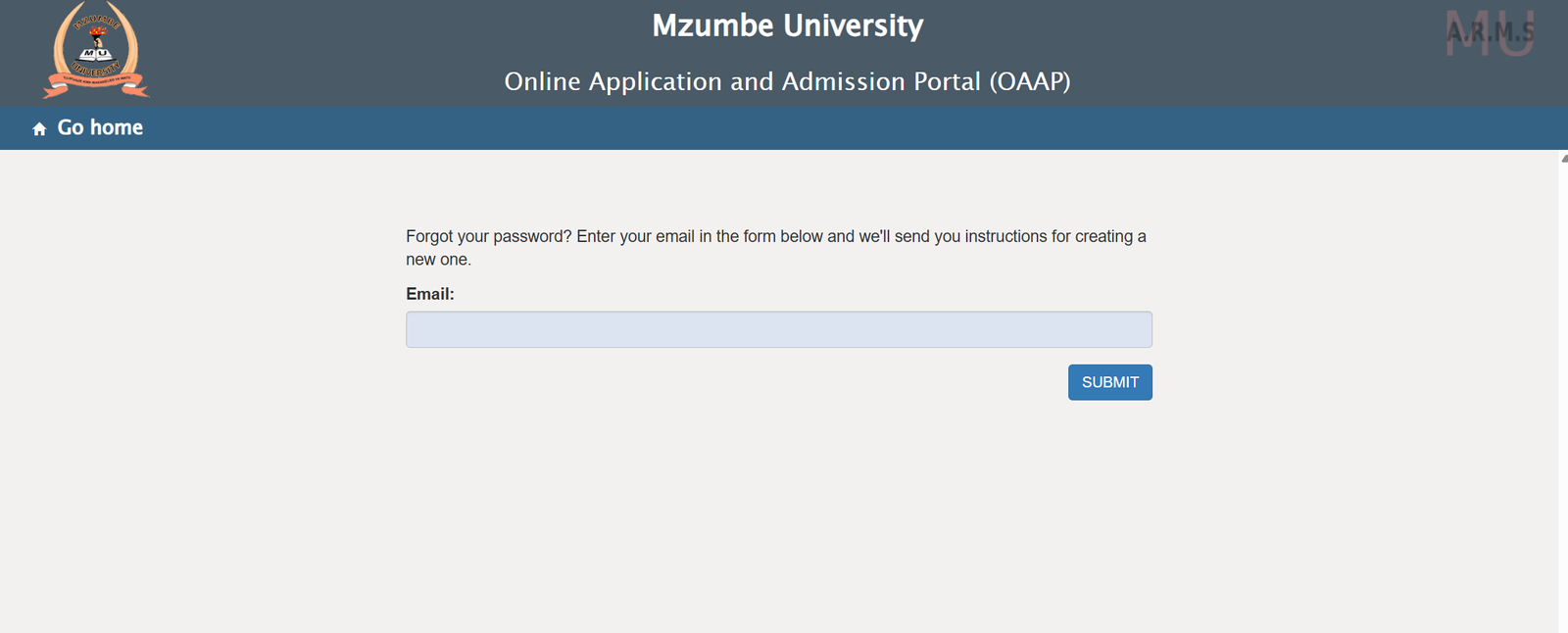
If you lose access, the portal provides a simple way to reset your password using your email.
Registration at Mzumbe University OAAP
Creating your account is considered your first registration step. Remember:
-
Use information you can easily recall.
-
Keep your login credentials private.
-
The university isn’t responsible for unauthorized access due to shared details.
Resetting Your Password
If you forget your password, select Forgot your password? from the login page.
You’ll be asked to enter your email, and instructions for creating a new password will be sent instantly.
This helps you regain access without contacting the admission office unless necessary.
Extra Notes To Keep in Mind
-
The MU-OAAP system is built to be user-friendly, but accuracy matters.
-
Always use your active email; it’s tied to your ability to reset your account.
-
Keep all documents ready before starting your application to avoid delays.
Conclusion
Whether you’re applying for the first time or returning to continue your process, the Mzumbe University OAAP makes everything more manageable. With a clear account setup process, straightforward login, and built-in support tools, you can move through each requirement with confidence. Use this guide whenever you need a refresher, and you’ll stay on track from account creation to application submission.
Go to our Homepage To Get Relevant Information.
Contents
- 1 Mzumbe University: A Friendly Guide to Using the Online Application & Admission Portal
- 1.1 Introduction
- 1.2 How to Begin With Mzumbe University OAAP
- 1.3 Step-by-Step Instructions for Creating Your MU-OAAP Account
- 1.4 What You Can Do Inside the Mzumbe University Portal
- 1.5 Available Services on the Mzumbe University OAAP
- 1.6 Registration at Mzumbe University OAAP
- 1.7 Resetting Your Password
- 1.8 Extra Notes To Keep in Mind
- 1.9 Conclusion