
Introduction
If you’re looking for government job opportunities in Tanzania, the Ajira Portal is the official online space that brings everything together in one place. It helps job seekers browse vacancies, create accounts, manage applications, and stay updated on new openings across ministries, agencies, and public institutions. This guide walks you through how the Ajira Portal works, how to get started, and what you can do once you’re inside—using clear, simple steps.
How to Begin with Ajira Portal
The Ajira Portal is designed to make job searching more organized and accessible. Before you can apply for any role, you’ll need an active account and a complete profile. Once that’s done, the system lets you explore job categories, review listings, and submit applications directly online.
Step-by-Step Instructions: Getting Started
Step 1: Visit the Official Ajira Portal
Go to the official website at: https://portal.ajira.go.tz/
This is where everything begins account creation, vacancy browsing, and application management.
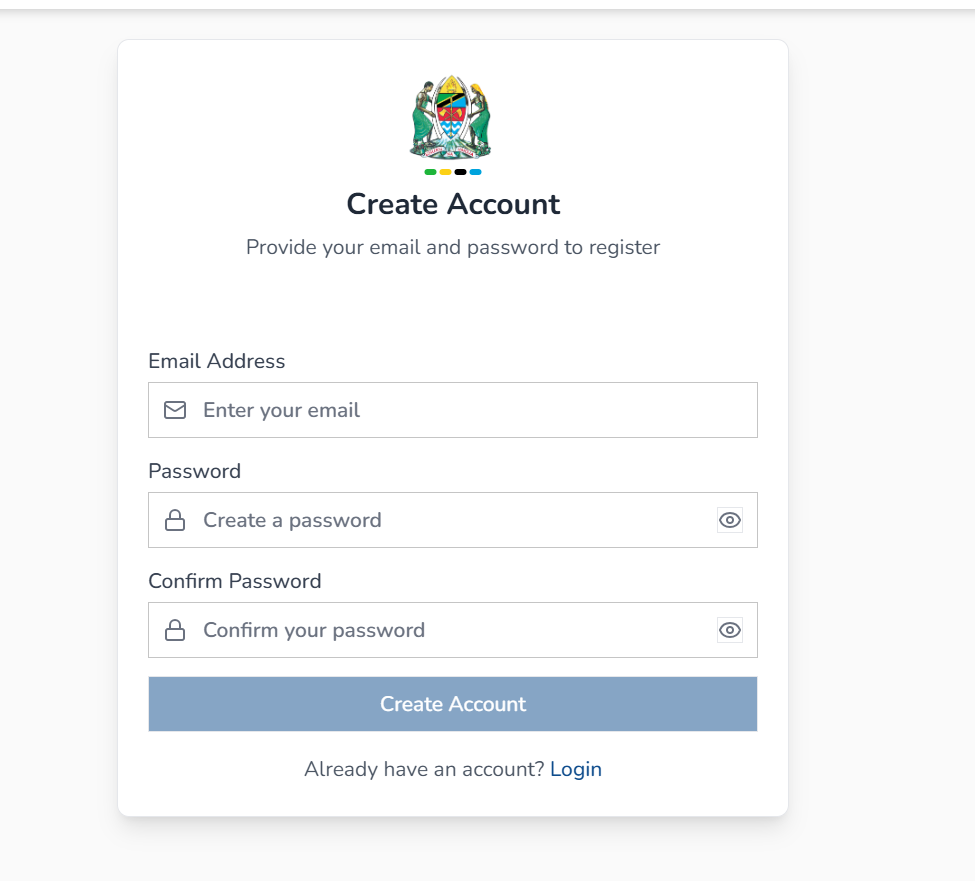
Step 2: Create Your Account
Select the Create Account option. You’ll be asked to provide:
-
Email address
-
Password
-
Password confirmation
After submitting your details, the system sends an activation link to your email. Open it, click the link, and your account becomes active.
Step 3: Complete Your Profile
Once logged in, fill in all required fields found in the left-hand menu. This includes personal information, education, experience, and other relevant details. A complete profile strengthens your applications.
Step 4: Browse and Apply for Vacancies
Select the Vacancies tab at the top of the page.
Here’s what to do:
-
Choose a vacancy that interests you
-
Read the requirements carefully
-
Click Apply to submit your application
If you run into challenges, use the Feedback section to report issues or ask questions.
What You Can Do Inside Ajira Portal
Once your account is set, the Ajira Portal gives you access to useful tools and job-search features, all arranged to help you move quickly and confidently.
Browse Job Categories
The platform offers a wide range of categories, such as:
-
Accounting and Auditing
-
Engineering and Construction
-
IT and Telecoms
-
Healthcare and Pharmaceutical
-
Education and Training
-
HR & Administration
-
Transport and Logistics
-
Banking, Economics and Financial Services
…and many more.
Every category displays how many vacancies are currently available, making it easy to focus on areas that match your skills.
Manage Your Applications
You can track the jobs you’ve applied for, see updates, and monitor your application status in one convenient dashboard.
Receive App Tips
The portal includes short reminders on best practices, like completing your profile and reading job requirements thoroughly before applying.
Ajira Portal Services & Features
Here’s a quick overview of the main services offered:
1. Account Registration
A simple email-based sign-up process with activation via email link.
2. Login & Profile Management
Update personal details, academic records, and professional experience anytime.
3. Vacancy Listings
Government job openings updated regularly across multiple institutions.
4. Application Tracking
A structured way to see which jobs you’ve applied for and what comes next.
5. Support & Feedback
A built-in channel for reporting issues or asking for help.
Registration on Ajira Portal
Registration takes just a few minutes:
-
Enter your email
-
Create a password
-
Confirm the password
-
Look out for the activation email and click the provided link
-
Log in and begin editing your profile
If the activation email doesn’t appear right away, check your spam folder or wait a few minutes before refreshing your inbox.
How to Reset Your Password
If you ever forget your password, the Ajira Portal makes recovery simple:
-
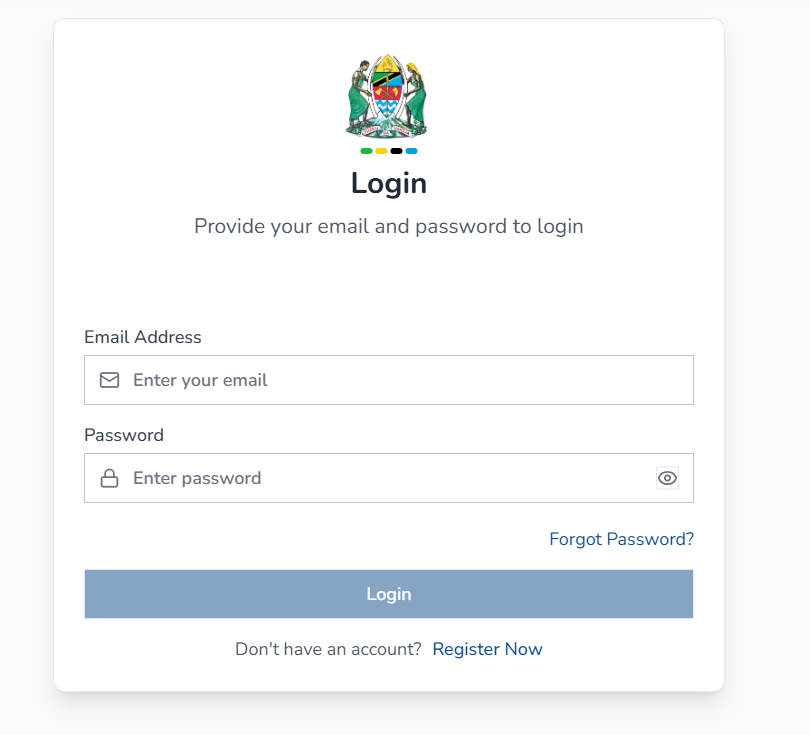
Visit the portal login page.
-
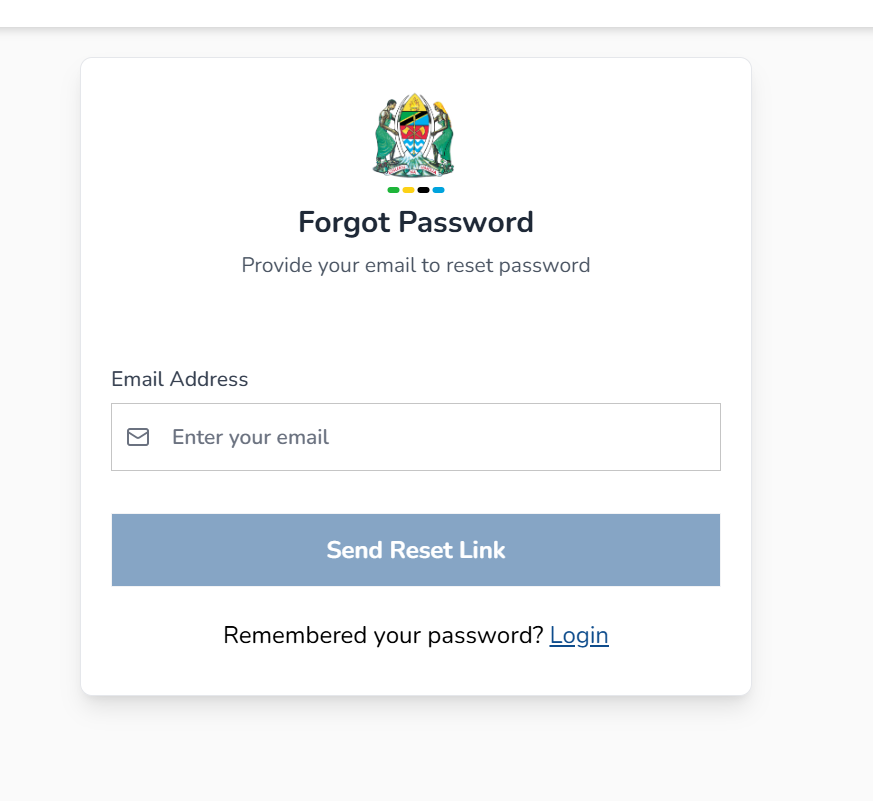
Select Forgot Password.
-
Enter the email address used during registration.
-
Check your inbox for a reset link.
-
Click the link and create a new password.
You can return to the login page once your password is updated.
Downloading the Ajira Portal App
For easier access on mobile, the platform offers app downloads:
-
App Store (iOS)
-
Google Play (Android)
The app lets you view vacancies, manage your profile, and submit applications from your phone without logging in through a browser.
Tips & Quick Answers
Why should I complete my profile fully?
Your application is evaluated based on the information in your profile. Incomplete sections may reduce your chances.
Can I apply for more than one vacancy?
Yes, you can apply for as many vacancies as match your qualifications.
What if I don’t meet every requirement?
Applications are strongest when all required qualifications are met. It’s best to apply for roles that align closely with your background.
How do I contact support?
You can call the helpline numbers or email the support addresses provided on the site under Contact Us.
Conclusion
Whether you’re new to government job applications or simply need a smoother way to stay updated, the Ajira Portal gives you a clear, reliable system to manage your job search. Once you understand the steps creating an account, completing your profile, browsing vacancies, and applying you’ll find the platform straightforward and helpful. With this guide, you now have everything you need to make the most of it.
Go to our Homepage To Get Relevant Information.
Contents