
Ardhi University: A Friendly Guide to Getting Started and Managing Your Account
If you’re planning to study at Ardhi University or simply need help navigating its online admission system, this guide walks you through everything in a clear, human way. You’ll learn how to register, log in, reset your password, and understand the key services available on the portal. Whether you’re a first-time applicant or returning to check your status, you’ll find simple steps to help you move forward with confidence.
Introduction
Applying to university can feel overwhelming, especially when you’re unsure where to begin. This guide focuses on Ardhi University, explaining what the online admission portal is, why it matters, and how it helps you manage essential tasks. By the end, you’ll know exactly how to create your account, log in, complete your application, and troubleshoot common issues.
How to Begin with Ardhi University
Before you start filling out forms, it helps to know what the platform offers. The Ardhi University admission portal is the hub for:
-
Creating your applicant account
-
Submitting your application
-
Resetting your password
-
Checking updates or application status
Everything happens in one place, which keeps your process organized and easy to follow.
Step-by-Step Instructions for Using the Ardhi University Admission Portal
Step 1: Register for a New Account
If this is your first time applying, head to the official portal:
https://admission.aru.ac.tz/login
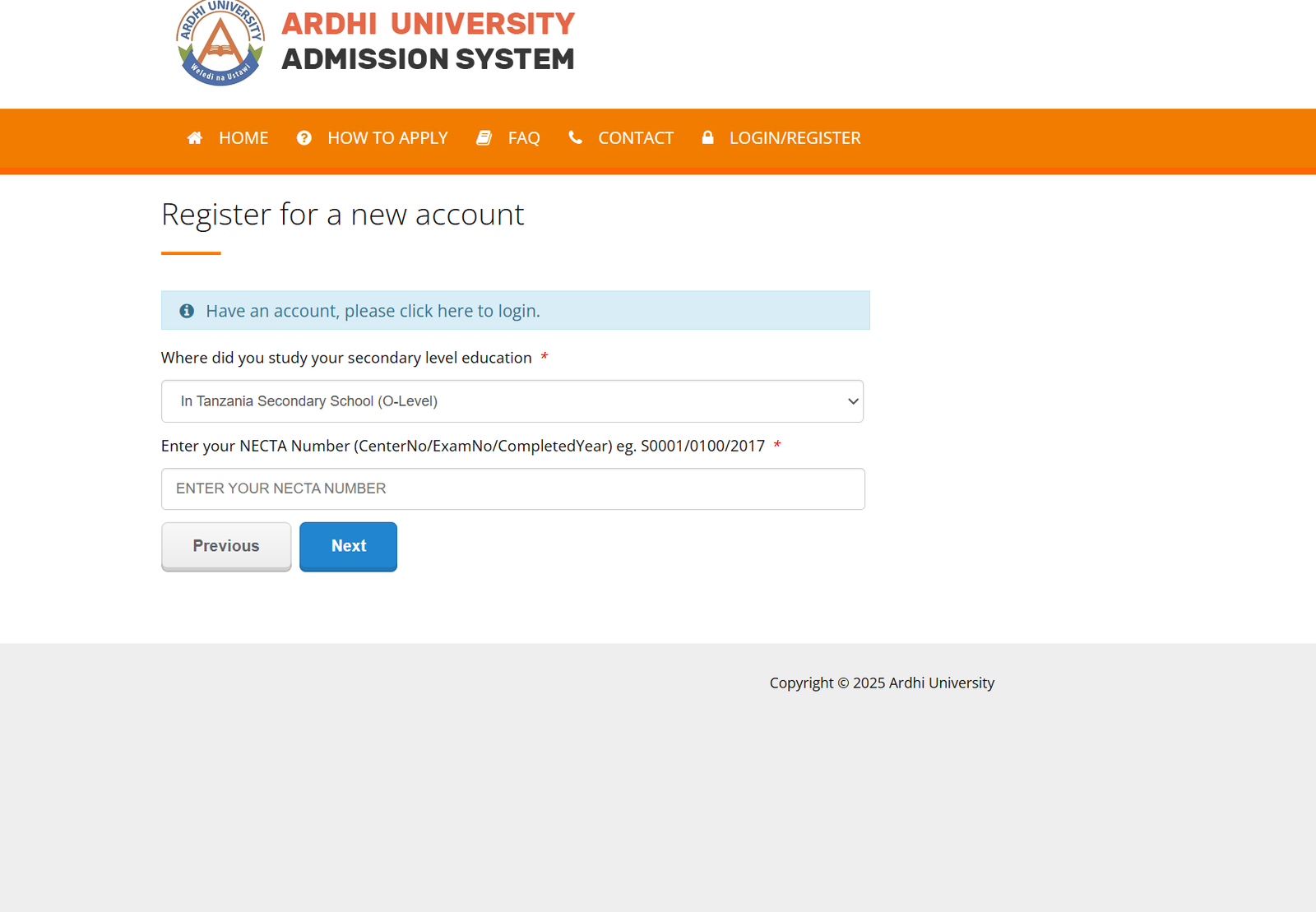
Select the option to register a new account. You’ll be prompted to enter basic information, including where you completed your secondary education.
If you studied your O-Level in Tanzania, the system will ask for your NECTA number in the format:
CenterNo/ExamNo/CompletedYear (example: S0001/0100/2017).
Step 2: Log In to Your Ardhi University Account
Once registered, return to the login page and enter your username or email along with your password. This gives you access to your application dashboard, where you can proceed with submitting your details or checking updates.
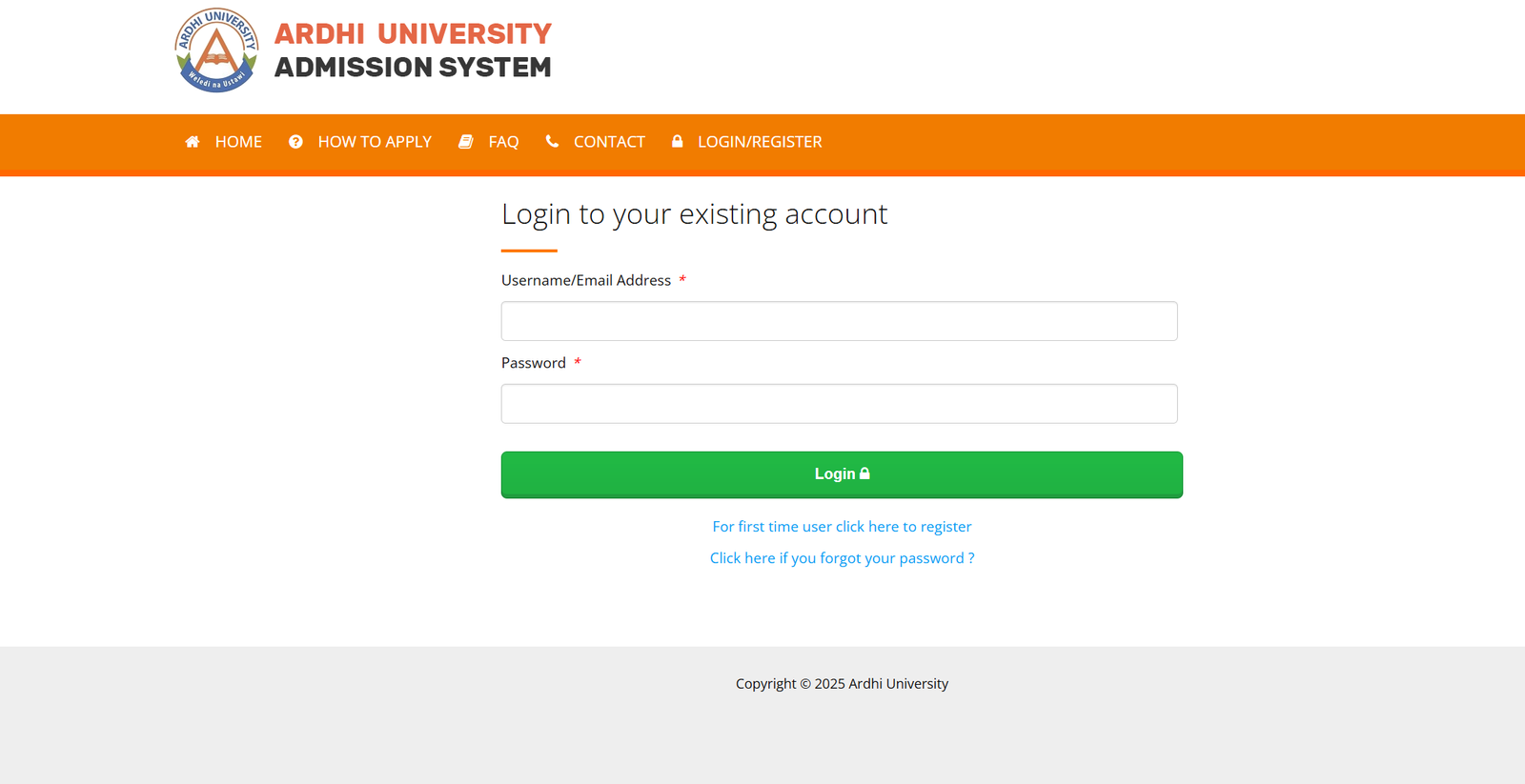
The portal menu includes options such as:
-
Home
-
How to Apply
-
FAQ
-
Contact
-
Login / Register
Each section helps guide you through the application journey. If you ever feel stuck, the FAQ and Contact pages provide quick assistance.
Features and Services Available at Ardhi University’s Admission Portal
Clear Application Guidance
The portal offers structured instructions under “How to Apply,” making the process straightforward even for first-time users.
Account Management
You can update details, review submitted information, and manage your login credentials.
Password Reset Service
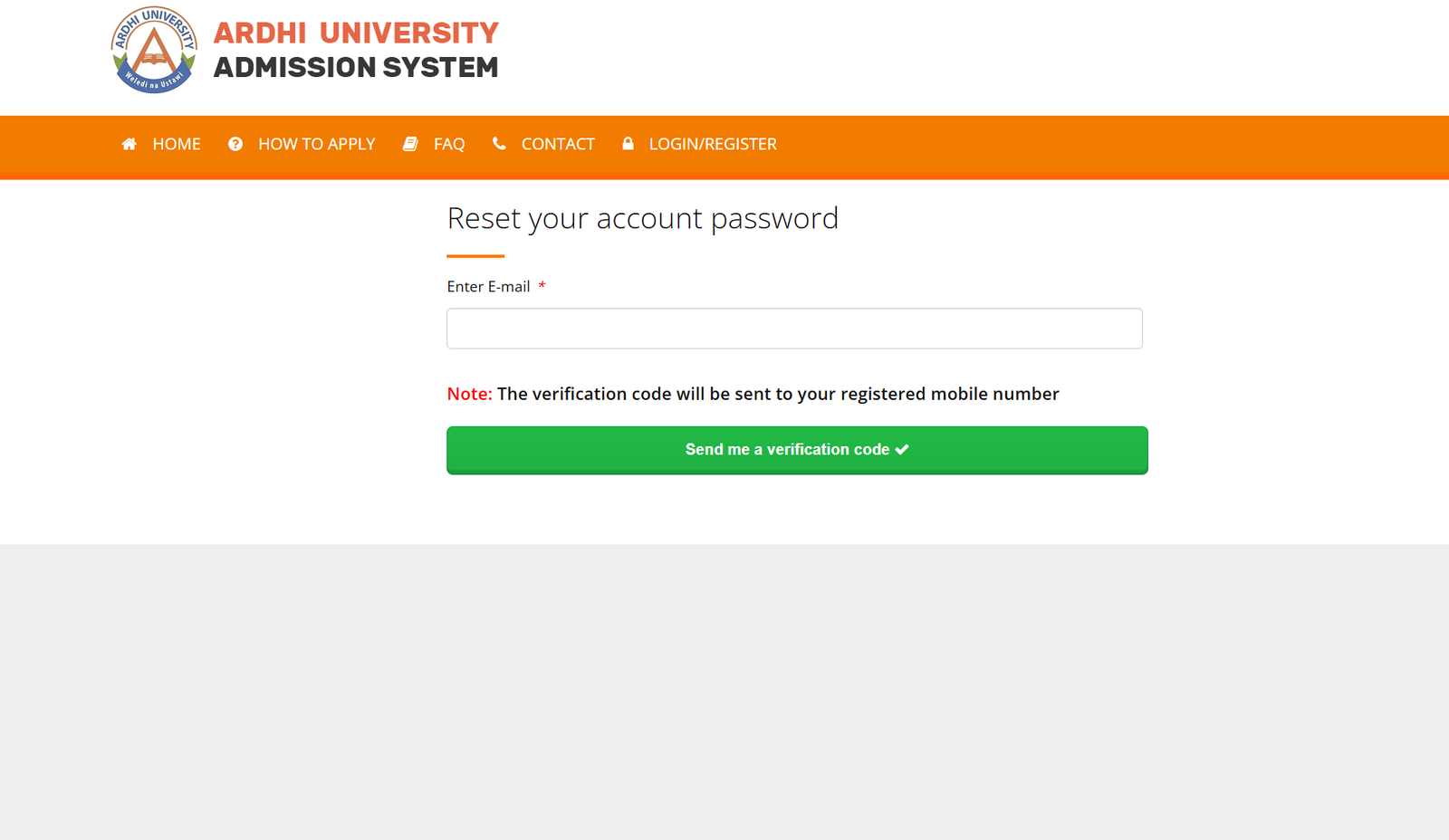
If you forget your password, the portal provides a secure reset process. A verification code will be sent to your registered mobile number, ensuring quick recovery.
NECTA-based Verification
For applicants from Tanzania’s O-Level system, the integration with NECTA helps verify your academic history accurately.
What You Can Do Inside Your Ardhi University Account
-
Start a new application
-
Continue a saved application
-
Review personal details
-
Upload documents
-
Check admission updates
-
Access support resources
Everything is streamlined to help you complete your tasks without unnecessary complications.
Tips & Quick Answers About Ardhi University
How do I register?
Use the link provided above, choose “Register,” and follow the prompts.
What if I already have an account?
Select “Login” and continue using your existing credentials.
What if I forget my password?
Click the reset option and enter your registered email. A verification code will be sent to your mobile number.
Can I change my details later?
Yes, most fields can be edited before final submission.
Additional Sections You May Find Helpful
Registration at Ardhi University
Registration requires accurate personal information and, if applicable, your NECTA number. Take your time and double-check before proceeding.
Resetting Your Ardhi University Password
On the login page, select “Click here if you forgot your password.” Enter your email, wait for the verification code sent to your mobile number, and follow the steps to create a new password.
Checking Your Application Status
Once logged in, your dashboard will display updates related to your application. Check back regularly during the admission period.
Extra Notes
Ardhi University’s admission system is designed to support applicants through every stage. The platform ensures secure access, accurate verification, and a user-friendly layout that guides you naturally from registration to submission.
Conclusion
Getting started with Ardhi University doesn’t need to be complicated. With a clear set of steps and an intuitive online portal, you can register, log in, apply, and manage your account comfortably. Keep this guide handy as you move forward, and feel free to revisit any section whenever you need a refresher.
Go to our Homepage To Get Relevant Information.
Contents
- 1 Ardhi University: A Friendly Guide to Getting Started and Managing Your Account
- 1.1 Introduction
- 1.2 How to Begin with Ardhi University
- 1.3 Step-by-Step Instructions for Using the Ardhi University Admission Portal
- 1.4 Features and Services Available at Ardhi University’s Admission Portal
- 1.5 What You Can Do Inside Your Ardhi University Account
- 1.6 Tips & Quick Answers About Ardhi University
- 1.7 Additional Sections You May Find Helpful
- 1.8 Extra Notes
- 1.9 Conclusion