
Crdb Internet Banking: A Simple, Friendly Guide to Getting Started
Introduction
Crdb Internet Banking makes it easy to manage your money anytime you need it. Whether you want to check your balance, pay bills, or download statements, you can do it all without visiting a branch. This guide walks you through the essentials—how to get started, how to sign in, what services you can use, and how to solve common issues like resetting a password. By the end, you’ll feel confident navigating your account with ease.
How to Begin With Crdb Internet Banking
Getting started is straightforward. All you need are your login details and a secure device. The platform is designed to help you handle everyday tasks quickly and reliably.
What You’ll Need
-
A registered CRDB Bank account
-
Your username and password
-
Access to a secure internet connection
Step-by-Step Instructions for Using Crdb Internet Banking
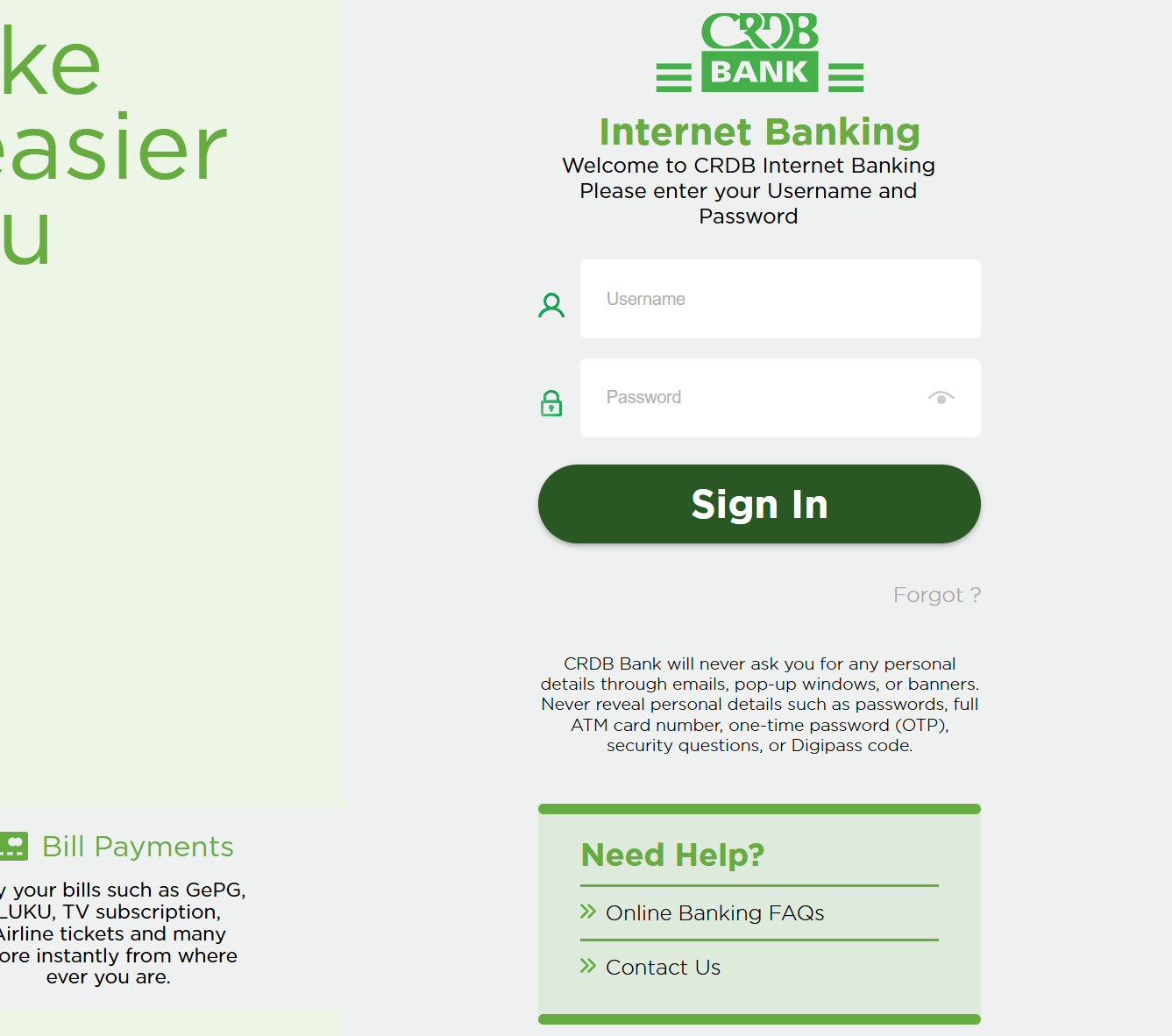
Step 1: Visit the Official Login Page
Go to the bank’s secure login portal:
https://omnichannels.crdbbank.co.tz/netteller-war/
Step 2: Enter Your Username
Type your username in the field provided.
Step 3: Enter Your Password
Input your password. You can use the “Show” option if you want to confirm that the characters are correct.
Step 4: Select “Sign In”
Once your details are entered, click Sign in to access your dashboard.
If you forget your username or password, don’t worry there’s a built-in reset feature that we’ll cover below.
What You Can Do Using Crdb Internet Banking
Convenient Transactions
You can move money between your CRDB accounts, transfer to other local banks, and even make international transfers when needed.
Quick Bill Payments
Pay for LUKU, GePG services, TV subscriptions, airline tickets, and many other bills instantly.
Easy Statement Access
View and download your statements anytime. You can also search transactions going back up to one year.
Crdb Internet Banking Features & Services
Here’s a quick look at what the platform offers and how each feature helps:
Transfers
Send funds locally or internationally without paperwork or branch visits.
Statements
Access full statements, filter by date, and download them for your records.
Bill Payments
Handle all your recurring payments from one place.
Security Features
The system uses verification layers such as OTPs and security questions to safeguard your account. CRDB Bank will never request sensitive details through pop-ups, emails, or banners.
Registration for New Users
If you haven’t signed up yet, you can register at a CRDB branch or through available digital channels. You’ll receive instructions for setting up your username and password.
Resetting Your Password or Username
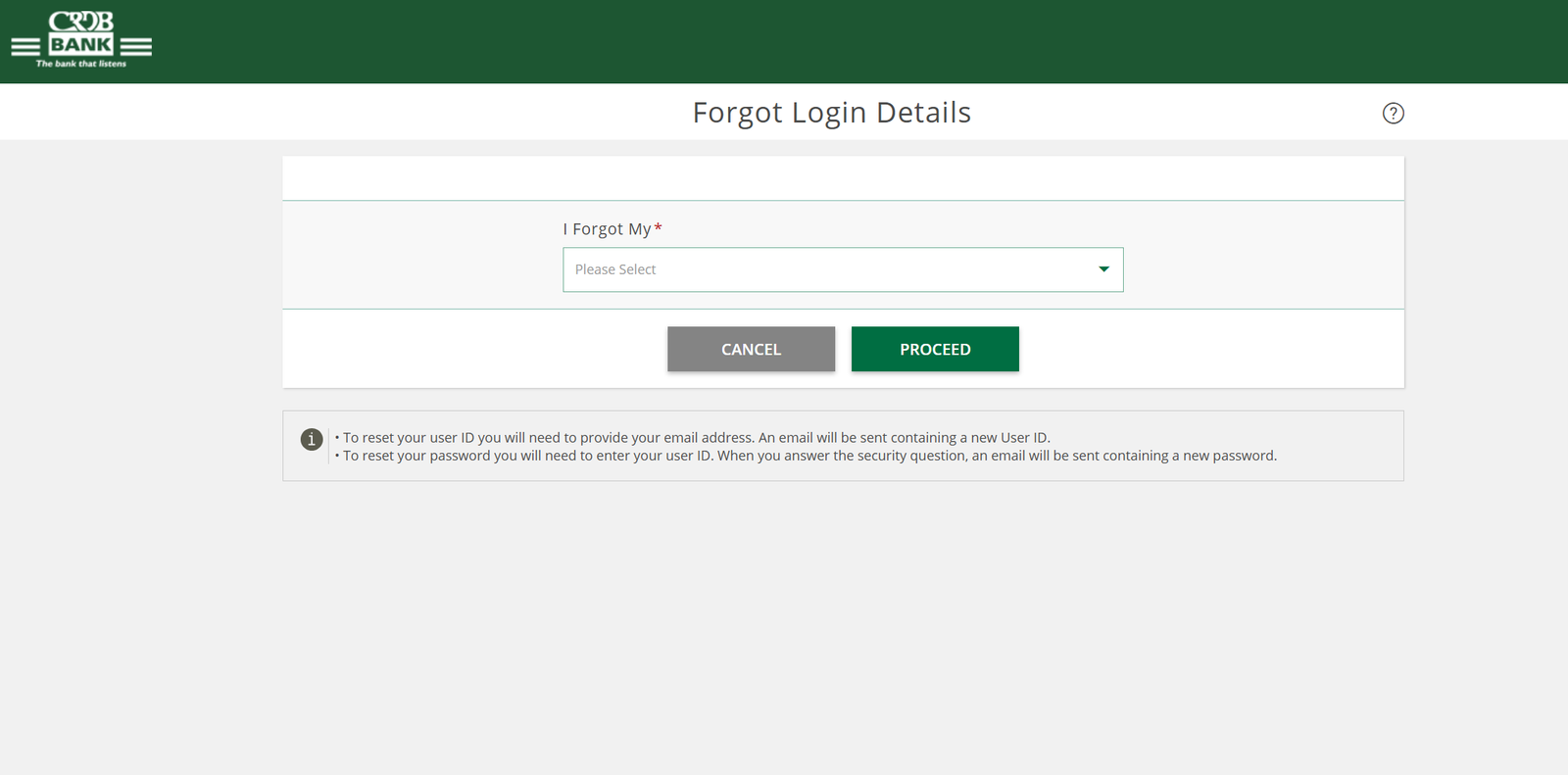
Crdb Internet Banking includes a simple recovery process:
Reset Your Username
-
Select Forgot Login Details.
-
Choose User ID.
-
Enter your registered email address.
-
You’ll receive an email with a new username.
Reset Your Password
-
Select Forgot Login Details.
-
Choose Password.
-
Enter your User ID.
-
Answer your security question.
-
A new password will be sent to you by email.
Extra Notes
-
Never share your password, OTP, full card number, Digipass code, or security answers with anyone.
-
Always check that you are using the official CRDB link before entering personal information.
-
If you need assistance, the Online Banking FAQs and Contact Us sections on the official site can help.
Conclusion
Crdb Internet Banking gives you a secure, flexible way to manage your financial life. With quick access to transfers, bill payments, and statements, you can handle your daily banking tasks wherever you are. Once you learn the basics, the platform becomes a reliable companion for staying in control of your money.
Go to our Homepage To Get Relevant Information.
Contents
- 1 Crdb Internet Banking: A Simple, Friendly Guide to Getting Started
- 1.1 Introduction
- 1.2 How to Begin With Crdb Internet Banking
- 1.3 Step-by-Step Instructions for Using Crdb Internet Banking
- 1.4 What You Can Do Using Crdb Internet Banking
- 1.5 Crdb Internet Banking Features & Services
- 1.6 Registration for New Users
- 1.7 Resetting Your Password or Username
- 1.8 Extra Notes
- 1.9 Conclusion