
Ffars Tamisemi: A Simple, Friendly Guide to Getting Started
Introduction
If you’ve been trying to understand how Ffars Tamisemi works—or you simply want a clear path to logging in, checking services, or managing your account—you’re in the right place. Ffars Tamisemi is the Facility Financial Accounting and Reporting System used in Tanzania to support transparent financial reporting within public facilities.
This guide walks you through the basics in a warm, approachable way. You’ll learn how to begin, how the login process works, what services are available, and what to do if you need help with registration, passwords, or account access.
How to Begin With Ffars Tamisemi
Before anything else, it helps to know what this platform does. Ffars Tamisemi is managed under PMO-RALG, serving as a centralized digital system for financial reporting. Whether you’re a new user or returning after some time away, the steps below will help you move forward confidently.
Step-by-Step Instructions for Using Ffars Tamisemi
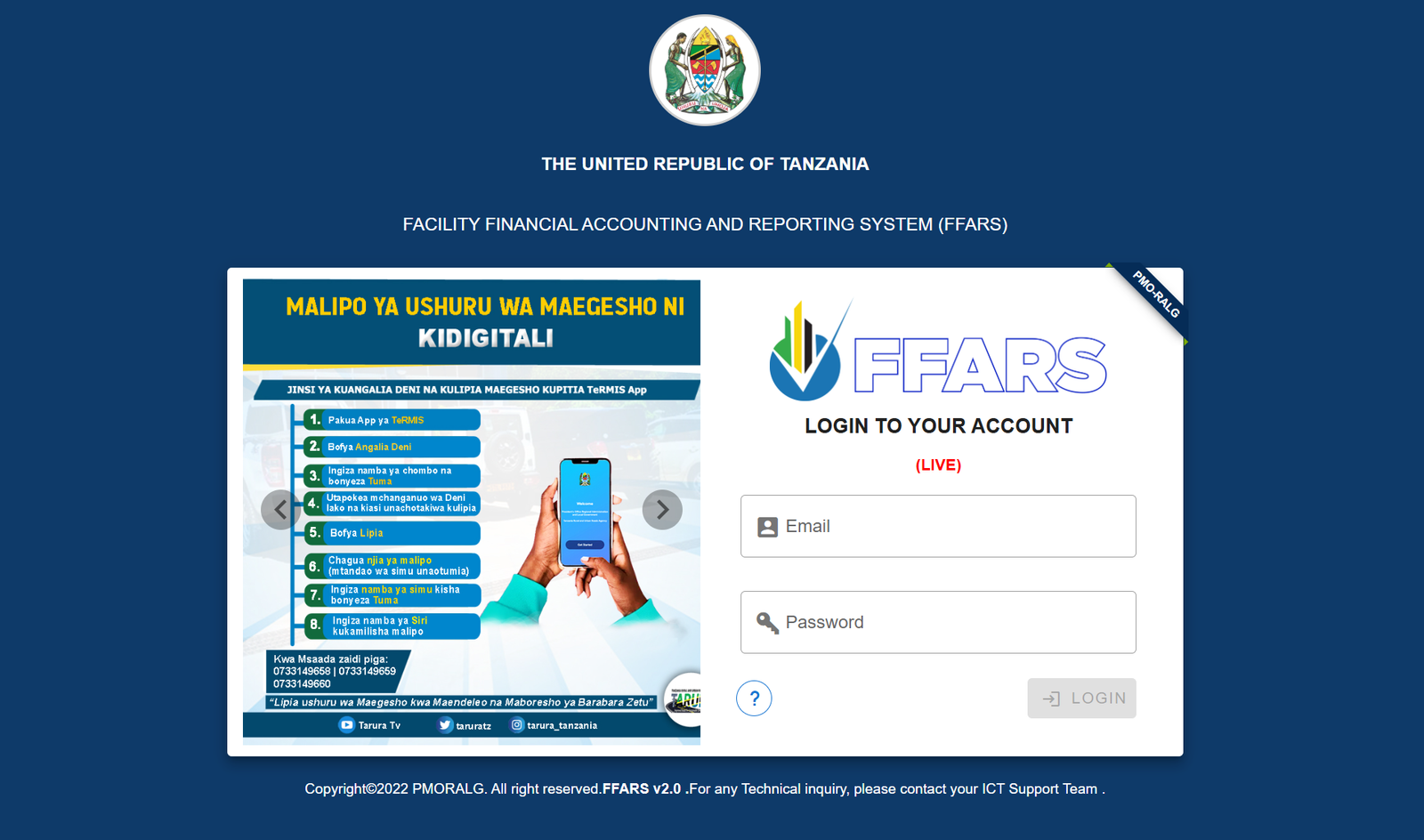
Step 1: Visit the Official Login Page
Go to the official system link:
https://ffars.tamisemi.go.tz/login?redirect=%2F
This is where all users access their accounts.
Step 2: Enter Your Email
Use the email address associated with your account. Make sure it’s typed correctly to avoid login errors.
Step 3: Enter Your Password
Type your password carefully. If you use shared or public devices, remember to log out when you’re done.
Step 4: Access Your Dashboard
Once logged in, you’ll see the FFARS dashboard, where you can manage reporting tasks, review facility financial details, and access tools provided for your role.
Available Services Inside Ffars Tamisemi
Ffars Tamisemi includes several tools designed to make financial reporting easier:
Financial Reporting Tools
These tools help facilities submit accurate financial statements and track expenditures.
Facility-Level Accounting Features
Users can record transactions, prepare reports, and follow budget allocations.
Audit and Compliance Features
The system supports routine checks and ensures that data is compliant with national standards.
What You Can Do Inside Ffars Tamisemi
Here are some of the core tasks most users rely on:
-
Submit monthly and quarterly financial reports
-
Review expenditure records
-
Update facility account information
-
Track performance indicators
-
Download statements or activity summaries
These functions help maintain transparency and accountability within public service delivery.
Tips & Quick Answers About Ffars Tamisemi
Forgot Your Password?
Most institutions have designated ICT support teams responsible for resetting passwords. Since the official login page directs users to contact ICT Support for technical inquiries, reach out to your local ICT officer if you’re locked out.
New User Registration
If you’re not yet registered, your facility or district ICT support team usually initiates new account creation. They can set up your profile and provide login credentials.
Downloading Reports
Once you log in, look for report options within your dashboard. Downloads typically come in PDF or spreadsheet formats depending on the report type.
Checking Your Status
Your dashboard shows updated reporting statuses, including pending tasks, submitted reports, and verification stages.
Extra Notes
The name Ffars Tamisemi refers to a national system operating under the United Republic of Tanzania. It is part of the government’s ongoing commitment to accountable and streamlined financial management in public facilities.
You may also see “FFARS v2.0,” which simply indicates the current system version. Technical inquiries are meant to be handled by your ICT support team, ensuring smooth user experience.
Conclusion
Ffars Tamisemi is built to make financial reporting more efficient, transparent, and reliable. With just a few steps, you can log in, manage your facility’s financial information, and carry out your reporting responsibilities confidently. If anything feels unclear, your ICT support team is always your first point of he
Go to our Homepage To Get Relevant Information.
Contents
- 1 Ffars Tamisemi: A Simple, Friendly Guide to Getting Started