
Forex Factory: A Friendly Guide to Getting Started and Making the Most of Its Tools
Introduction
If you’ve ever wanted a single place to track market news, follow economic events, review live charts, and connect with other traders, Forex Factory is one of the most trusted platforms to start with. Traders use it daily because it brings the entire forex world together—news, data, market movements, and community insights—all in one clean dashboard.
This guide walks you through what Forex Factory offers, how to begin, the steps to create an account, how to use its core tools, and a few helpful pointers to get more value from your time on the site.
How to Begin on Forex Factory
Forex Factory is built for both new and seasoned traders. You don’t need advanced knowledge to start. A basic understanding of currency trading is enough to explore its calendars, charts, forums, and broker tools.
Here’s what you can expect to learn:
-
How to sign up and log in
-
How to navigate the Calendar, News, Market, and Forums sections
-
How to use features like live spreads, trader sentiment, and the Trade Explorer
-
How to reset your password or adjust your account details
Step-by-Step Instructions for Getting Started
Step 1: Visit the Official Website
Go directly to the platform using the official link:
https://www.forexfactory.com
You’ll land on the homepage, where you can browse the Calendar, News feed, live charts, and forums even without an account.
Step 2: Create Your Forex Factory Account
-
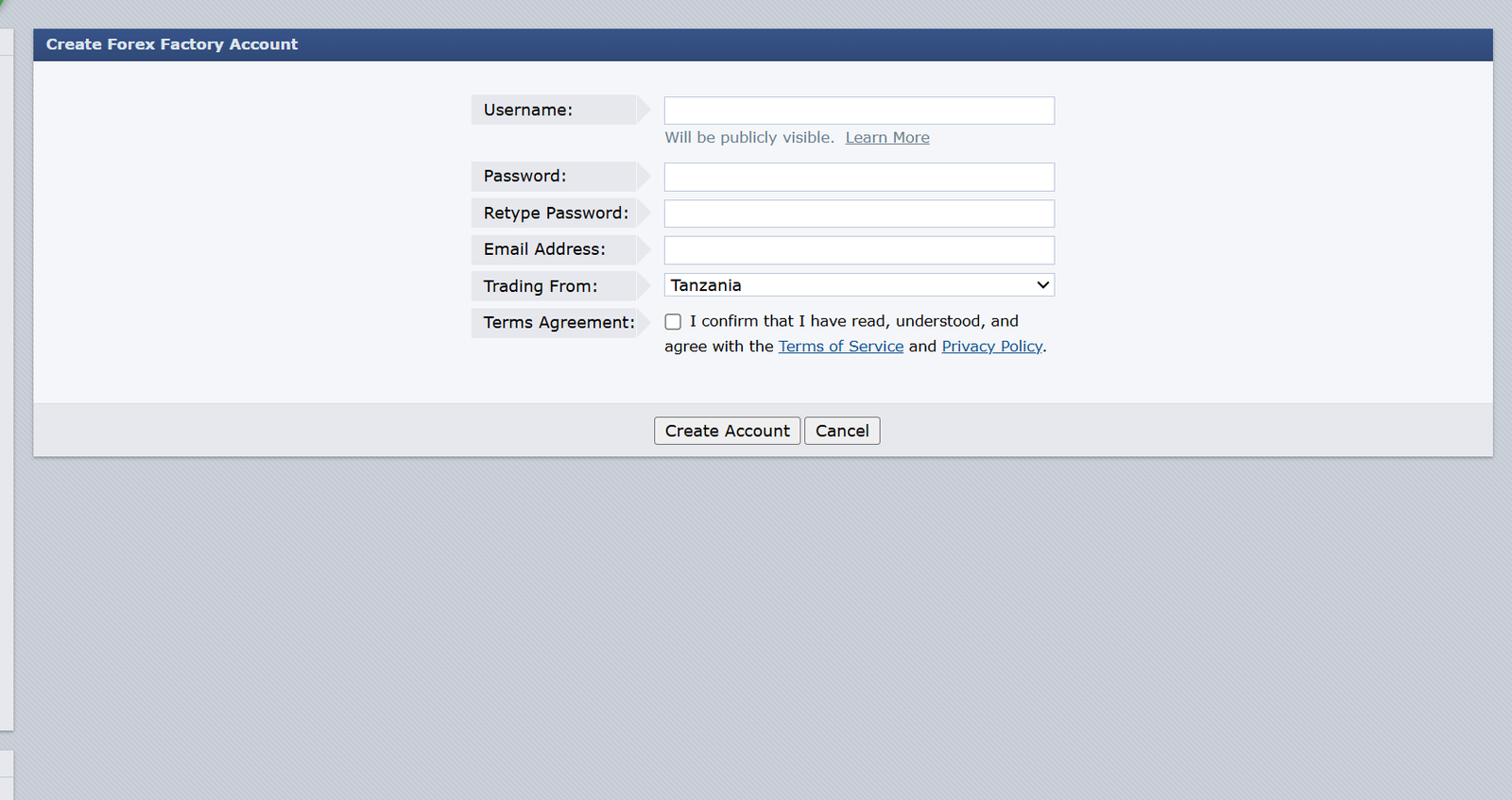
Click Create Account at the top of the page.
-
Choose a username (this will be visible in the community).
-
Enter a secure password and retype it.
-
Provide your email address and select your trading location.
-
Agree to the terms of service and submit your registration.
Once your account is created, you gain access to personalized settings, the ability to post in forums, and tools such as the Trade Explorer.
Step 3: Log In Anytime
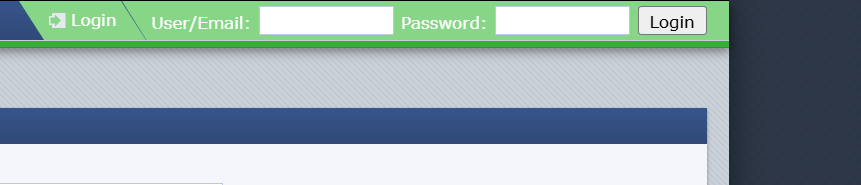
Use the Login option with your username or email and password.
If you forget your password, choose Recover Password under the login box and follow the prompts—Forex Factory will send reset instructions to your email.
Exploring Forex Factory: What You Can Do
Forex Factory Calendar
The Calendar is one of the platform’s most popular tools.
You’ll find:
-
Scheduled economic events
-
Market-impact labels
-
Forecast, previous, and actual data
-
Filters for currency, time, and event type
This helps traders anticipate volatility and plan entries or exits around major announcements.
Forex Factory News
The News section aggregates reports from reputable sources such as financial news outlets and market analysts.
You can expect:
-
Latest headlines
-
Hot stories of the day
-
Market reactions
-
Updates from central banks, government reports, and corporate releases
Forex Factory Market Tools
Under Market, you’ll find real-time information such as:
-
Live currency prices
-
Pip changes
-
Percentage movement
-
Six-hour charts
-
Gold and commodity pricing
This makes it easy to track movement without needing a separate charting platform.
Forex Factory Forums
The forums are highly active and include:
-
Trading discussions
-
Strategy threads
-
Broker reviews
-
Live market commentary
-
Beginner learning spaces
Thousands of traders share ideas in real time, making this an excellent community resource.
Forex Factory Brokers Section
Here you can compare:
-
Live spreads
-
Broker activity
-
Detailed broker profiles
The broker guide is updated regularly, giving traders clarity on pricing, spreads, and regulations.
Features & Services Explained Simply
Trade Explorer
A tool that helps you connect your trading account and analyze:
-
Performance
-
Risk exposure
-
Trade history
-
Profit factors
It’s ideal if you like tracking progress with visual reports.
Live Spreads & Broker Activity
These sections show:
-
Real-time pricing from different brokers
-
How spreads fluctuate
-
Which brokers are most active
Great for comparing trading conditions before placing trades.
Traders Sentiment
Some instruments display long vs. short ratios, helping you gauge where the crowd is positioned.
Extra Sections Worth Knowing
Registration
The registration page is simple and includes:
-
Username
-
Password
-
Email
-
Location
-
Terms agreement
Once approved, your account works across Forex Factory and its sister sites (metalsmine.com, energyexch.com, cryptoccraft.com).
Resetting Your Password
If you forget your login details:
-
Go to the Login page.
-
Select Recover Password.
-
Enter your email.
-
Follow the link sent to you to create a new password.
Checking Your Status
Your account dashboard lets you view:
-
Profile updates
-
Private messages
-
Thread subscriptions
-
Settings and preferences
Tips & Quick Answers
Is Forex Factory free?
Yes, all major tools are free to use.
Do I need an account to browse?
No. But you’ll need one to post, customize settings, or use advanced tools.
Can I use Forex Factory for trading signals?
It’s not a signal service, but many traders share insights and strategies in the forums.
Is the news reliable?
Yes—content is pulled from verified financial sources.
Extra Notes
Forex Factory has been around for many years and is known for transparency and clean data presentation. The platform doesn’t offer brokerage services itself; instead, it connects you to information that supports informed trading decisions.
Conclusion
Forex Factory remains a favorite among traders because it combines economic data, real-time market insights, community discussions, and helpful tools in one well-organized platform. Whether you’re preparing for a trading session or simply checking in on global events, it gives you the clarity and context you need.
Take your time exploring the site, and let the tools support your daily workflow. The more familiar you become with its features, the more confidently you’ll move through your trading decisions.
Go to our Homepage To Get Relevant Information.
Contents