
Hazina Portal: A Friendly Guide to Getting Started and Making the Most of Your Account
Introduction
The Hazina Portal is an online platform created to help public servants in Tanzania access important employment and salary information with ease. Whether you need to verify your records, reset your password, or explore your account details, the system is designed to make the process straightforward.
This guide walks you through everything you need to know—from how to begin, to step-by-step instructions, to the features you can use once logged in. The goal is to help you feel confident navigating the platform and completing the tasks you need without confusion.
How to Begin With the Hazina Portal
Before you can sign in and access your information, you’ll need an active account. The Hazina Portal requires basic employment details such as your check number and salary information, so keep those close by.
Step-by-Step Instructions: Creating or Accessing Your Account
Step 1: Visit the Official Hazina Portal
Start by opening the official portal using this link:
https://als.muse.go.tz/#/authentication/signin
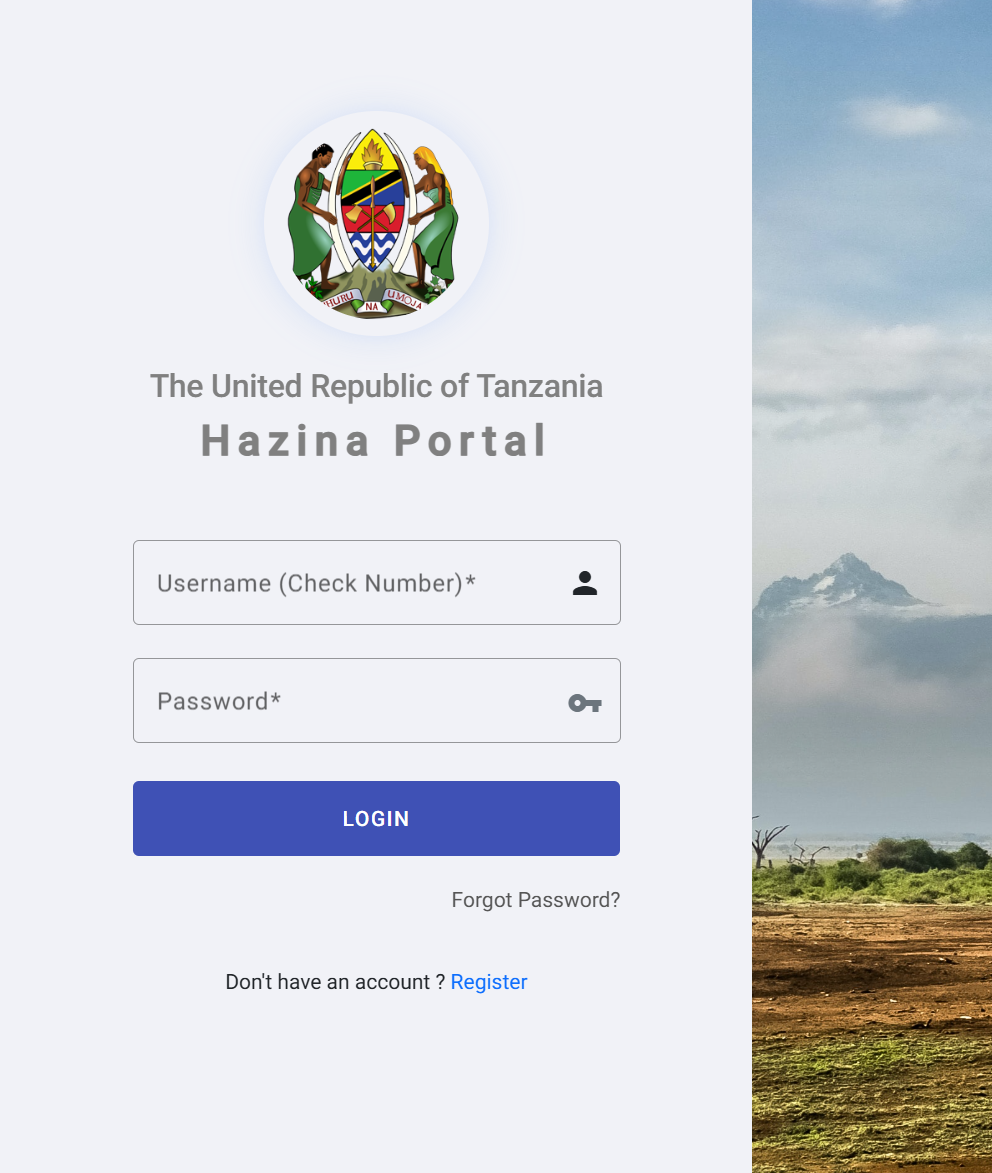
Here, you’ll see the main login page where you can enter your username (your check number) and password once your account is active.
Step 2: Register if You Don’t Have an Account
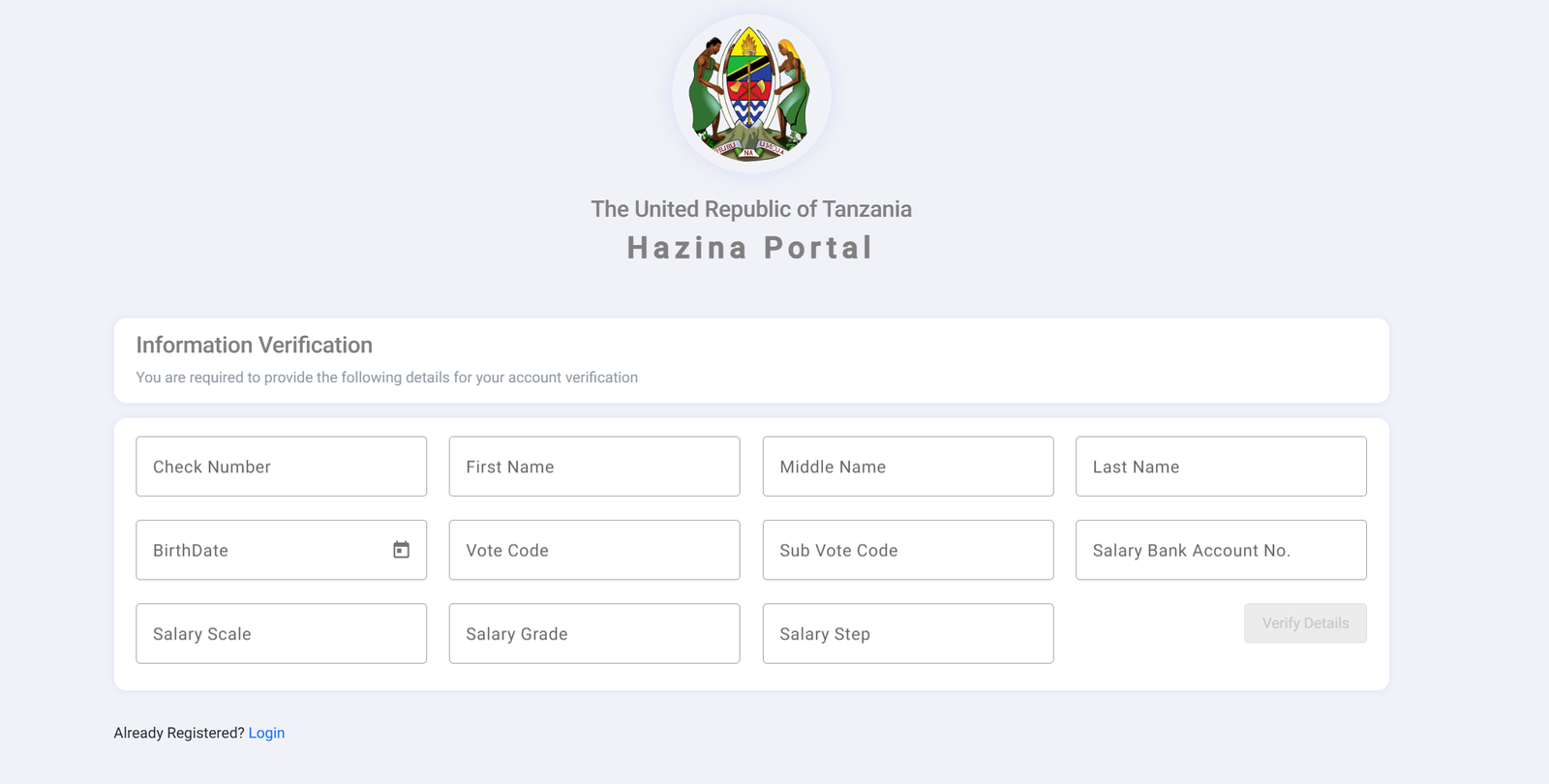
If you’re new to the Hazina Portal, choose Register. You’ll be taken to an account verification form where the system confirms your identity before creating your profile.
You’ll need to provide:
-
Check Number
-
First, Middle, and Last Name
-
Birthdate
-
Vote Code and Sub-Vote Code
-
Salary Bank Account Number
-
Salary Scale, Grade, and Step
Once verified, you can proceed to set up your account and create a secure password.
Step 3: Log In to Your Account
After registration, return to the login page and enter your:
-
Username (Check Number)
-
Password
If everything is correct, your dashboard will open, giving you access to your employment records and available services.
Step 4: Reset Your Password (If Needed)
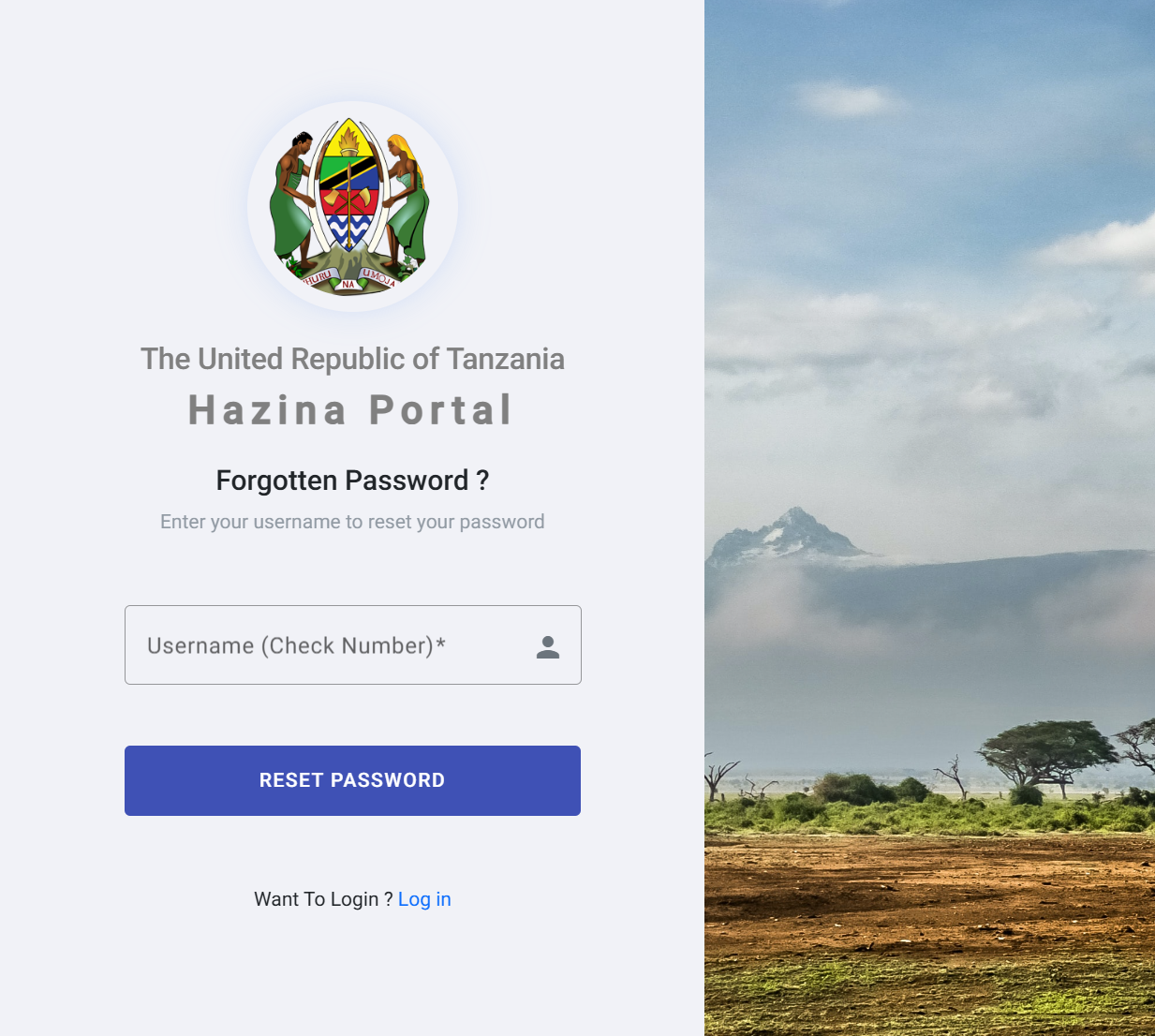
If you ever forget your password, select Forgot Password? on the login page.
You’ll be asked to enter your username (your check number) so the system can help you create a new password securely.
What You Can Do Inside the Hazina Portal
Once logged in, the Hazina Portal gives you access to tools that make managing your employment details easier. Here’s a quick look at what you’ll find:
View and Verify Personal Information
You can check details such as:
-
Name and birthdate
-
Salary scale, grade, and step
-
Bank account used for salary payments
-
Employment verification details
This helps ensure everything matches your official records.
Monitor Salary-Related Information
The portal includes salary-specific sections so you can confirm important financial details whenever needed.
Update or Confirm Records (Where Applicable)
Some sections allow you to verify or update your information depending on system requirements or administrative policies.
Tips & Quick Answers About the Hazina Portal
How do I know if I’m already registered?
On the registration page, you’ll see an option that says Already Registered? Login. If you’re unsure, try logging in using your check number. If unsuccessful, proceed with registration or password recovery.
What if my details don’t match during verification?
Double-check spelling, date formats, and codes. If details still don’t match, contact your employer’s HR or payroll office for assistance.
Can I change my username?
No. Your username is always your official check number.
What should I do if I can’t access the portal at all?
Try refreshing your browser, switching devices, or checking your internet connection. If the issue continues, notify your HR department.
Additional Notes
The Hazina Portal is designed to keep employment information secure and accurate. Each field during verification serves a purpose, helping ensure that only authorized users can access personal salary and employment details.
Take your time when entering information to avoid delays in account creation or password resets.
Conclusion
The Hazina Portal gives public servants a simple and reliable way to manage key employment information. With the steps above, you can register, log in, and take advantage of the tools available to you. Once you’re familiar with the process, checking or updating your information becomes quick and stress-free.
If you’re ready to get started, head to the portal and take your first step.
Go to our Homepage To Get Relevant Information.
Contents
- 1 Hazina Portal: A Friendly Guide to Getting Started and Making the Most of Your Account