
HESLB Login: A Simple, Friendly Guide to Accessing Your OLAMS Account
Introduction
If you’re trying to access your Higher Education Students’ Loans Board (HESLB) account, you’ve likely encountered the OLAMS portal—the platform students use to apply for loans, track their application progress, update details, and manage important financial information. Understanding how the Heslb Login process works makes everything smoother, especially during deadlines or application seasons.
This guide walks you through how to sign in, how to register if you’re new, how to reset your password, and what you can do once you’re inside.
How to Begin With Heslb Login
Before signing in, make sure you have your correct Form Four Index Number and password ready. These two items give you access to the OLAMS system and all the services connected to your educational loan records.
Step-by-Step Instructions for Heslb Login
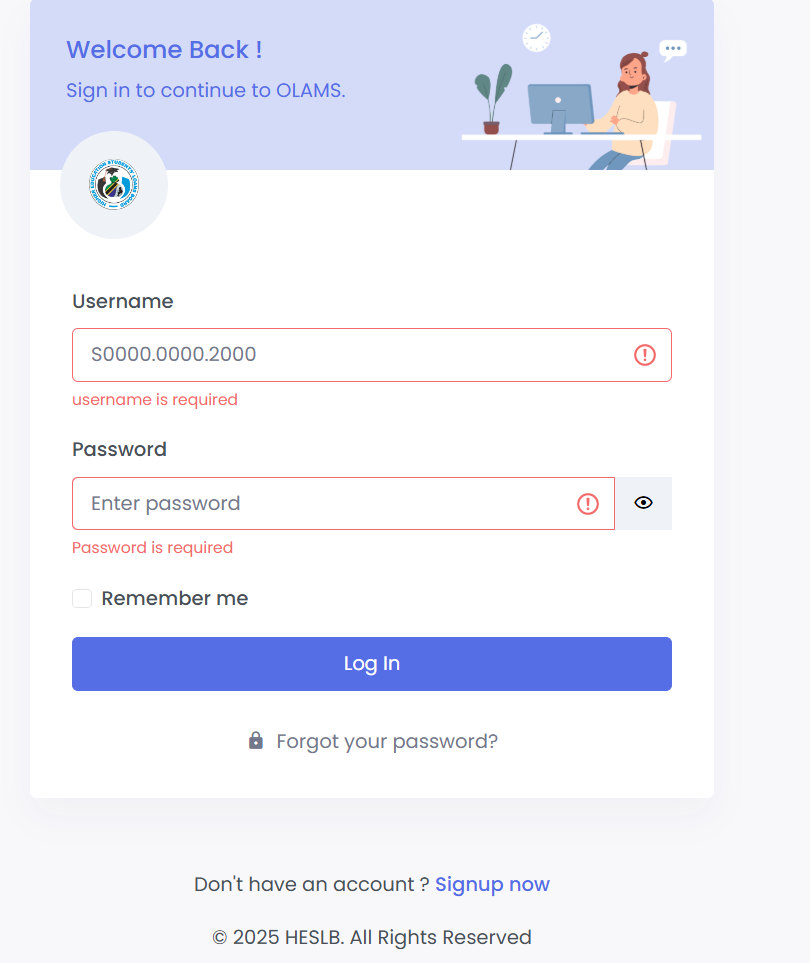
Step 1: Visit the Official Login Page
Go directly to the secure OLAMS portal:
https://olas.heslb.go.tz/olams/account/login
Step 2: Enter Your Username
Type in your Form Four Index Number in the username field. It should look something like:SXXXX.XXXX.20XX
Step 3: Enter Your Password
Input the password you created when registering your account. Make sure caps lock is off and your device is secure.
Step 4: Click “Sign In” to Continue
Once your details are filled in, select Sign In to access your dashboard.
If needed, you may also tick Remember Me when using a private device.
Heslb Login: What You Can Do Inside OLAMS
Once you’re logged in, the portal gives you access to a range of useful services, including:
Loan Application
Start a new application or continue an existing one.
Loan Status Tracking
Check whether your loan has been successfully processed, approved, or requires more documents.
Document Uploads
Submit supporting files such as birth certificates, guarantor forms, or proof of admission.
Profile Management
Update personal information, contacts, or institutional details.
Notifications & Updates
Get official alerts directly from HESLB regarding deadlines or policy changes.
Heslb Login Registration: Creating a New Account
If you do not have an account yet, you’ll need to register before you can begin.
How to Register
-
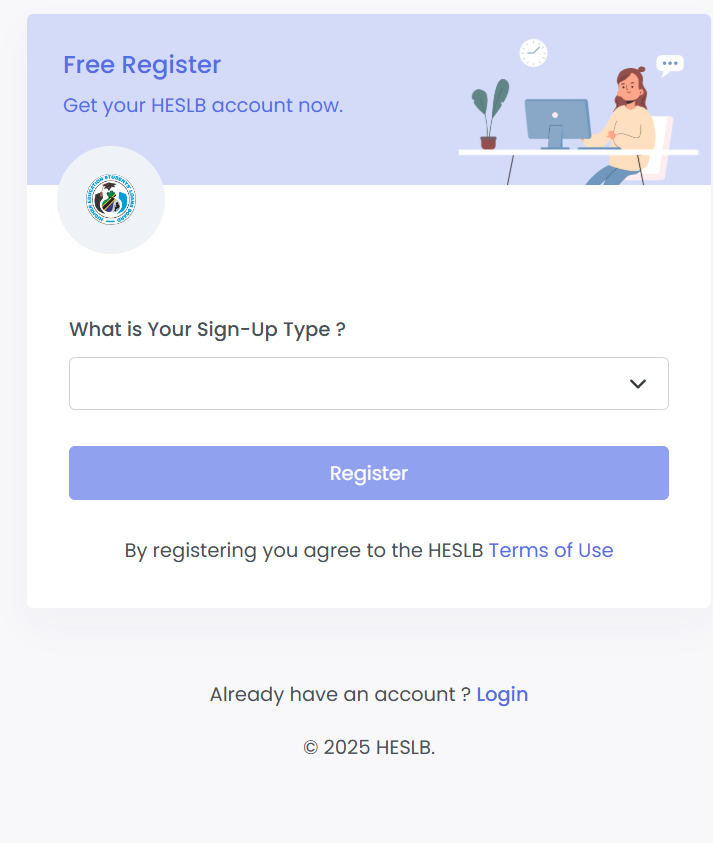
Visit the registration section on the portal.
-
Choose your Sign-Up Type, such as Applicant or Guarantor.
-
Enter your details correctly, including your Form Four Index Number.
-
Agree to the HESLB Terms of Use.
-
Complete your registration and proceed to sign in.
After registering, you can access all the OLAMS features just like any returning user.
Heslb Login: Resetting Your Password
If you’ve forgotten your password, you can reset it in a few quick steps.
How to Reset Your Password
-
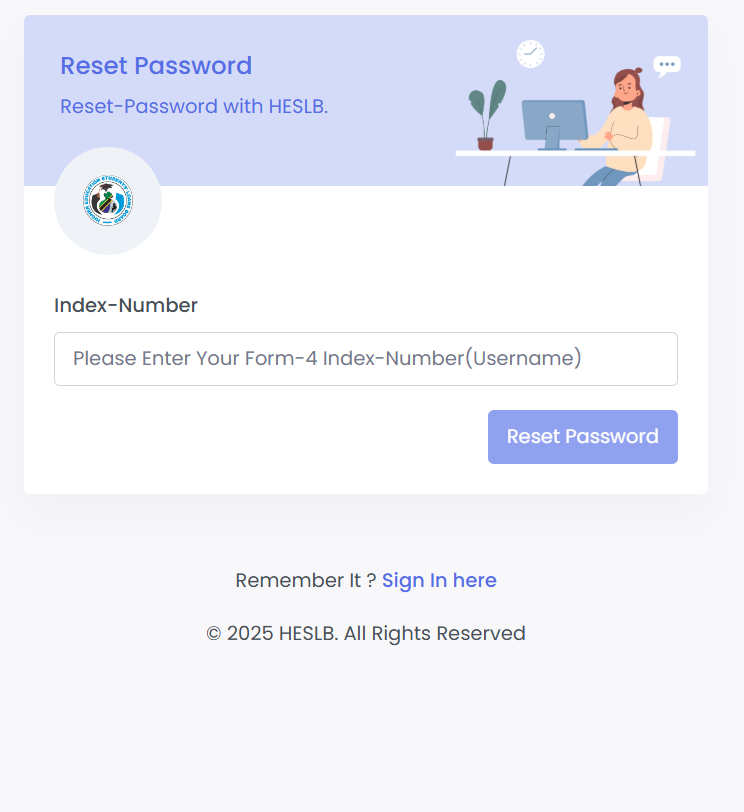
On the login page, click Forgot Your Password?
-
Enter your Form Four Index Number where prompted.
-
Follow the instructions sent to you to create a new password.
-
Return to the login screen and sign in again.
This process ensures your account remains secure while making recovery simple.
Heslb Login Tips & Quick Answers
Why is my login not working?
Double-check your index number format and confirm you’re using the correct password.
Can I use someone else’s device?
Yes, but avoid selecting Remember Me unless the device belongs to you.
What if my index number is rejected?
Make sure it matches the official exam year and format.
Do I need to re-register each year?
No once your account is created, it remains active.
Extra Notes
The OLAMS system is designed to help students manage their loan-related tasks with ease.
Terms like Index Number, Loan Application Cycle, and OLAMS Dashboard simply refer to the details that identify you, the yearly loan application process, and the central place where you manage your information.
Conclusion
A smooth Heslb Login experience helps you stay on track with your loan application and academic financing. With the steps above, you can sign in confidently, retrieve your password when needed, and make the most of every tool OLAMS provides. Whenever you need to revisit your information or continue an application, your account will always be ready for you.
Go to our Homepage To Get Relevant Information.
Contents
- 1 HESLB Login: A Simple, Friendly Guide to Accessing Your OLAMS Account
- 2 How to Begin With Heslb Login
- 3 Step-by-Step Instructions for Heslb Login
- 4 Heslb Login: What You Can Do Inside OLAMS
- 5 Heslb Login Registration: Creating a New Account
- 6 Heslb Login: Resetting Your Password
- 7 Heslb Login Tips & Quick Answers
- 8 Extra Notes
- 9 Conclusion