
Ifm ems: A Simple, Helpful Guide to Accessing IFM’s EMS Platform
Introduction
Ifm ems is the official Electronic Management System used by the Institute of Finance Management (IFM) to support students in their day-to-day academic activities. It’s where you log in to access essential services like student email and e-learning tools.
If you’re new to IFM, returning after a break, or just need a quick refresher, this guide is for you. By the end, you’ll know exactly how to sign in, recover your password if needed, and make the most of what Ifm ems offers—without confusion or wasted time.
How to Begin with Ifm ems
Getting started with Ifm ems is straightforward. All you need are your login details and a stable internet connection. The platform is designed to be simple, even if you’re not especially tech-savvy.
If you already have an IFM email, username, or registration number, you’re ready to go.
Step-by-Step Instructions to Log In to Ifm ems
Step 1: Open the Official Ifm ems Login Page
Visit the official login page by going to
https://ems.ifm.ac.tz/login
This is the correct place to access your account securely.
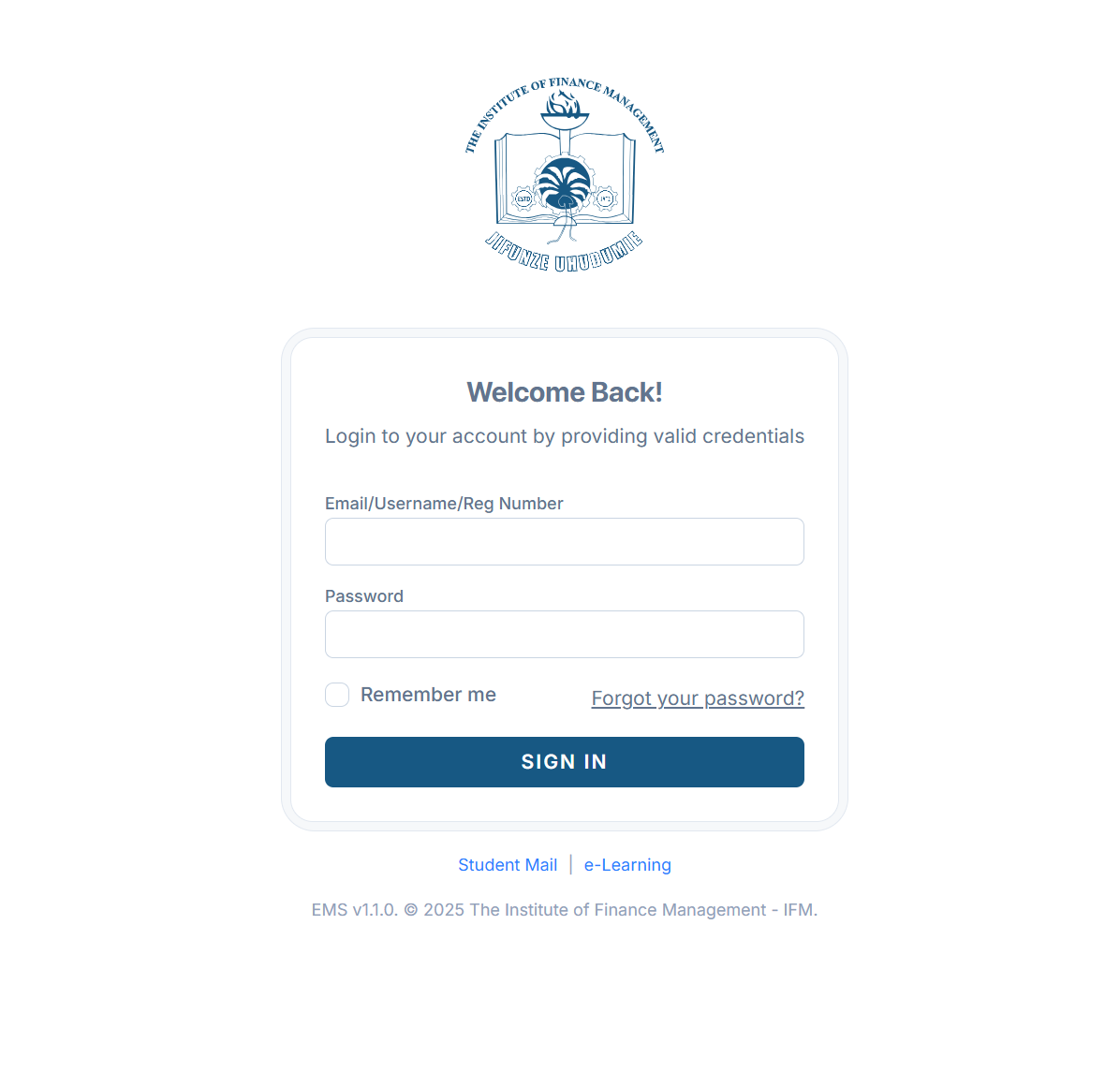
Step 2: Enter Your Login Details
On the login screen, you’ll be asked for:
-
Email, Username, or Registration Number
-
Password
Make sure the information is entered correctly, paying attention to spelling and capitalization.
Step 3: Sign In to Your Account
Click Sign in to access your Ifm ems dashboard. If you’re using a personal device, you can check Remember me to save time on future visits.
Forgot Your Password? Here’s How Ifm ems Helps
Forgetting a password happens to everyone. Ifm ems makes recovery easy and stress-free.
Resetting Your Ifm ems Password
-
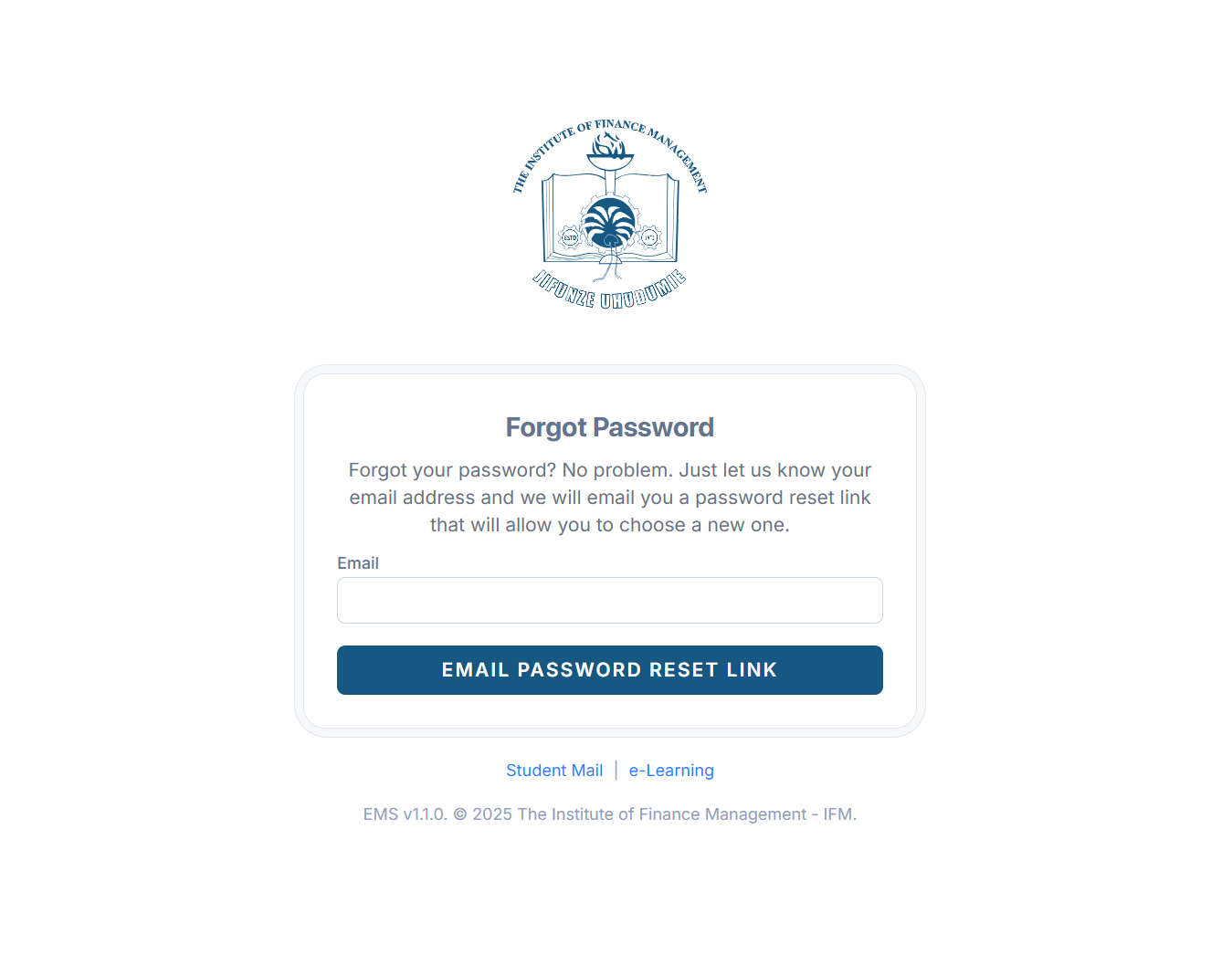
On the login page, click Forgot your password?
-
Enter the email address linked to your Ifm ems account.
-
Click Email Password Reset Link.
-
Check your email and follow the instructions to create a new password.
Within a few minutes, you should be able to regain access and continue using the platform.
Available Services Inside Ifm ems
Once logged in, Ifm ems connects you to key academic services, all in one place.
Student Mail
Your official IFM student email is accessible directly from Ifm ems. This is where you’ll receive important academic updates and announcements.
e-Learning Access
Ifm ems links you to IFM’s e-learning systems, making it easier to view coursework, learning materials, and online activities without juggling multiple logins.
What You Can Do Using Ifm ems
With regular use, Ifm ems becomes a central part of your academic routine. You can:
-
Log in quickly using your preferred credentials
-
Access student mail and e-learning platforms
-
Recover your account if you forget your password
-
Stay connected to IFM’s digital services from one dashboard
Everything is organized to save you time and reduce unnecessary steps.
Tips & Quick Answers for Ifm ems Users
-
Always use the official Ifm ems link to avoid login issues.
-
If login fails, double-check your email or registration number first.
-
Use the password reset option instead of guessing multiple times.
-
For shared computers, avoid using the Remember me option.
Extra Notes About Ifm ems
Ifm ems (EMS v1.1.0) is officially maintained by the Institute of Finance Management – IFM. The platform is updated periodically to improve security, usability, and access to services. If you experience technical issues, they are usually resolved through official IFM support channels.
Conclusion
Ifm ems is designed to make student life at IFM more organized and accessible. Whether you’re logging in for daily coursework, checking your student email, or recovering a forgotten password, the system keeps things simple and reliable.
By following the steps in this guide, you can confidently access Ifm ems and focus on what really matters—your studies.
Go to our Homepage To Get Relevant Information.
Contents
- 1 Ifm ems: A Simple, Helpful Guide to Accessing IFM’s EMS Platform
- 2 How to Begin with Ifm ems
- 3 Step-by-Step Instructions to Log In to Ifm ems
- 4 Forgot Your Password? Here’s How Ifm ems Helps
- 5 Available Services Inside Ifm ems
- 6 What You Can Do Using Ifm ems
- 7 Tips & Quick Answers for Ifm ems Users
- 8 Extra Notes About Ifm ems
- 9 Conclusion