
Isms IAA: A Friendly Guide to Getting Started With the IAA Student Management System
Introduction
If you’re an IAA student trying to log in, reset a password, or simply understand how the system works, you’re in the right place. Isms IAA is the official Institute of Accountancy Arusha Student Management System, and it’s where you access essential academic information, results, registration details, and more.
This guide walks you through how to begin, how to log in, how to reset your password, and what services you can use—all in a clear, friendly format. By the end, you’ll know exactly what to do and where to click.
How to Begin With Isms IAA
Before you can take full advantage of the portal, it helps to understand its basics. Isms IAA offers a secure way to manage your student information, and most tasks start right from the login page.
What You Need
-
A valid Username
-
Your Password
-
Your Registration Number for verification tasks
Step-by-Step Instructions for Using Isms IAA
Step 1: Open the Login Page
Start by visiting the official Isms IAA login portal:
https://isms.iaa.ac.tz/index.php?r=site%2Flogin
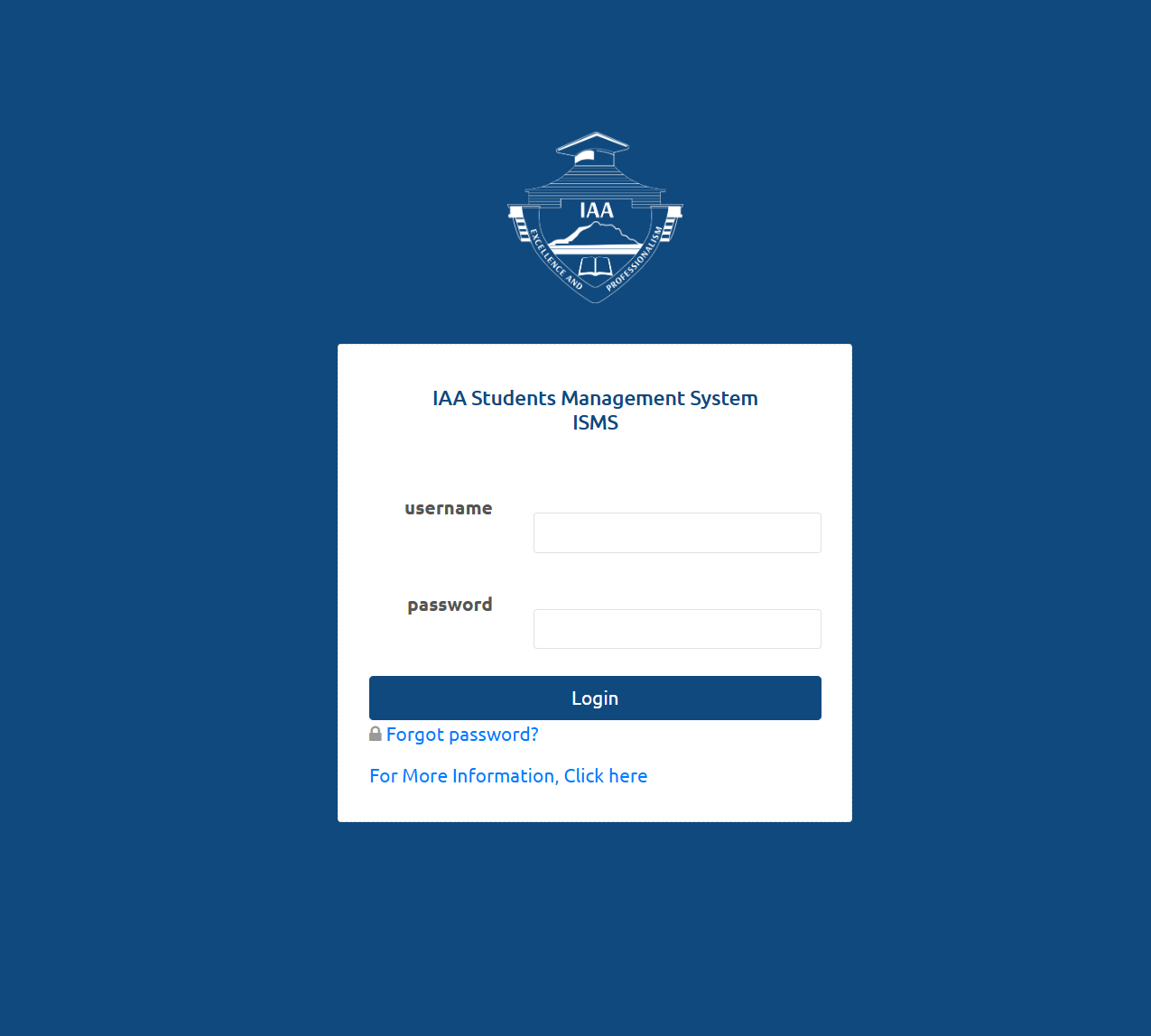
You’ll see fields for Username and Password, as well as a link for forgotten passwords.
Step 2: Enter Your Login Details
Type in your username and password, then click Login.
If everything matches, the system will take you directly to your dashboard.
Step 3: If You Forgot Your Password
Select Forgot password? on the login page. This will take you to the recovery process described below.
Isms IAA Password Reset Guide
If you’re unable to log in, the portal provides an easy two-step password recovery process.
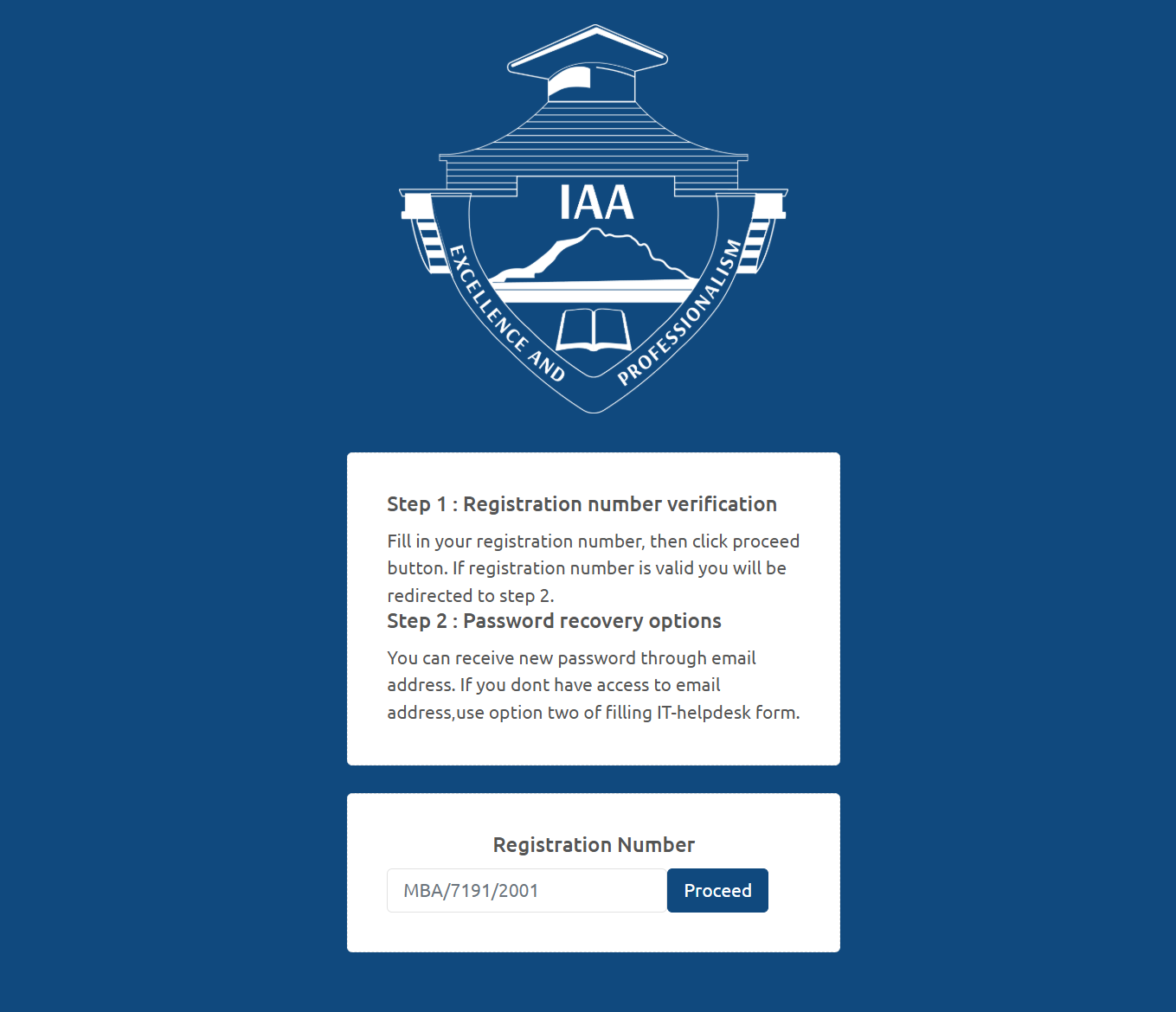
Step 1: Registration Number Verification
Enter your registration number in the required field and click Proceed.
If the system validates the number, you’ll automatically move to step two.
Example format:
MBA/7191/2001
Step 2: Choose Your Password Recovery Option
You can reset your password in one of two ways:
-
Email Reset – Receive a new password through your registered email address.
-
IT Helpdesk Form – If you cannot access your email, you may fill out the IT-helpdesk form for additional support.
Available Services Inside Isms IAA
Once logged in, the portal gives you access to several helpful features:
Academic Records
View results, course registrations, and semester updates.
Profile Information
Update personal details such as contact information and emergency contacts.
Notices and Announcements
Stay informed with institutional updates posted directly to your dashboard.
Registration Tools
Access semester registration, fee-related updates, and academic progress checks.
What You Can Do Inside Isms IAA
Here are a few common tasks you can complete:
-
Check fee status
-
Review course allocations
-
View or print academic transcripts (when available)
-
Confirm semester registration
-
Respond to institutional alerts
Tips & Quick Answers
What if I don’t remember my registration number?
Check your admission documents or your student ID card. The format typically looks like MBA/XXXX/YYYY.
What if the email reset option doesn’t work?
Choose the IT-helpdesk form option for manual assistance.
How long does a reset take?
Email resets are usually immediate. Helpdesk responses may take longer depending on workload.
Extra Notes About Isms IAA
-
ISMS stands for Institute Student Management System, the platform used by IAA.
-
The system is designed to keep academic records secure and accessible only to registered students.
-
Login problems usually relate to incorrect passwords or inactive email accounts.
Conclusion
Using Isms IAA becomes easy once you know where to click and what each step means. With the login guide, password reset instructions, and service overview above, you should be ready to navigate the system with confidence.
If anything doesn’t work as expected, the IT helpdesk and built-in recovery tools are there to help.
Go to our Homepage To Get Relevant Information.
Contents
- 1 Isms IAA: A Friendly Guide to Getting Started With the IAA Student Management System