
Mabumbe Jobs: Your Friendly Guide to Getting Started and Making the Most of the Platform
If you’re looking for a simple, reliable way to explore new opportunities, Mabumbe Jobs is one of the most useful platforms you can rely on. It brings together job listings, tenders, career tools, and helpful services in one place—making your search easier, faster, and far more organized.
This guide walks you through the essentials: how to begin, where to log in, how to register, what you can do on the site, and how to take advantage of the services offered. By the end, you’ll feel comfortable navigating everything Mabumbe Jobs has to offer.
Getting Started With Mabumbe Jobs
Before you dive into applications or postings, it helps to understand what the platform does. Mabumbe Jobs lists vacancies from various industries across Tanzania, including government, NGOs, education, hospitality, logistics, and more. You can also post jobs or tenders, check NECTA results, and access career-building tools.
This guide will show you how to begin, how to log in, and how to make the most of the features available.
How to Begin on Mabumbe Jobs
Starting is straightforward, whether you’re a job seeker or an employer.
Step 1: Visit the Official Mabumbe Website
Go to the homepage where all job listings, categories, and services are available.
Step 2: Choose What You Want to Manage
Mabumbe Jobs offers two login paths, depending on your needs:
-
Jobs Login – Use this if you want to post, edit, or manage job listings.
Official link: https://jobs.mabumbe.tz/ -
Tender Login – Choose this if you need to submit or manage tenders.
Official link: https://tender.mabumbe.net/auth/login
Step 3: Continue to Your Dashboard
Once logged in, your dashboard gives you tools tailored to your role—whether that’s applying for jobs, posting them, or managing tenders.
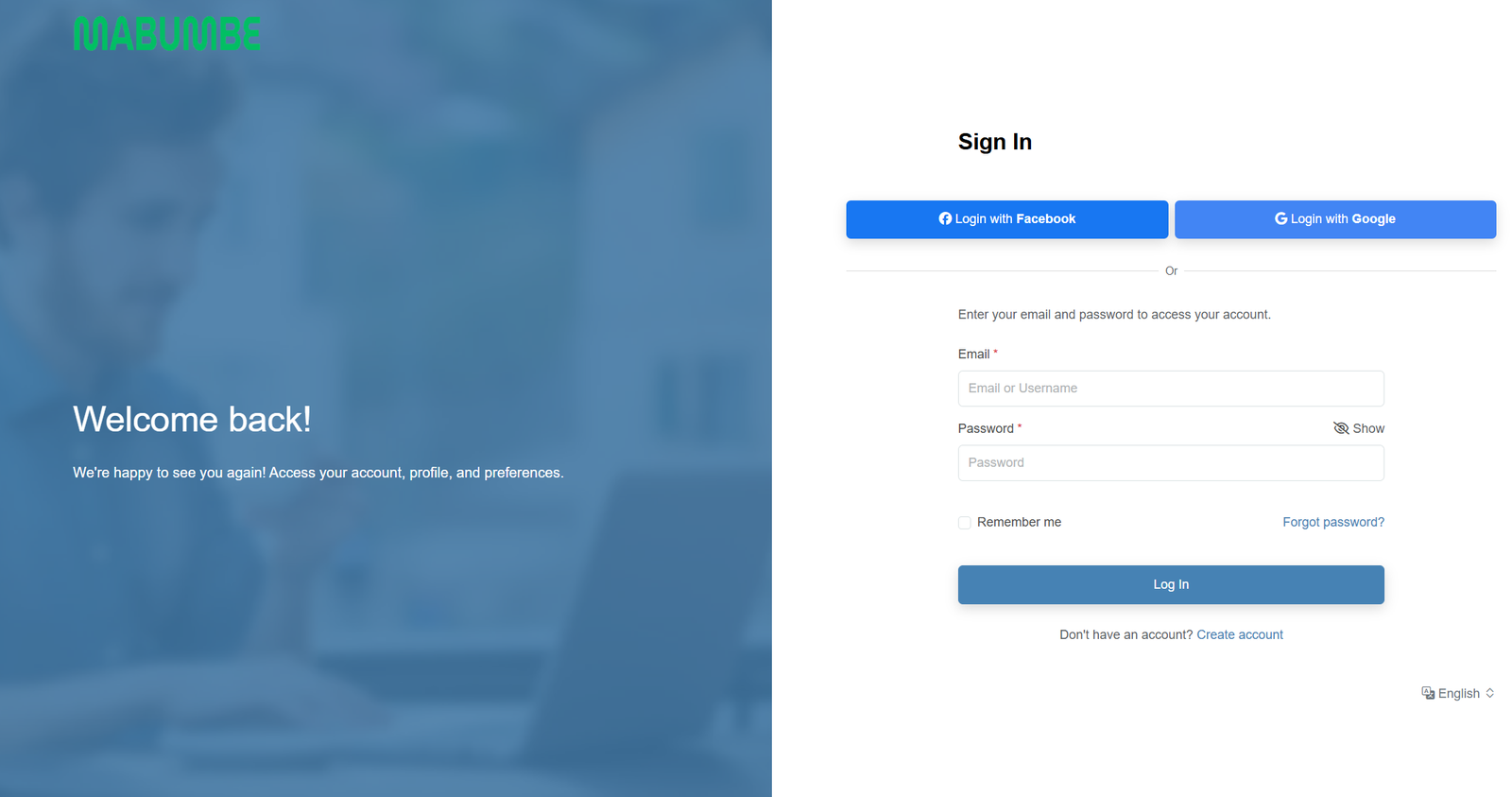
Step-by-Step: How to Log In
If you already have an account, here’s the simplest way to sign in.
Step 1: Open the Login Page
Look for the Login option on the site and select the appropriate login button.
Step 2: Enter Your Details
Provide your email/username and password.
Step 3: Access Your Account
After clicking the Login button, your dashboard opens with everything you need—jobs, postings, updates, or tender controls.
If You Forgot Your Password
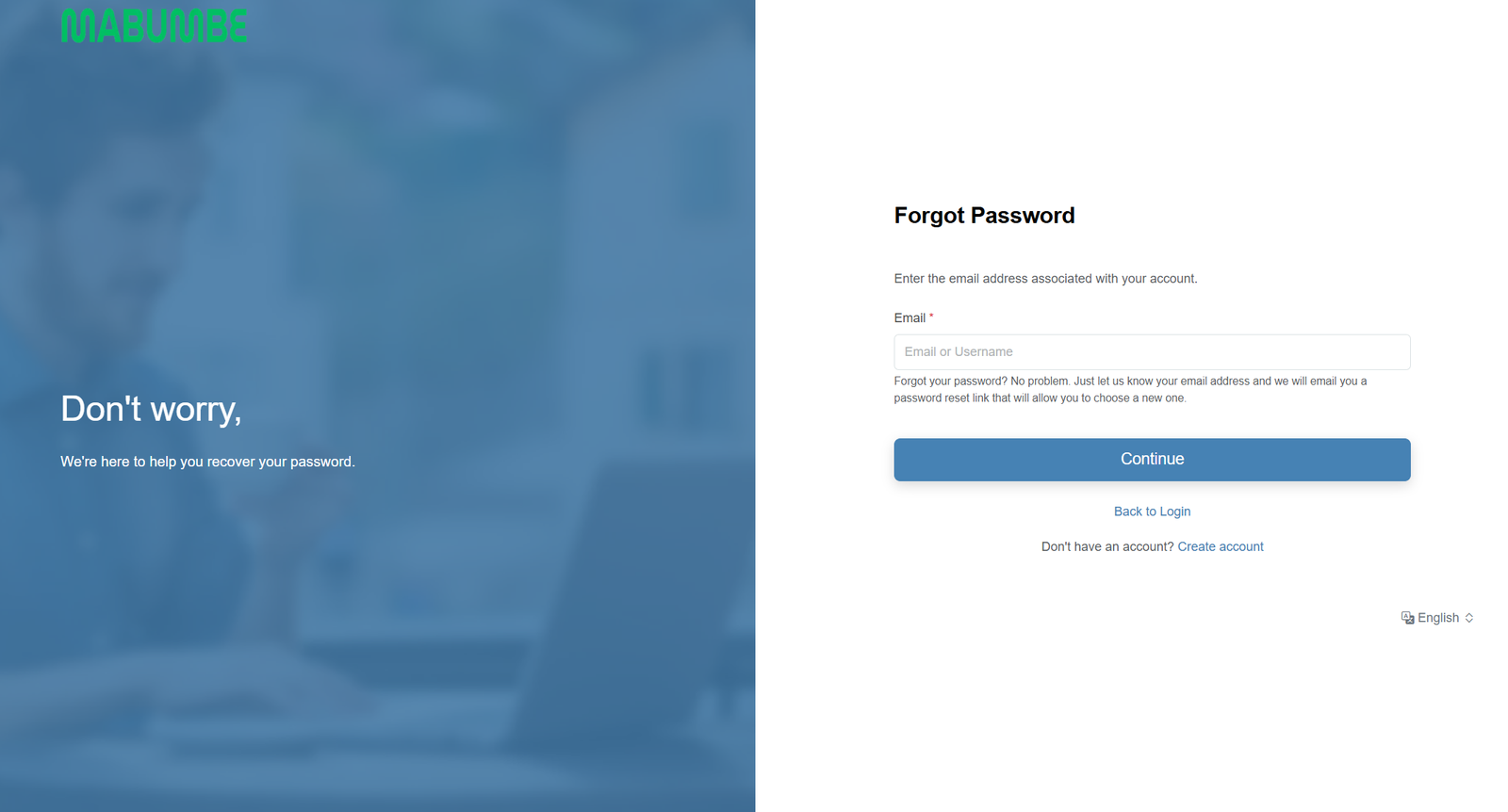
It happens, and Mabumbe Jobs makes the recovery process simple.
Step 1: Open the Forgot Password Page
Click “Forgot password?” on the login screen.
Step 2: Enter Your Email
Provide the email linked to your account.
Step 3: Reset Through the Link
A reset link will be sent to your inbox. Follow it to set a new password.
Registration: Creating a New Mabumbe Jobs Account
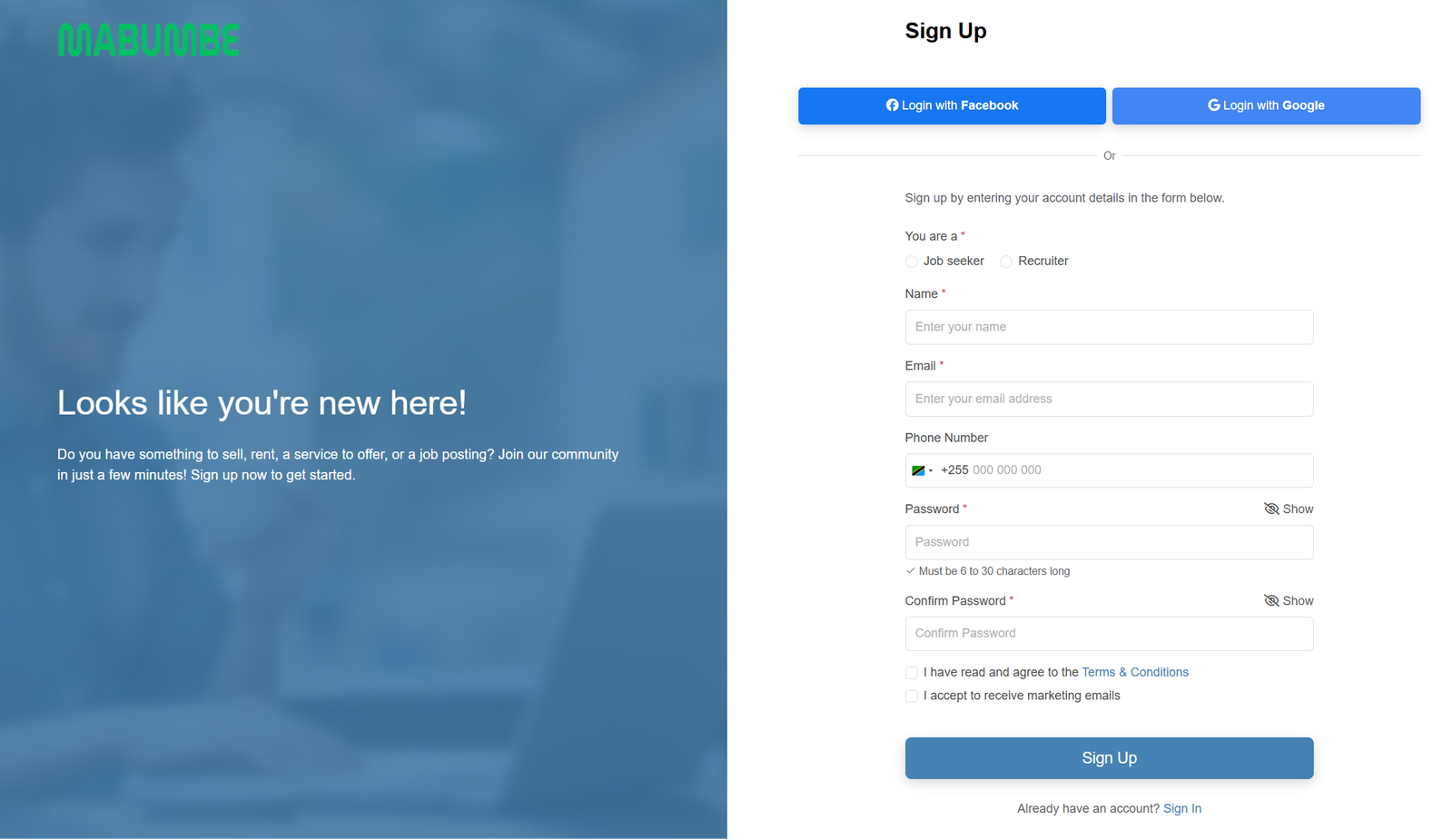
If you’re new, registration takes only a few minutes.
Step 1: Open the Sign-Up Page
Choose whether you’re a Job Seeker or Recruiter.
Step 2: Fill In Your Details
This includes your name, email, phone number, and password.
Step 3: Confirm and Complete
Agree to the terms, choose whether you want marketing emails, then create your account.
Once done, you’ll be ready to browse jobs, publish listings, or manage tenders.
What You Can Do on Mabumbe Jobs
The platform is more than a job board. It offers a wide list of features designed to help both job seekers and employers.
1. Browse Thousands of Job Listings
Explore roles by:
-
Industry (IT, education, engineering, administration, healthcare, etc.)
-
City (Dar es Salaam, Arusha, Mwanza, Dodoma, Zanzibar, and more)
-
Employer or organization
-
Job type (full-time, part-time, contract)
2. Post Jobs or Tenders
Organizations can publish openings or upload tender notices directly through their dashboard.
3. Access Helpful Career Tools
These include:
-
Interview preparation guides
-
Professional resume templates
-
Career guide eBooks
-
Job market insights
-
Online learning resources
4. Explore International Opportunities
Mabumbe Jobs also features postings beyond Tanzania, including Kenya and Zambia.
Mabumbe Jobs: Available Services at a Glance
To keep things simple, here are the main services in easily digestible form:
-
Job Posting Service
-
International Job Listings
-
Job Seeker Registration
-
Tender Management Tools
-
NECTA Results Access
-
Resume and CV Writing Support
-
Employer Branding Consultation
-
Remote Work Equipment Listings
-
Office and Productivity Tools
-
Networking Opportunities
Each service is designed to support your growth—whether you’re searching for a role or building a recruitment strategy.
Tips & Quick Answers About Mabumbe Jobs
Is Mabumbe free to use?
Browsing jobs is free. Posting jobs may include premium options depending on the employer’s needs.
Do I need an account to apply?
Some listings allow direct applications, while others require login.
Can I save jobs?
Yes. Once logged in, you can save jobs and return to them anytime.
How often are jobs updated?
Listings are refreshed daily, so checking often helps you stay ahead.
Extra Notes: Understanding the Platform Better
Mabumbe also includes:
-
Form One Selection updates
-
NECTA exam results
-
Ajira Portal and government job links
-
Scholarship and bursary information
These additions make the platform a central hub for education and employment in Tanzania.
Conclusion
Mabumbe Jobs makes the job search process easier for everyone—whether you’re applying for your first job, posting vacancies, or managing tenders. With clear navigation, practical tools, and regularly updated opportunities, it’s one of the most helpful platforms for Tanzanian job seekers and employers alike.
You now have a clear picture of how to get started, register, reset your password, and explore the full range of services. When you’re ready, simply log in and begin your next step with confidence.
Go to our Homepage To Get Relevant Information.
Contents
- 1 Mabumbe Jobs: Your Friendly Guide to Getting Started and Making the Most of the Platform
- 1.1 Getting Started With Mabumbe Jobs
- 1.2 How to Begin on Mabumbe Jobs
- 1.3 Step-by-Step: How to Log In
- 1.4 If You Forgot Your Password
- 1.5 Registration: Creating a New Mabumbe Jobs Account
- 1.6 What You Can Do on Mabumbe Jobs
- 1.7 Mabumbe Jobs: Available Services at a Glance
- 1.8 Tips & Quick Answers About Mabumbe Jobs
- 1.9 Extra Notes: Understanding the Platform Better
- 1.10 Conclusion