
Magereza recruitment portal: Your friendly guide to applying for Tanzania Prisons jobs
Introduction
The Magereza recruitment portal is the official online system used by the Tanzania Prisons Service to advertise vacancies and manage job applications. If you’re interested in building a career within the Tanzania Prisons Service, this portal is where everything begins.
Why should you care? Because all recruitment updates, applications, and shortlisting processes now happen online. Missing a step or using the wrong platform can cost you a real opportunity. This guide walks you through the entire process in a clear, supportive way—so you can register, apply, and track your application with confidence.
By the end of this article, you’ll know exactly how to use the Magereza recruitment portal from start to finish.

What is the Magereza recruitment portal?
The Magereza recruitment portal is officially known as the Tanzania Prisons Service Recruitment Management System (TPSRMS). It operates under the Ministry of Home Affairs and serves as a central hub for:
-
Publishing available job vacancies
-
Registering new applicants
-
Submitting online job applications
-
Managing applicant profiles
-
Supporting candidates through HR and technical help desks
Everything is handled digitally, making the process faster and more transparent for applicants across Tanzania.
How to begin using the Magereza recruitment portal
Before you start, it helps to prepare a few key details. Having these ready will save time and prevent delays during registration.
What you need before starting
-
National Identification Number (NIN)
-
Form IV Index Number
-
A valid and active email address
Once these are ready, you’re good to go.
Step-by-step instructions on the Magereza recruitment portal
Step 1: Visit the official Magereza recruitment portal
Go to the official recruitment website at https://ajira.magereza.go.tz/. This is the only authorized platform for Tanzania Prisons Service job applications.
Step 2: Create an account
If you’re a new user, click on “Create Here” or “Register Now” to open a new account. You’ll be asked to provide your email address and basic personal information for verification.
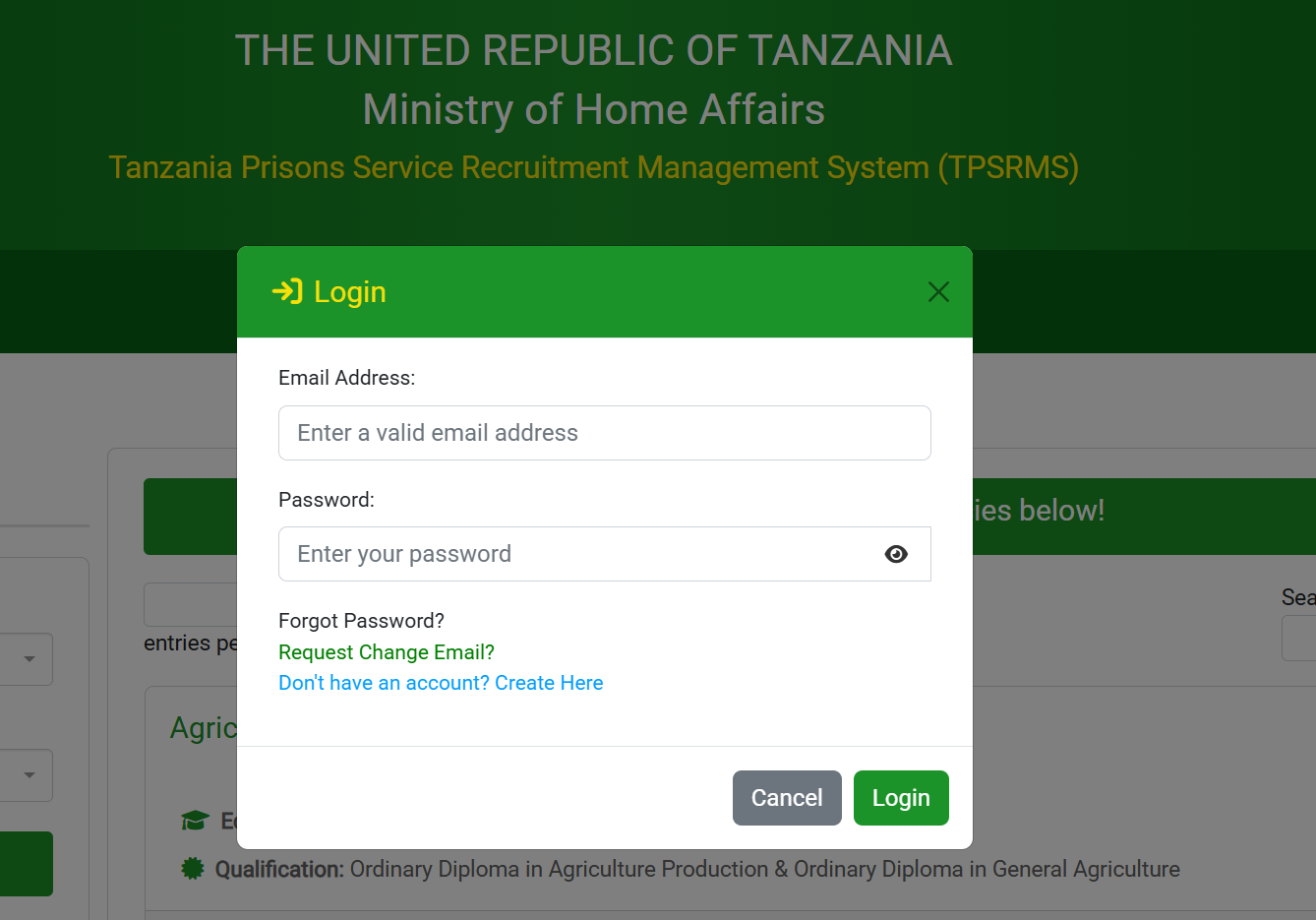
Step 3: Access your account
After registration, return to the login page and sign in using your email address and password.
Step 4: Complete your profile
Fill in your personal details, education background, and any other required information. Make sure everything matches your official documents, as this data is used during verification.
Step 5: Apply for a job
Browse available vacancies, read the job description carefully, and click “Login to Apply” or “Apply Now” for positions that match your qualifications.
Available services on the Magereza recruitment portal
The Magereza recruitment portal is more than just a job board. It includes several useful services designed to support applicants.
Job search by filters
You can search vacancies by:
-
Education level (CSEE, Diploma, Bachelor Degree)
-
Job title or professional field
This makes it easier to find roles that fit your background.
Online application management
All applications are submitted online, allowing you to apply without visiting any physical offices.
User manual access
A downloadable user manual is available on the portal to help first-time users understand the system.
What you can do after logging in
Once logged in, the Magereza recruitment portal allows you to:
-
View all open vacancies
-
Read detailed job requirements and qualifications
-
Submit applications before the stated deadline
-
Track your application progress
-
Update your profile when necessary
Vacancies are clearly listed with posting dates and deadlines, helping you plan your applications wisely.
Registration, password reset, and account support
Creating an account
Registration is free and open to all eligible applicants. Only one account per email address is allowed.
Forgot your password?
Click “Forgot Password?” on the login page. You’ll receive instructions via email to reset your password securely.
Requesting an email change
If you no longer have access to your registered email, the portal provides an option to request an email update.
Getting help
-
HR Support: +255 716 297 152
-
Technical Support: +255 716 322 464
-
Email: ictsupport@prisons.go.tz
These contacts are especially useful if you face technical challenges during registration or application.
Tips and quick answers for applicants
-
Always double-check deadlines before applying
-
Use a personal, active email address you check regularly
-
Read job qualifications carefully before clicking apply
-
Avoid creating multiple accounts, as this may affect your application
-
Apply early to avoid last-minute technical issues
Extra notes about vacancies
The Tanzania Prisons Service regularly advertises roles across different education levels, including:
-
Form IV (CSEE) positions
-
Diploma-level technical roles
-
Bachelor Degree professional roles
Examples include Agricultural Technician, Agro Mechanization, Animal Health and Production, Cyber Security, and general Form IV opportunities.
Conclusion
The Magereza recruitment portal has made applying for Tanzania Prisons Service jobs simpler, more transparent, and accessible nationwide. By following the steps outlined above, you can confidently register, apply, and stay informed throughout the recruitment process.
If you’re serious about joining the Tanzania Prisons Service, taking time to understand and properly use the Magereza recruitment portal is one of the smartest moves you can make.
Go to our Homepage To Get Relevant Information.
Contents
- 1 Magereza recruitment portal: Your friendly guide to applying for Tanzania Prisons jobs
- 2 What is the Magereza recruitment portal?
- 3 How to begin using the Magereza recruitment portal
- 4 Step-by-step instructions on the Magereza recruitment portal
- 5 Available services on the Magereza recruitment portal
- 6 What you can do after logging in
- 7 Registration, password reset, and account support
- 8 Tips and quick answers for applicants
- 9 Extra notes about vacancies
- 10 Conclusion