
mum star login: A Simple Guide for Muslim University of Morogoro Users
Introduction
If you’re a student, staff member, or applicant at the Muslim University of Morogoro (MUM), chances are you’ve come across the mum star login portal. This online system is designed to make university life easier by bringing key academic and administrative services into one place.
In this guide, you’ll learn what the mum star login is, why it matters, and how to use it confidently. By the end, you’ll know exactly how to log in, what services are available, and how to handle common issues without stress.
What Is mum star login and Why It Matters
The mum star login is part of MUM’s digital services, giving users secure access to essential university tools. Instead of visiting offices or waiting in lines, you can manage many tasks online at your convenience.
Whether you’re checking academic details, accessing learning resources, or staying updated with university information, this login portal helps keep everything organized and accessible.
How to Begin with mum star login
Getting started with the mum star login doesn’t require technical skills. You just need your login credentials and a stable internet connection.
Before you begin, make sure you have:
-
Your registered username or registration number
-
Your password provided by the university
-
Access to the official MUM website
Step-by-Step Instructions for mum star login
Step 1: Visit the Official Website
Open your browser and go to the official Muslim University of Morogoro website at
https://www.mum.ac.tz/
This is where all official systems, including the mum star login, are accessed.
Step 2: Locate the StAR System
On the homepage, look for the section listing online services. You’ll see options like SARIS, e-Learning, Staff Mail, and StAR. Click on StAR to proceed to the login page.
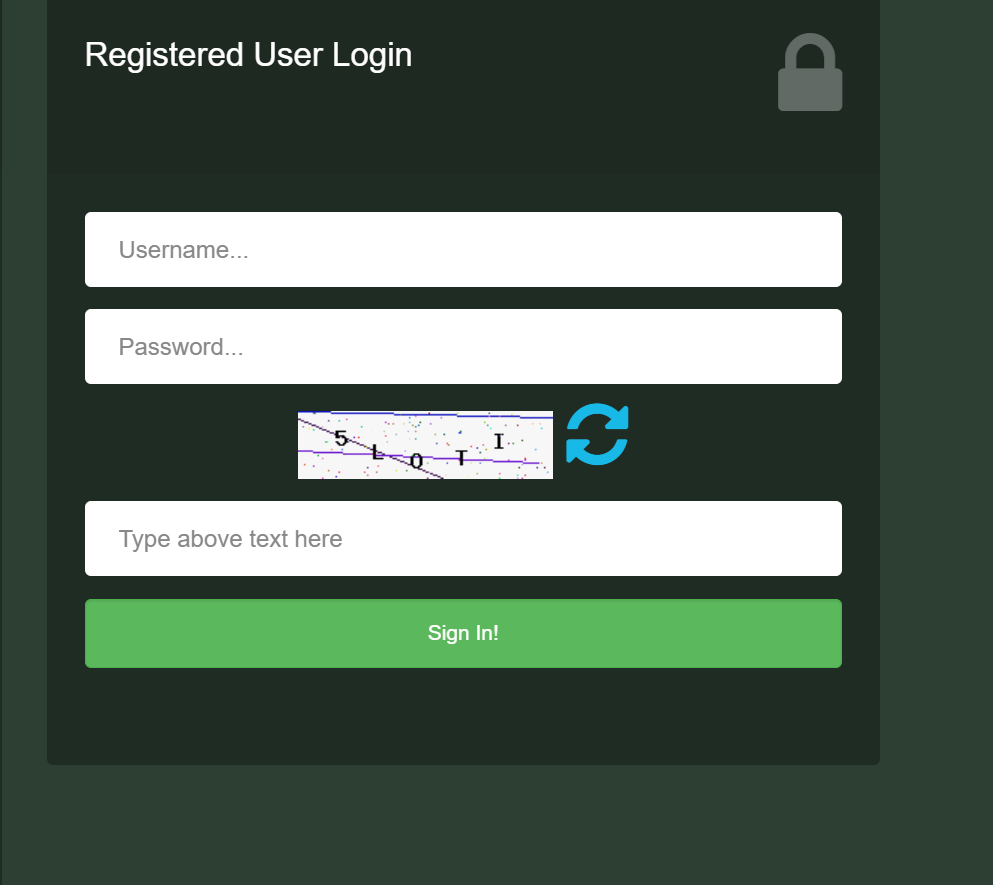
Step 3: Enter Your Login Details
Carefully enter your username and password, then submit the form. If your details are correct, you’ll be taken directly to your dashboard.
What You Can Do After mum star login
Once logged in, the mum star login portal opens access to several helpful services, depending on your role at the university.
Available Services and Features
-
Academic Information: View programme details, academic progress, and important notices.
-
Student Records: Access personal and registration information securely.
-
University Updates: Stay informed about announcements, notices, and institutional updates.
-
Integrated Access: Easily connect with other systems like e-Learning or related academic platforms.
Each feature is designed to save time and reduce the need for in-person follow-ups.
Registration and First-Time Access
If you’re new to MUM, your mum star login credentials are usually provided during admission or registration. This information may be included in your joining instructions or shared by the admissions office.
If you haven’t received your login details, it’s best to contact the university directly using the official contact information listed on the MUM website.
Resetting a Password on mum star login
Forgotten passwords happen, and they’re easy to fix.
-
Use the password recovery option on the login page if available.
-
Follow the instructions provided to reset your password securely.
-
If the issue continues, reach out to the ICT or admissions office for assistance.
Always avoid sharing your login details with others to keep your account secure.
Checking Documents and Status Updates
Through related university systems accessible after mum star login, users can also:
-
Check joining instructions for different programmes
-
Download university forms and documents
-
Stay updated on academic or administrative status
This makes it easier to keep track of important requirements without missing deadlines.
Extra Notes About mum star login
The mum star login system is part of MUM’s broader commitment to academic excellence, professionalism, and ethical responsibility. It supports the university’s mission of combining quality education with strong values by offering reliable and transparent digital services.
Conclusion
Using the mum star login is one of the simplest ways to stay connected with the Muslim University of Morogoro. From accessing academic information to keeping up with university updates, the system is built to support your journey with clarity and convenience.
Once you’re familiar with the steps, logging in becomes a quick and routine part of managing your university experience.
Go to our Homepage To Get Relevant Information.
Contents
- 1 mum star login: A Simple Guide for Muslim University of Morogoro Users
- 2 What Is mum star login and Why It Matters
- 3 How to Begin with mum star login
- 4 Step-by-Step Instructions for mum star login
- 5 What You Can Do After mum star login
- 6 Registration and First-Time Access
- 7 Resetting a Password on mum star login
- 8 Checking Documents and Status Updates
- 9 Extra Notes About mum star login
- 10 Conclusion