
Musaris Login: A Friendly Guide to Getting Started with the MoCU Student System
Introduction
If you’re a student at the Moshi Co-operative University (MoCU), the Musaris Login portal is one of the tools you’ll use most often. It’s the gateway to your academic records, course details, registration, and key university services. This guide walks you through how to use it confidently from signing in to managing your information—so you always know exactly where to go and what to do.
How to Begin with Musaris Login
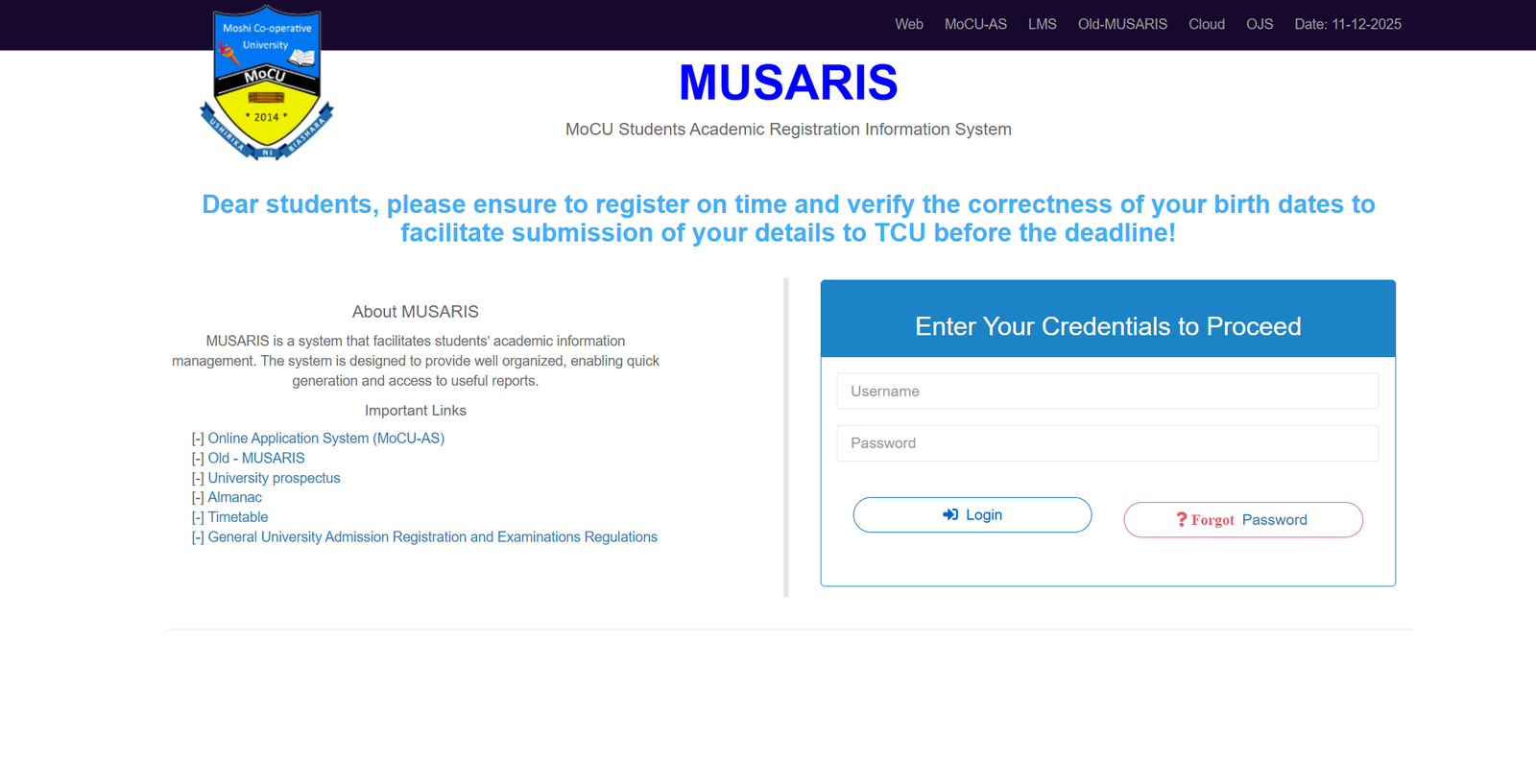
Before you access anything inside the system, you’ll start with the Musaris Login page. This is where you enter your credentials, complete required updates, and reach the various academic tools offered through the platform.
The official login page is here:
https://musaris.mocu.ac.tz/auth
Step-by-Step Instructions for Musaris Login
Step 1: Visit the Official Login Page
Go to the Musaris Login portal by clicking or typing the official link:
https://musaris.mocu.ac.tz/auth
Step 2: Enter Your Username
Type your assigned Username exactly as provided during registration or by the university’s ICT department.
Step 3: Enter Your Password
Fill in your Password. Make sure the characters are correct, especially if your keyboard automatically changes capitalization.
Step 4: Select “Login” to Proceed
Once your details are entered, click the login button to access your dashboard.
If any fields are empty, the page will prompt you to correct them before moving forward.
Musaris Login: Available Services Inside the System
Once logged in, you can access a range of tools designed to streamline your academic life. Some of the commonly used services include:
Academic Registration
Register for semesters on time and verify personal details such as your birth date. Accurate information is essential for timely submission to TCU.
Course Information
View your course list, schedules, and related academic data in one organized place.
Useful Documents
Access items such as:
-
The University Prospectus
-
Academic Almanac
-
Examination Regulations
-
Timetable
Linked Systems
The Musaris interface also connects you to:
-
MoCU-AS (Online Application System)
-
LMS (Learning Management System)
-
Old-MUSARIS archives
-
Cloud and OJS resources
Each link is placed within the portal for quick transition between platforms.
Musaris Login: What You Can Do After Signing In
Here are some of the practical tasks you can handle once inside:
Check Your Registration Status
See whether you’ve completed all required steps for the academic period.
Confirm or Update Personal Details
The system encourages students to verify key records like date of birth to avoid delays in official submissions.
Download Documents
Grab essential documents—timetables, circulars, or forms—directly from your dashboard.
Track Reports
The system is designed to generate organized reports quickly, helping you stay on top of your academic progress.
Tips & Quick Answers for Musaris Login
Forgot Your Password?
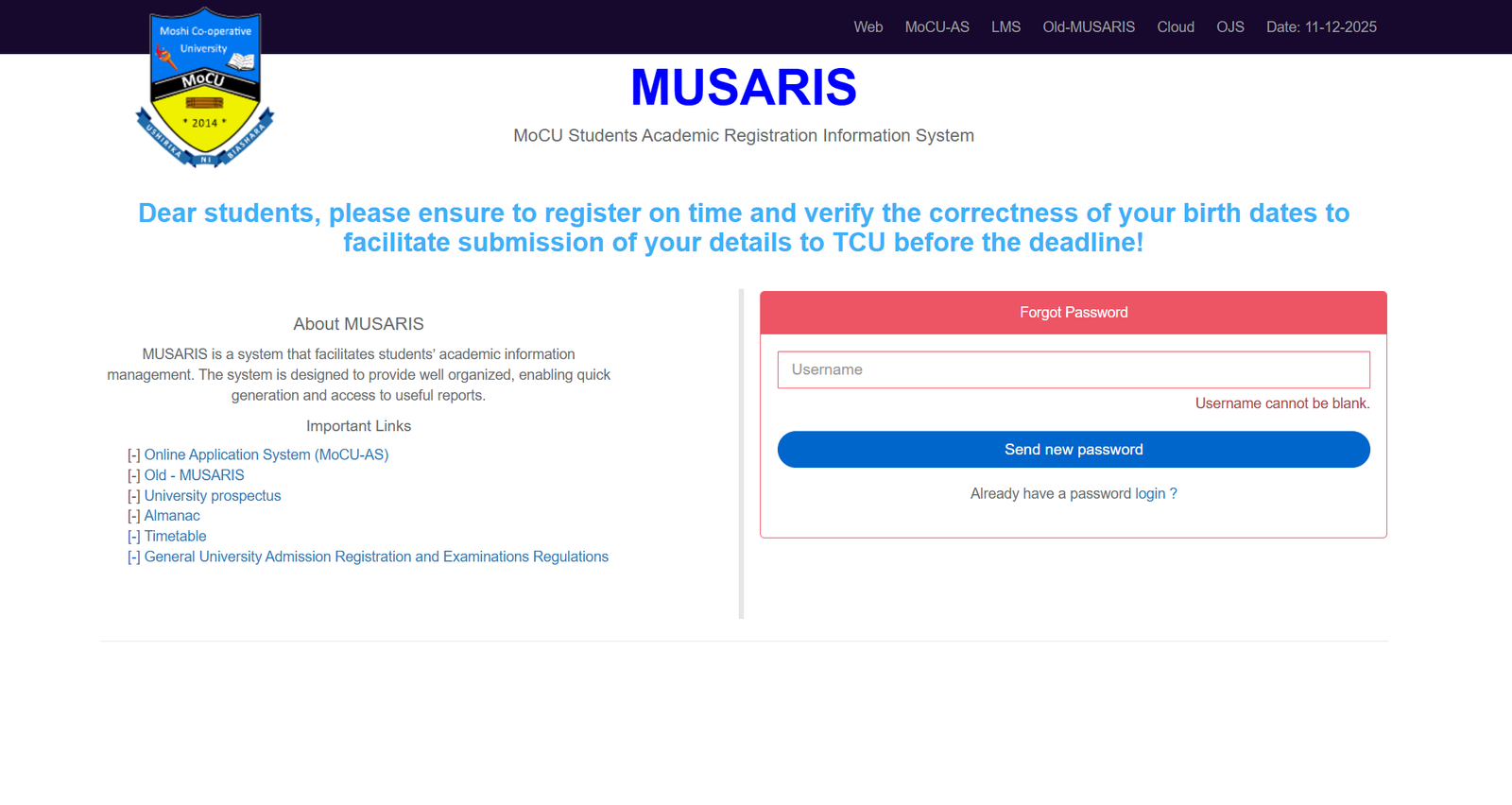
Use the Forgot Password option on the login page. Enter your Username to trigger the recovery process. The portal will guide you through resetting your credentials.
New User Registration
If you’re using the system for the first time, you normally receive login details from the university. After signing in, change your password for added security.
Credentials Not Working?
Double-check for typos, especially in uppercase or lowercase letters. If the issue persists, contact the ICT department for assistance.
System Not Loading?
Try refreshing the page or switching to a stable internet connection. Occasionally, university systems undergo scheduled maintenance.
Extra Notes About MUSARIS
MUSARIS stands for MoCU Students Academic Registration Information System. It’s built to simplify how student information is managed and to provide fast access to reliable academic reports. The interface aims to keep everything organized and accessible so you can focus more on your studies and less on tracking paperwork.
Conclusion
Using the Musaris Login system doesn’t have to be confusing. With the right steps and a clear understanding of what’s available inside, you can navigate your academic tasks smoothly and stay prepared throughout the semester. Keep your details accurate, explore the services offered, and return to the portal regularly to stay updated.
Go to our Homepage To Get Relevant Information.
Contents
- 1 Musaris Login: A Friendly Guide to Getting Started with the MoCU Student System