
Nhif Portal: A Friendly Guide to Getting Started and Managing Your Health Insurance Online
Introduction
The Nhif Portal makes it easier for members, employers, agents, and service providers to manage National Health Insurance Fund activities without visiting a physical office. Whether you want to register, log in, update your details, add dependants, check contributions, or reset a password, everything is designed to be simple and secure.
This guide walks you through how the portal works, how to begin, and what you can do once you’re inside.
How to Begin With the Nhif Portal
Getting started doesn’t require much. As long as you have your membership number and a working phone or email, you can create your account and access the online services anytime.
Step-by-Step Instructions
Below is a simple path to help you move from registration to full access.
Step 1: Visit the Official Nhif Portal
Go to the official self-service site: https://selfservice.nhif.or.tz/home
Here, you’ll find options to register, log in, or explore key services.
Step 2: Create Your Account
Choose Register under the category that applies to you—Member, Employer, Service Provider, or Agent.
You’ll provide basic details such as:
-
Membership number
-
Phone number
-
Email
-
Password
These details help the system create your secure profile.
Step 3: Complete OTP Verification
An OTP (One-Time Password) will be sent to your email or phone.
Enter the code to confirm that the account truly belongs to you.
Step 4: Finish Registration
Once your identity is confirmed, the setup is complete.
You can now log in and start using all available online services.
What You Can Do Inside the Nhif Portal
The platform is built to streamline many of the tasks that previously required visits or phone calls. Here’s what different users can access.
For Members
-
Update your profile
-
View and track contributions
-
Apply for services
-
Add and manage dependants and beneficiaries
-
Check your membership status
For Service Providers
-
Manage facility details
-
Handle accreditation
-
Process and track claims
-
Verify members
For Employers
-
Manage the employer profile
-
Add or update employee details
-
Handle contribution payments
For Agents
-
Manage member details
-
Assist with contribution processing
-
Maintain agent-specific records
Key Features of the Nhif Portal
Here’s a quick breakdown of the main tools you’ll come across:
Easy Registration
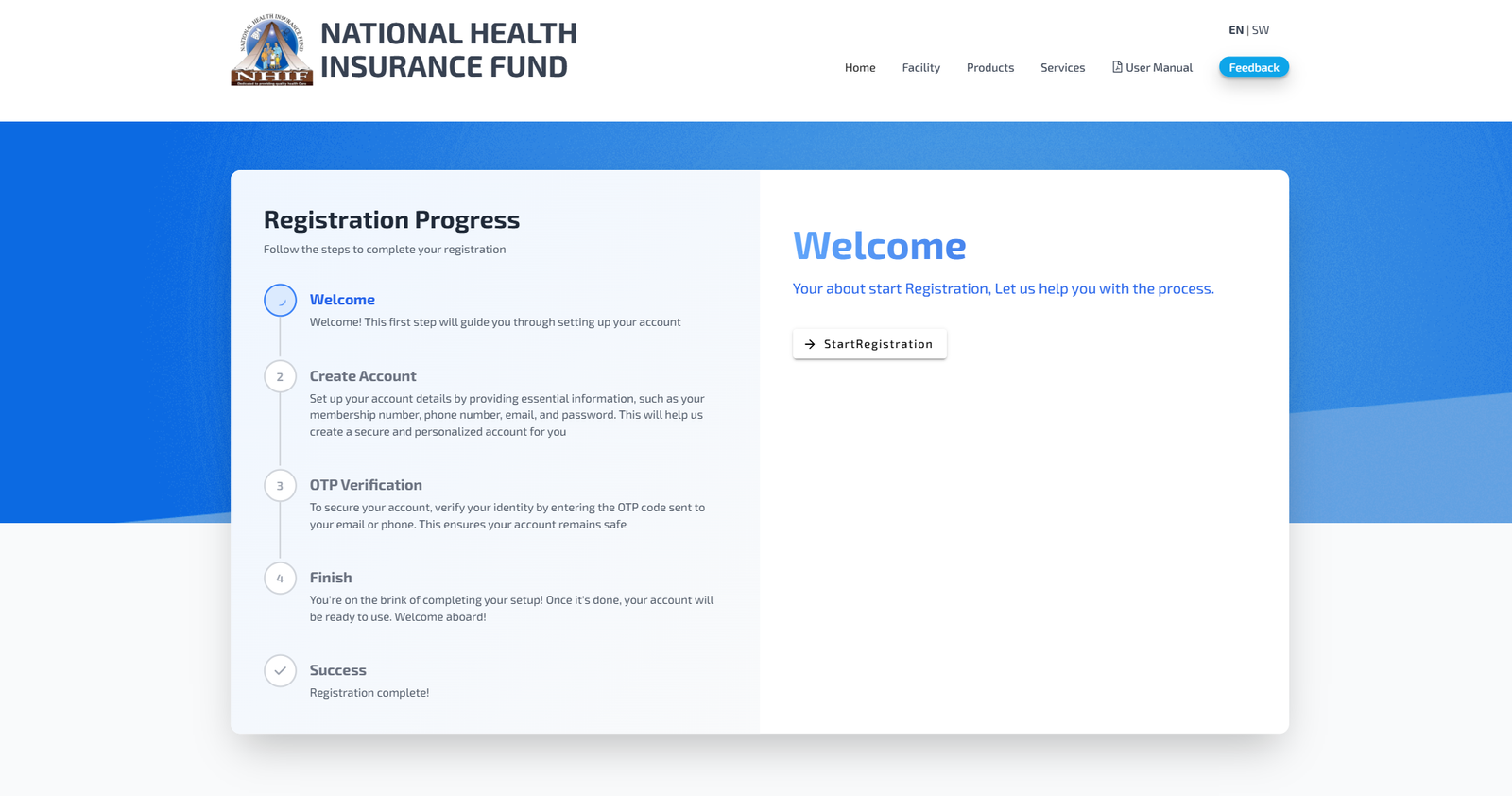
The process is designed with four clear steps—Welcome, Create Account, OTP Verification, and Finish. Each step explains what’s needed, making the experience smooth even for first-time users.
Secure Login
Once registered, logging in requires your membership number or email and your password. The portal prioritizes security so your personal and medical details remain safe.
Dependants & Beneficiaries
Members can easily add or remove dependants, making it simple to keep family coverage up to date.
Contribution Tracking
Both individuals and employers can see historical and ongoing contributions.
Claims & Verification
Service providers get straightforward tools for handling claims and verifying membership.
Registration on the Nhif Portal: What to Expect
If you’re new to the system, here’s what the registration flow looks like in simple terms:
-
You start at Welcome, where the system introduces what you’ll need.
-
In Create Account, you enter your membership number, phone, email, and password.
-
Under OTP Verification, you confirm your identity using the code sent to you.
-
On Finish, your account is activated and ready.
The moment you see “Registration complete,” you’re good to go.
Resetting Your Password
If you forget your password, the Nhif Portal makes recovery quick:
-
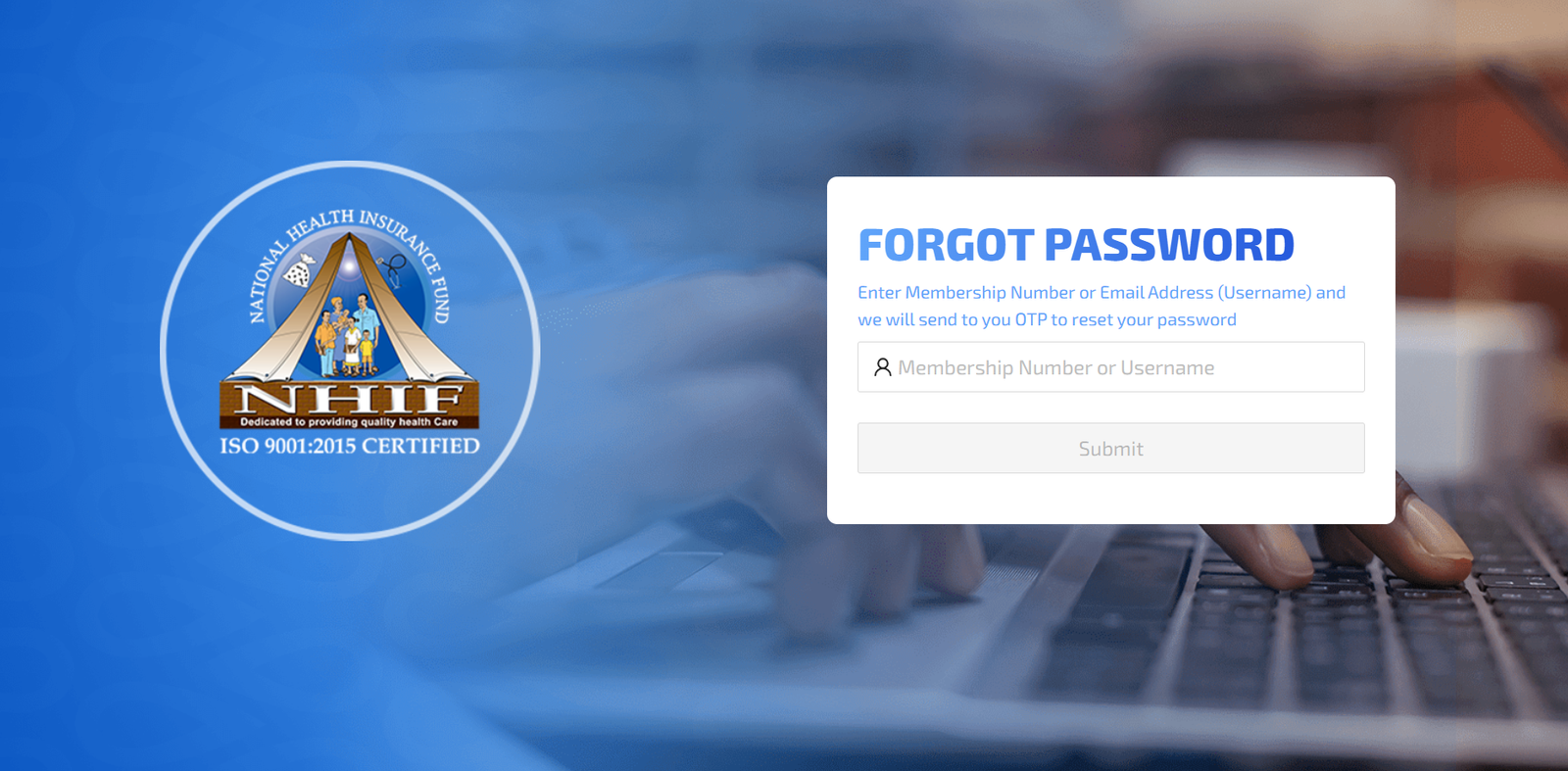
Go to Forgot Password on the login page.
-
Enter your membership number or email.
-
An OTP will be sent to help you reset your password securely.
Quick Tips & Answers About the Nhif Portal
How do I log in as a member?
Use your membership number or registered email plus your password.
What if my OTP doesn’t arrive?
Check both your SMS and email. If nothing appears, request a new OTP.
Can I manage dependants online?
Yes. The portal allows you to add, edit, or remove dependants anytime.
Is the portal only for members?
No. Employers, agents, and service providers each have their own dedicated access sections.
Extra Notes
The Nhif Portal is part of a wider effort to simplify health insurance management in Tanzania. By moving key services online, it reduces queues, increases transparency, and gives users direct control over their information. Everything from registration to claims is built around convenience and security.
Conclusion
Using the Nhif Portal gives you quick, reliable access to your health insurance information whenever you need it. Whether you’re registering for the first time, checking contributions, adding dependants, or managing employer or service-provider details, the platform keeps the process straightforward.
Once you get familiar with the steps, it becomes an easy, everyday tool for staying on top of your coverage
Go to our Homepage To Get Relevant Information.
Contents
- 1 Nhif Portal: A Friendly Guide to Getting Started and Managing Your Health Insurance Online