
Prems Necta: A Friendly Guide to Getting Started and Managing Your Account
Introduction
If you use the National Examinations Council of Tanzania’s online systems, you’ve likely come across Prems Necta—a platform designed to simplify access to exam-related records and administrative services. Whether you’re signing in for the first time, resetting your password, or checking your status, this guide walks you through everything in a clear, supportive way.
By the end, you’ll know exactly how to begin, what each section of the platform offers, and how to handle common tasks with confidence.
How to Begin with Prems Necta
Before exploring any features, it helps to understand the basics. Prems Necta is an online portal where users log in using a username and password to access official NECTA services.
To get started, all you need is your login information and a stable connection.
Step-by-Step Instructions for Accessing Prems Necta
Step 1: Visit the Official Login Page
Go to the official Prems Necta portal here: https://prems.necta.go.tz/prems/
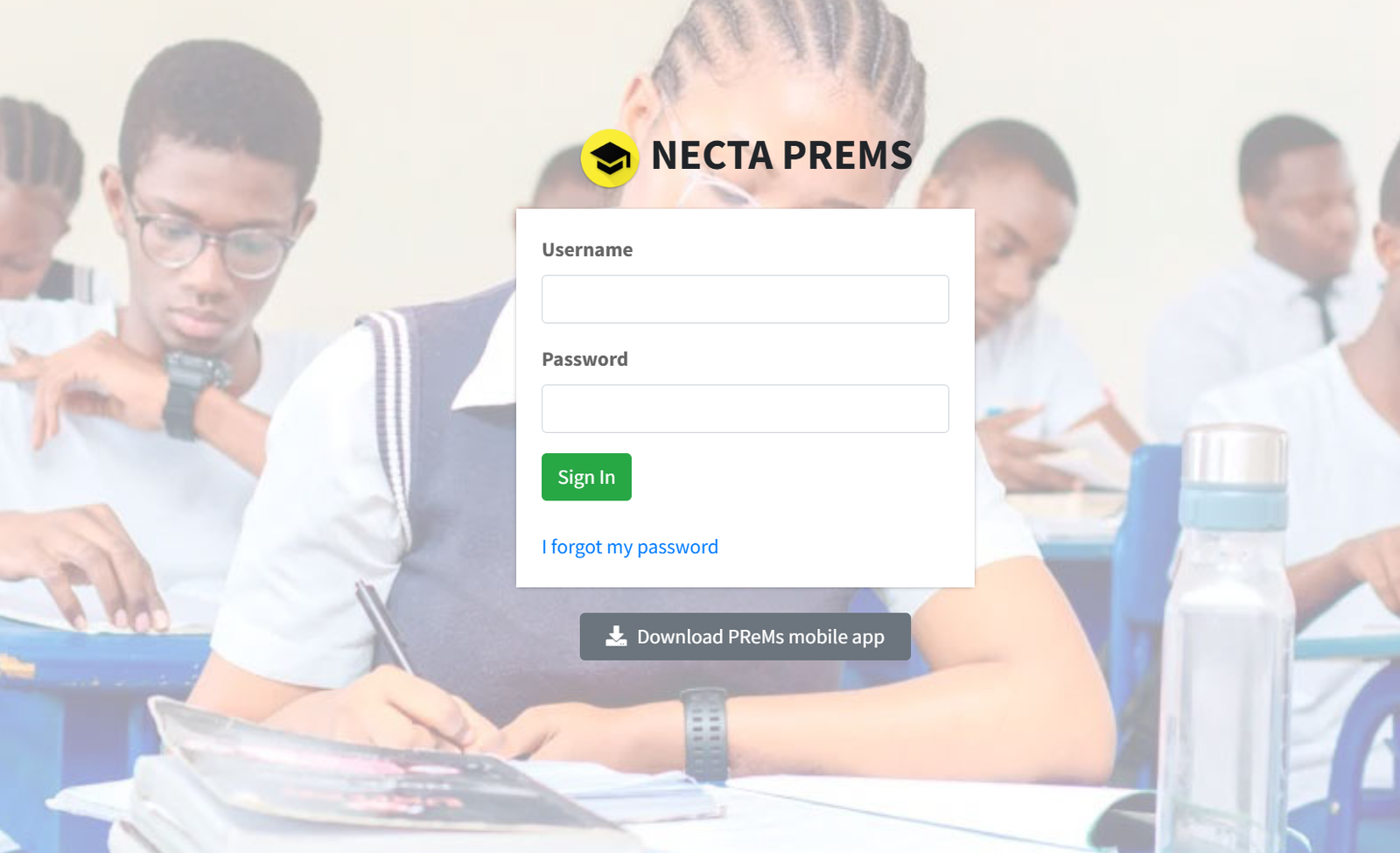
You’ll see fields for your username and password on the main page.
Step 2: Enter Your Username
Type your registered username exactly as it was created. This ensures the system can quickly locate your account.
Step 3: Enter Your Password
Add the correct password associated with your account. If everything matches, you’ll proceed directly into your dashboard.
Step 4: If You Forgot Your Password
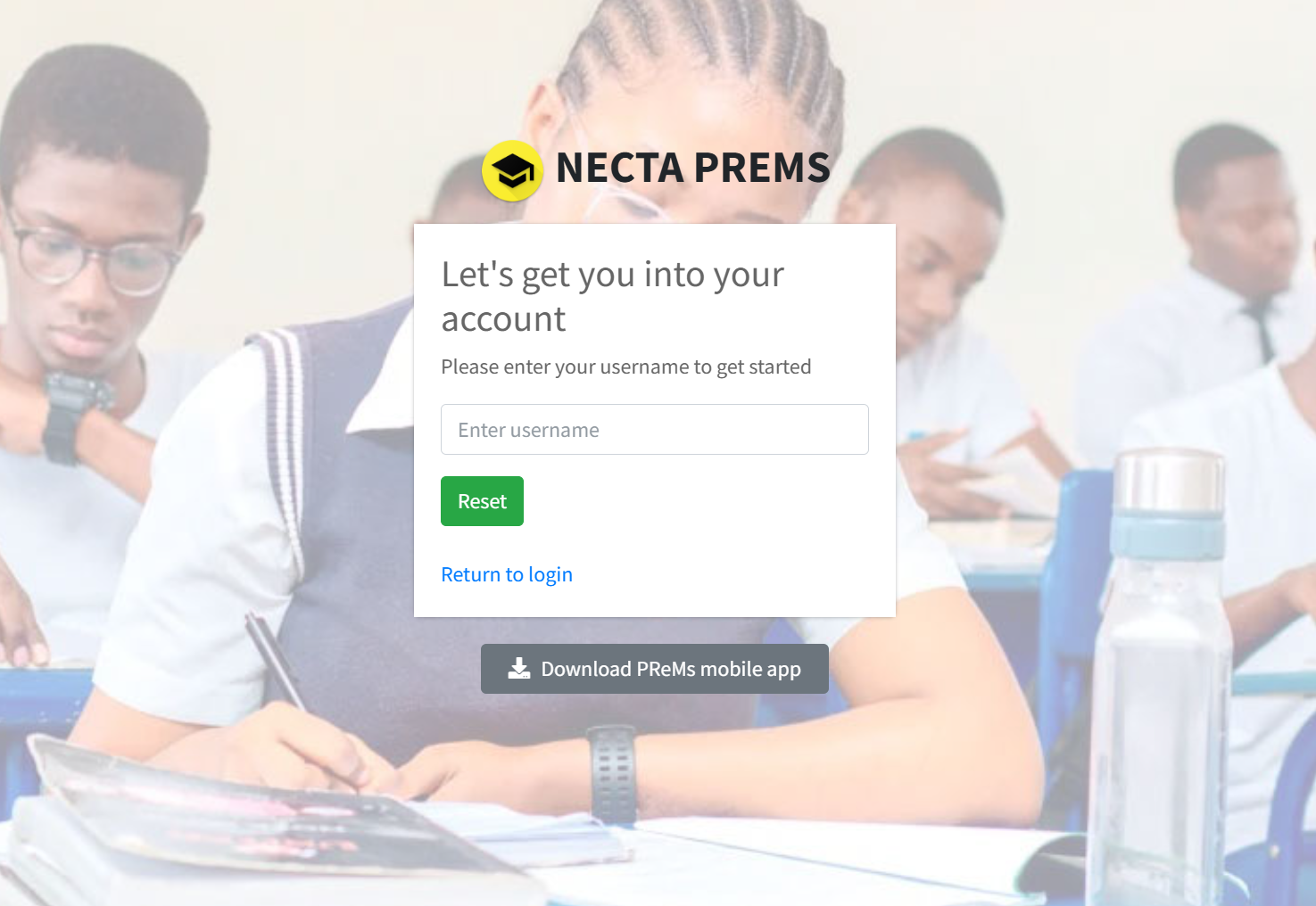
Select “I forgot my password” on the login page. You will be prompted to enter your username so the system can verify your details and guide you through a reset process.
Available Services Inside Prems Necta
Once logged in, Prems Necta provides a range of essential functions, depending on your role and permissions. These typically include:
Examination Records
Quick access to organized exam information and related documentation.
Personal or Institutional Data
A centralized place to manage your profile or institution details.
Status Tracking
Tools that allow you to check application progress or request outcomes.
Administrative Support
Guided processes for updates, submissions, and official requests.
Each feature is designed to keep information clear, reliable, and accessible.
What You Can Do Inside Prems Necta
Manage Your Account
Update details, review records, or adjust settings when needed.
Submit or Review Requests
Depending on your role, you may handle various academic or administrative submissions.
Check System Updates
Stay informed about any changes, announcements, or new features rolled out by NECTA.
Using Prems Necta to Register or Reset a Password
Registration Notes
If you are signing up for the first time, your institution or NECTA may provide login details. Once received, use the official link to sign in and personalize your account.
Resetting Your Password
-
Go to the login page.
-
Click “I forgot my password.”
-
Enter your username to begin the recovery process.
-
Follow the guided steps to create a new password that is secure and easy to remember.
This process is meant to be straightforward so you can regain access without stress.
Downloading or Checking Your Status in Prems Necta
Downloading Documents
If the portal provides downloadable items—such as lists, reports, or confirmation letters—you’ll typically find these in clearly labeled sections within your dashboard.
Checking Your Status
Look for menu items associated with status, applications, or submissions. These areas display updates in real time so you can stay informed about any ongoing processes.
Extra Notes and Helpful Definitions
-
Prems Necta is an official NECTA platform designed for organization and convenience.
-
Your username is your unique identifier in the system; double-check spelling before submitting it.
-
Your password keeps your account secure—avoid sharing it and update it periodically.
Conclusion
Working with Prems Necta doesn’t have to feel complicated. With the right steps and a general understanding of the platform’s features, you can move through tasks quickly and confidently. Whether you’re logging in, resetting a password, or checking the status of something important, the system is built to guide you with clarity.
If you ever get stuck, returning to the main login page or the password recovery option will usually get you back on track.
Go to our Homepage To Get Relevant Information.
Contents
- 1 Prems Necta: A Friendly Guide to Getting Started and Managing Your Account
- 1.1 Introduction
- 1.2 How to Begin with Prems Necta
- 1.3 Step-by-Step Instructions for Accessing Prems Necta
- 1.4 Available Services Inside Prems Necta
- 1.5 What You Can Do Inside Prems Necta
- 1.6 Using Prems Necta to Register or Reset a Password
- 1.7 Downloading or Checking Your Status in Prems Necta
- 1.8 Extra Notes and Helpful Definitions
- 1.9 Conclusion