
Introduction
A Salary Slip is more than a monthly document—it’s proof of employment, income, deductions, benefits, and your financial history. For government employees in Tanzania, the online Salary Slip Self Service Portal makes it easy to access these details anytime you need them.
This guide walks you through how the system works, how to register, how to log in, and how to download your salary slip without stress. If you’ve ever struggled to find the right steps or weren’t sure which details to enter, you’ll find everything clearly explained here.
How to Begin with the Salary Slip Portal
Before you start, make sure you have your Check Number and the personal details your HR office has on record. The portal verifies your information against the Lawson System, so accuracy matters.
You’ll use the portal for essential tasks such as creating an account, recovering a forgotten password, and downloading your monthly Salary Slip.
Step-by-Step Instructions for Accessing Your Salary Slip
Step 1: Visit the Official Portal
Go to the Salary Slip Self Service Portal at:
https://salaryslip.mof.go.tz/Account/Login?ReturnUrl=%2F
This is where all login, registration, and recovery steps begin.
Step 2: Log In (If You Already Have an Account)
Enter your Check Number/Username and your Password.
Select Log in to access your dashboard.
If you’re already registered, you’ll be able to download your Salary Slip right away.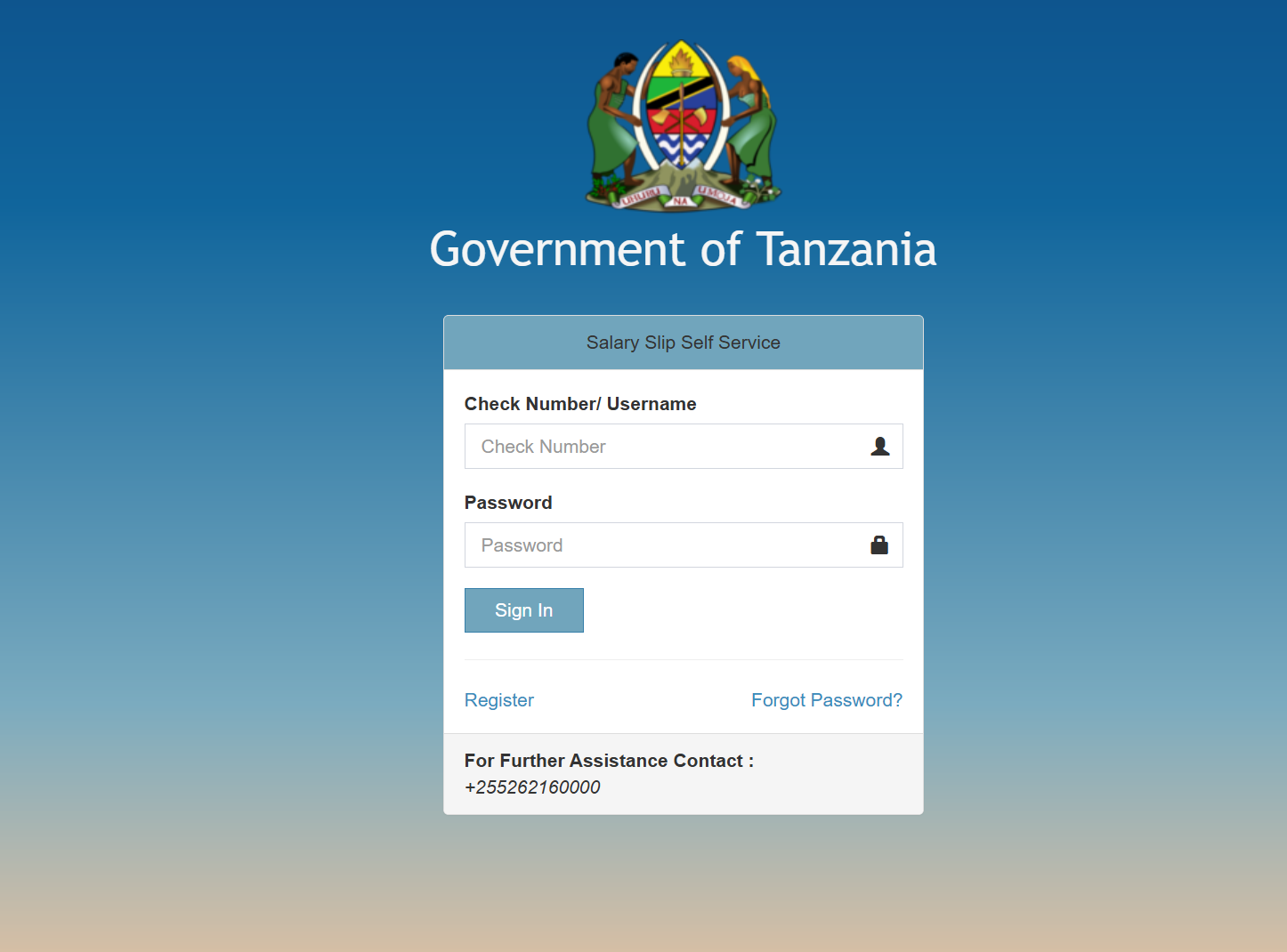
Step 3: Register (For First-Time Users)
If you don’t have an account yet, select Register.
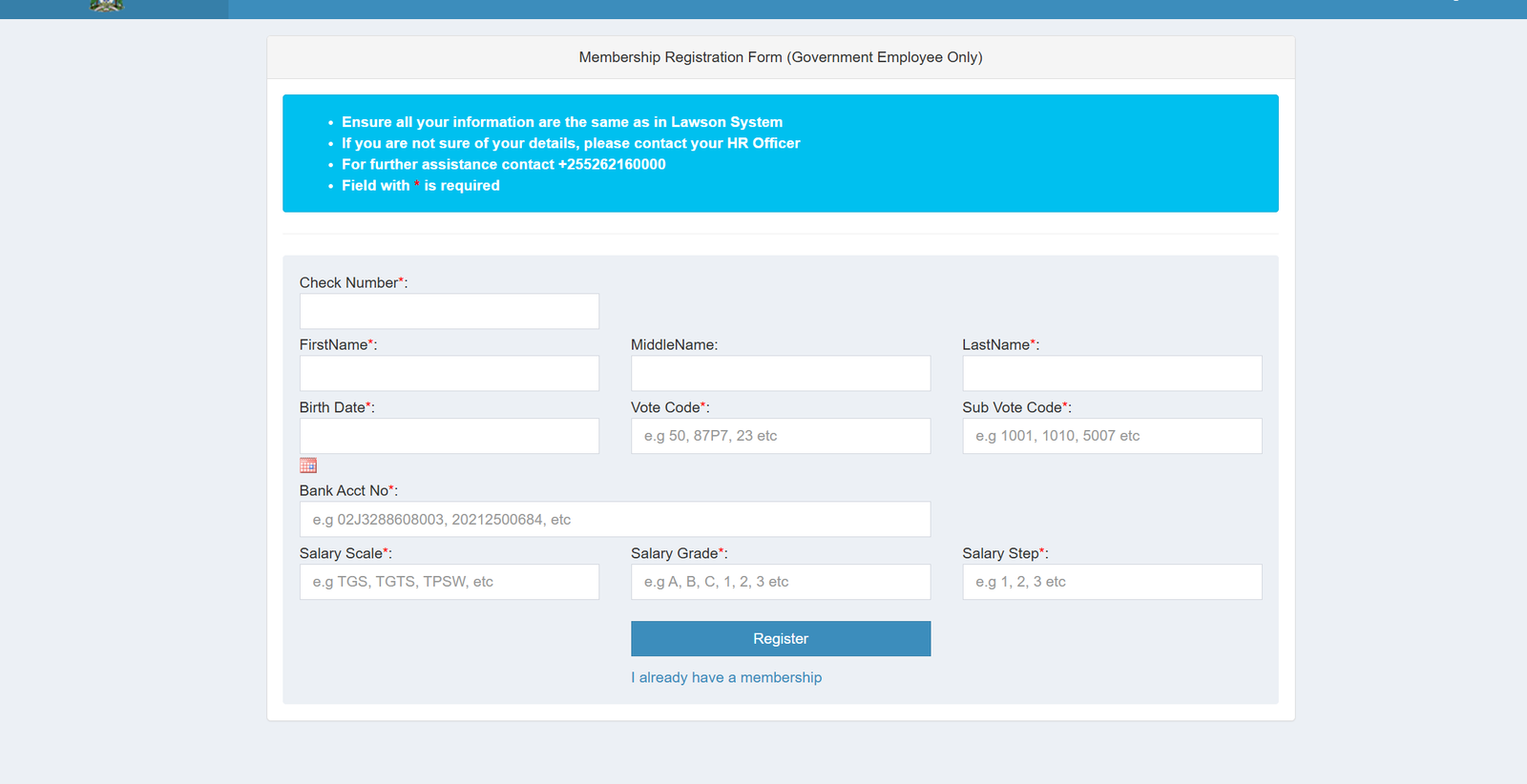
You’ll be taken to the Membership Registration Form, designed strictly for government employees.
You’ll need to enter:
-
Check Number
-
First Name
-
Middle Name (optional)
-
Last Name
-
Birth Date
-
Vote Code (e.g., 50, 87P7)
-
Sub Vote Code (e.g., 1001, 1010)
-
Bank Account Number
-
Salary Scale (e.g., TGS, TGTS)
-
Salary Grade (e.g., A, B, C, 1, 2)
-
Salary Step (1, 2, 3, etc.)
The system will compare these details with those stored in Lawson. If something doesn’t match, reach out to your HR Officer for clarification.
For assistance at any time, the portal provides a dedicated contact: +255 26 216 0000.
Available Services Inside the Salary Slip Portal
Once you log in, you’ll find several helpful tools:
Salary Slip Download
Access monthly slips for official records, loan applications, or personal tracking.
Profile Details
Review your employment information to ensure it matches the Lawson System.
Account Management
Update your password, manage your login details, and stay in control of your access.
What You Can Do with Your Salary Slip Account
A Salary Slip account gives you convenient access to:
-
Verified proof of income
-
Monthly earning statements
-
Deductions, tax, and benefit summaries
-
Historical slips for financial planning and loan verification
-
Personal details stored in the government payroll system
Tips & Quick Answers About Salary Slip Access
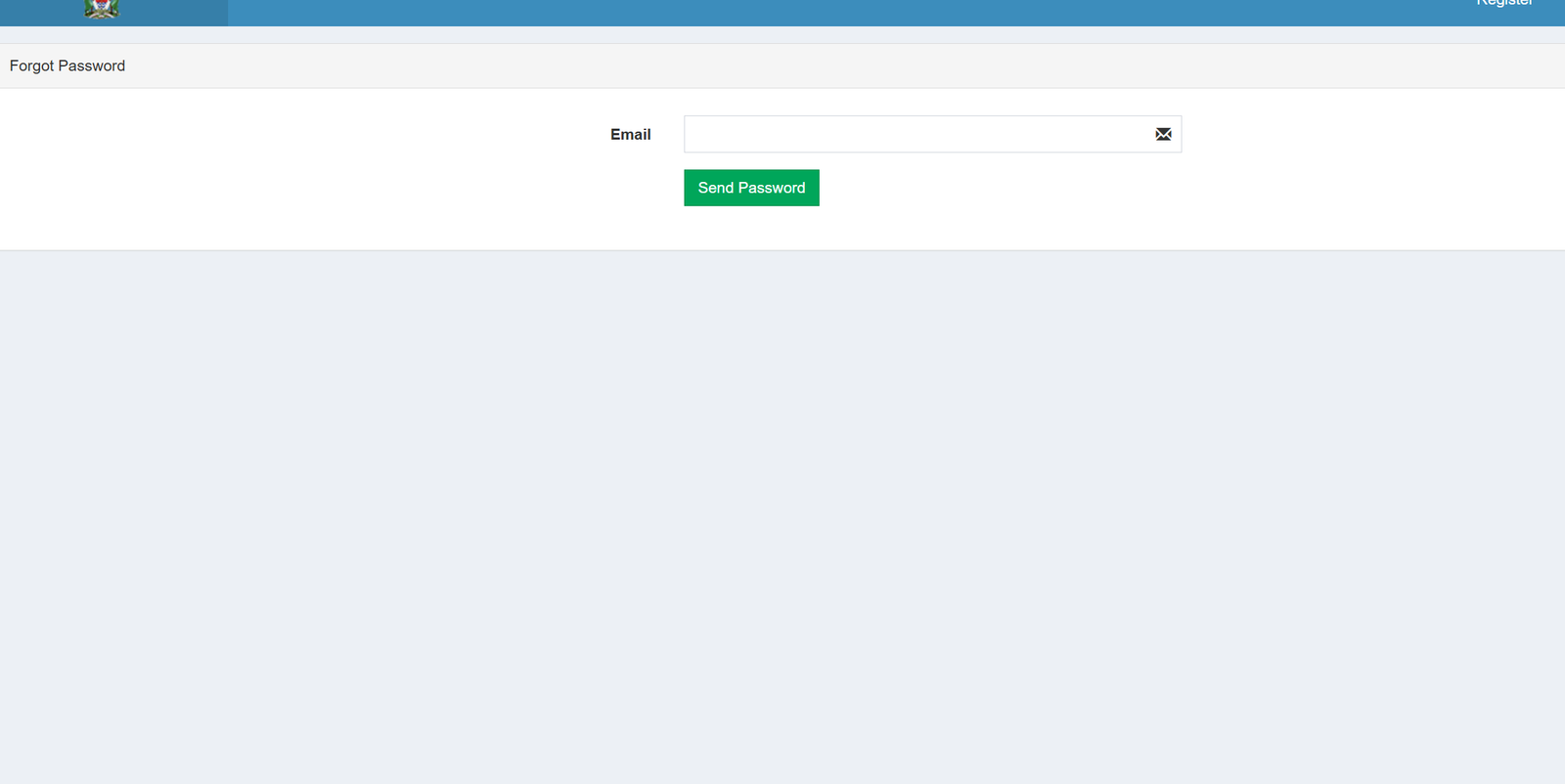
How do I reset my password?
Select Forgot Password on the login page, enter your email, and follow the prompt. The system will guide you through resetting your credentials securely.
What if my information doesn’t match during registration?
This happens when your Lawson records differ from what you entered. Contact your HR Officer for help correcting your details.
Can I register if I’m not a government employee?
No. The portal strictly supports government workers only.
Where do I call for help?
The official support line is +255 26 216 0000.
Extra Notes About the Salary Slip System
-
The Salary Slip Portal is developed and maintained by the Ministry of Finance and Planning.
-
All fields marked with an asterisk (*) during registration are mandatory.
-
The portal is designed for self-service, meaning you can handle most tasks without visiting an office or calling HR.
Conclusion
Having your Salary Slip just a few clicks away makes managing your financial documents far more convenient. Whether you’re registering for the first time, logging in to retrieve a monthly slip, or resetting your password, the portal keeps the process simple and reliable. With this guide at your side, you’re well-prepared to use the service confidently whenever you need it.
Go to our Homepage To Get Relevant Information.
Contents
- 1 Salary Slip: A Friendly Guide to Navigating Tanzania’s Online Self-Service Portal
- 1.1 Introduction
- 1.2 How to Begin with the Salary Slip Portal
- 1.3 Step-by-Step Instructions for Accessing Your Salary Slip
- 1.4 Available Services Inside the Salary Slip Portal
- 1.5 What You Can Do with Your Salary Slip Account
- 1.6 Tips & Quick Answers About Salary Slip Access
- 1.7 Extra Notes About the Salary Slip System
- 1.8 Conclusion