
saris iae: A Friendly, Clear Guide to Getting Started and Making the Most of Your Account
Introduction
If you’re new to saris iae or simply want a smoother way to manage your Institute of Adult Education (IAE) records, this guide is for you. The platform helps students access essential academic services online—from logging in, checking updates, and recovering passwords to staying organized throughout the academic year.
Here, you’ll learn exactly how to begin, what each feature offers, and how to handle common tasks with confidence.
How to Begin With Saris IAE
Before diving into course details or student services, you’ll need access to your account. The steps are simple, and each section below walks you through the process at a comfortable pace.
Step-by-Step Instructions for Using Saris IAE
Step 1: Visit the Official Portal
Go to the official website:
https://saris.iae.ac.tz/
This is where all login, registration, and support services are available.
Step 2: Log In to Your Account
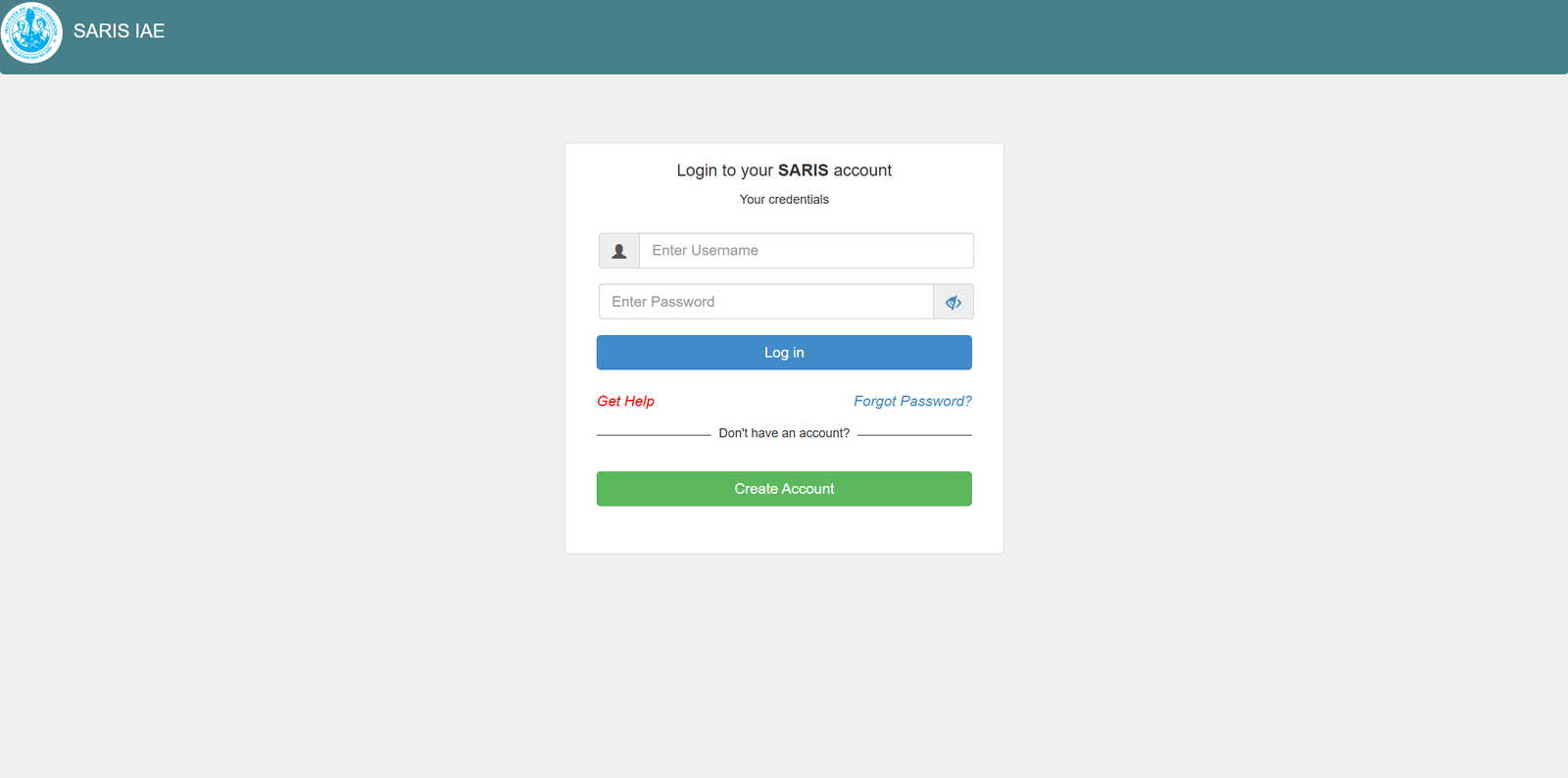
On the homepage, you’ll see fields for your username and password. Enter your details and proceed to your dashboard.
Step 3: Recover Your Password (If Needed)
If you can’t remember your credentials, select Forgot Password? on the login page.
You’ll be taken to a simple recovery process that begins with providing your registered email address
 .
.
Step 4: Create an Account (If You Don’t Have One)
Choose Don’t have an account? to begin registration. Follow the prompts and make sure your personal details match official records.
Available Services Inside Saris IAE
Academic Information
You can view course details, registered subjects, and related updates without visiting an office.
Personal Profile Management
Update your personal information whenever necessary, keeping your records accurate.
Password Recovery Options
The built-in recovery tool helps you reset your password securely with your verified email.
Student Status Checks
Confirm your enrollment status, course load, and other key academic indicators at any time.
What You Can Do With Saris IAE
View Course Registrations
Stay on top of your academic responsibilities by checking your registered subjects.
Monitor Announcements
Important notices from the Institute of Adult Education appear directly on your dashboard.
Access Support
If you face technical issues, the Help section provides guidance on what to do next.
Using Saris IAE for Registration
If you’re a new user or completing a semester update, registration through the platform keeps your information centralized and easy to verify. Make sure you have correct email and personal data ready before beginning.
Resetting a Password in Saris IAE
If you forget your login details, the recovery process involves three quick stages, starting with email verification. Once you enter your registered email, follow the prompts to create a new password.
Downloading Documents or Records
Depending on your account privileges, you may find downloadable forms, notices, or academic materials. Always save important files to a secure location.
Checking Your Status on Saris IAE
Your dashboard displays real-time updates about your student status. Whether you’re confirming registration or verifying details for the semester, everything is presented clearly.
Tips & Quick Answers: Saris IAE Essentials
-
Keep your login credentials in a secure place.
-
Use the password recovery tool only with your official registered email.
-
Visit the portal regularly to avoid missing important updates.
-
Contact support if your account details don’t match institutional records.
Extra Notes for Clarity
Saris IAE stands for the Student Academic Records Information System used by the Institute of Adult Education. It centralizes student data, making it easier to access academic services without physical paperwork.
The platform supports learning continuity and improves communication between students and the institution.
Conclusion
With saris iae, managing your academic information becomes far more convenient. Whether you’re logging in, recovering a password, or checking your status, each step is built to support you. Use this guide whenever you need a quick refresher, and you’ll navigate the system comfortably from day one.
Go to our Homepage To Get Relevant Information.
Contents
- 1 saris iae: A Friendly, Clear Guide to Getting Started and Making the Most of Your Account
- 1.1 Introduction
- 1.2 How to Begin With Saris IAE
- 1.3 Step-by-Step Instructions for Using Saris IAE
- 1.4 Available Services Inside Saris IAE
- 1.5 What You Can Do With Saris IAE
- 1.6 Using Saris IAE for Registration
- 1.7 Resetting a Password in Saris IAE
- 1.8 Downloading Documents or Records
- 1.9 Checking Your Status on Saris IAE
- 1.10 Tips & Quick Answers: Saris IAE Essentials
- 1.11 Extra Notes for Clarity
- 1.12 Conclusion