
Udom sr2: A Simple, Friendly Guide to Using the Student Record Management System
Introduction
Udom sr2 is the Student Record Management System (SRMS) used by the University of Dodoma to help students access essential academic services online. Whether you’re signing in for the first time, resetting a password, or checking your records, the platform brings everything into one convenient place.
This guide walks you through the basics so you can get started quickly, understand the key features, and feel confident navigating each step.
Getting Started With Udom sr2
Before you can use the system, you’ll need your registration details. Once you have them ready, signing in only takes a moment. This section explains exactly how to begin and what information you’ll need.
How to Begin: Signing In to Udom sr2
Follow these simple steps to access your account:
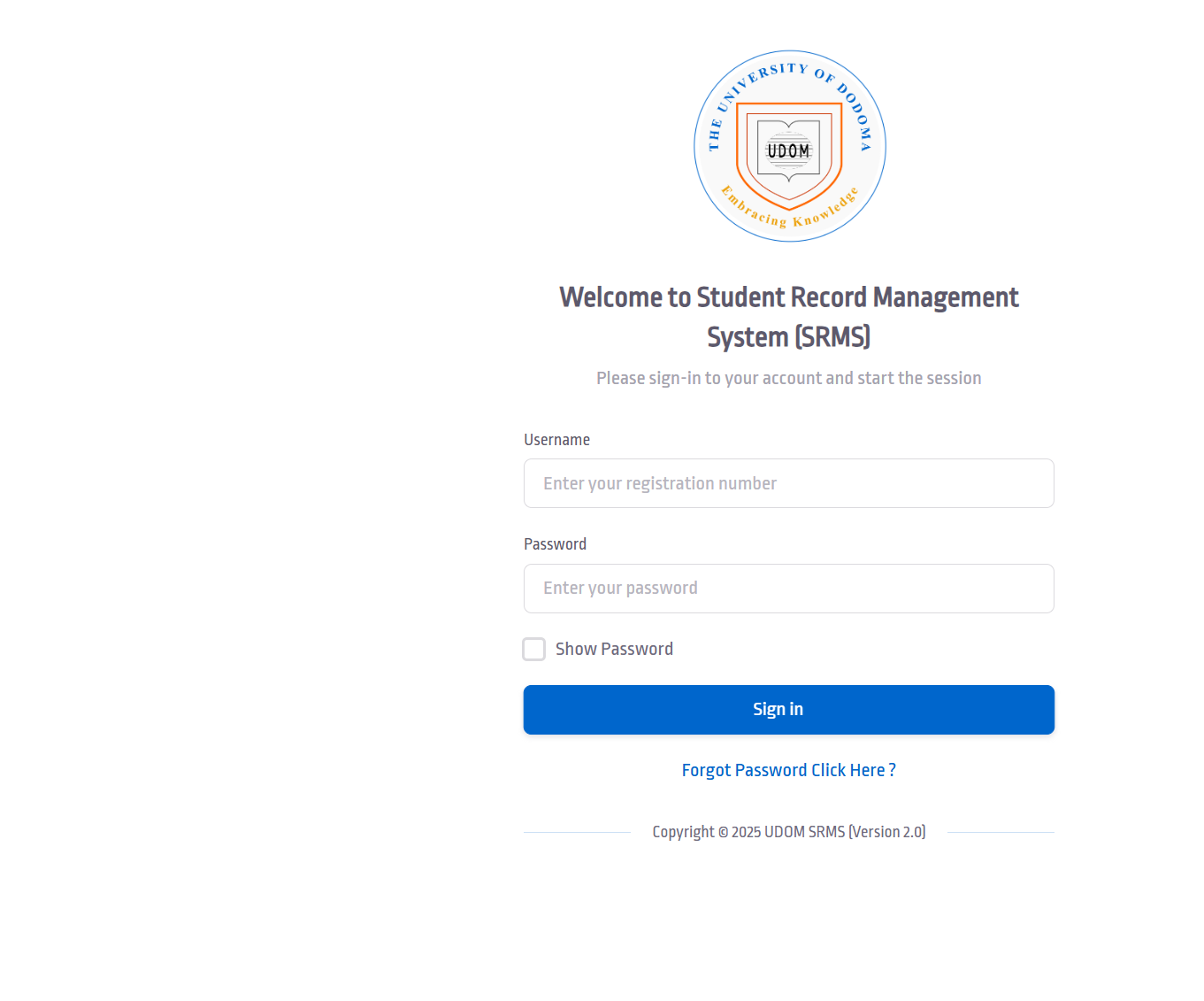
Step 1: Go to the Login Page
Visit the official login portal at:
https://sr2.udom.ac.tz/site/login
Step 2: Enter Your Username
You’ll be asked for your registration number. Type it in carefully to avoid any login errors.
Step 3: Enter Your Password
Add the password associated with your account. You can toggle “Show Password” if you want to double-check spelling.
Step 4: Sign In
Click the button to start your session and access your dashboard.
If you can’t log in, don’t worry—resetting your password is straightforward and covered below.
Step-by-Step Instructions for Resetting Your Udom sr2 Password
Sometimes you forget your password or need to refresh it for security. Here’s how to reset it:
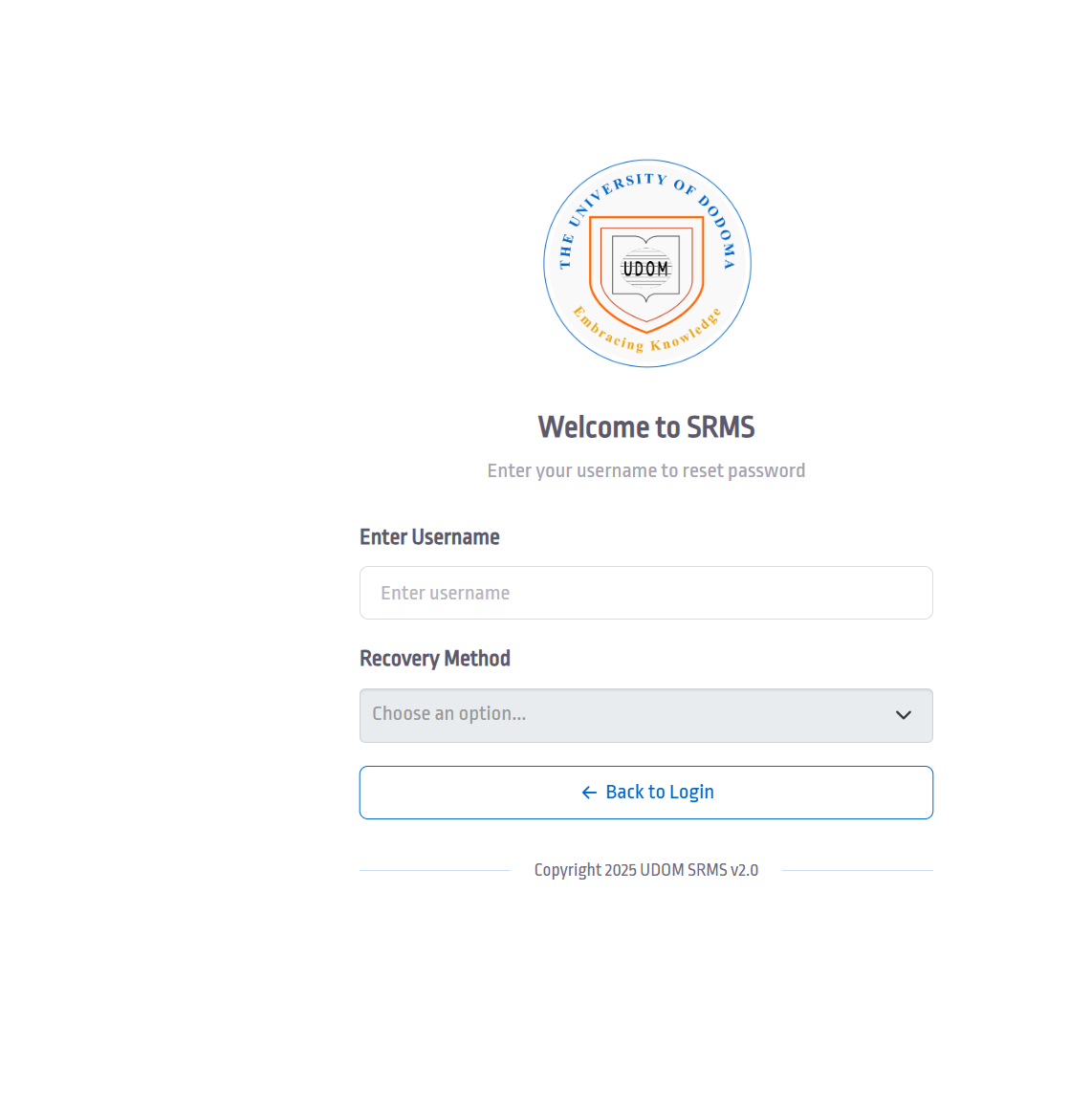
Step 1: Open the Password Reset Page
On the login screen, click Forgot Password Click Here?
You’ll be redirected to the reset form.
Step 2: Enter Your Username
Add your username (usually your registration number). This helps the system locate your account.
Step 3: Choose Your Recovery Method
Select your preferred recovery option. The system will guide you through confirming your identity and creating a new password.
Once complete, you can return to the login page and sign in with your updated details.
Available Services Inside Udom sr2
Once you’re logged in, Udom sr2 gives you access to several helpful features:
Academic Records
View grades, results, and course information without needing to visit an office.
Personal Profile
Update contact information and keep your student profile accurate.
Registration Services
Many academic registration tasks can be completed directly through the system each semester.
Password & Account Tools
Manage your login details, update your password, or adjust your settings as needed.
What You Can Do With Udom sr2
The platform is designed to make everyday student tasks easier. Some common activities include:
-
Checking your semester results
-
Tracking course registration status
-
Updating personal information
-
Verifying your academic records
-
Managing your account securely
These features help you stay organized and up to date throughout your academic journey.
Udom sr2 Registration Help
If you’re preparing to register for the semester, the SRMS dashboard usually provides clear prompts. Keep an eye out for important notices, deadlines, and required steps. Completing your registration early helps avoid delays with classes or exam access.
Resetting Your Password: Quick Answers
Here’s a short, friendly recap of what to remember:
-
You can access the reset page directly from the login screen.
-
Your username is required to begin the recovery process.
-
Choose a recovery method you can access immediately.
-
Create a strong new password to keep your account secure.
Extra Notes
The Udom sr2 platform (SRMS v2.0) is designed to streamline student services. It works best when your registration information is accurate and up to date. If you ever run into issues, it’s helpful to double-check your username format or confirm that your password meets the required criteria.
Conclusion
Udom sr2 keeps your academic information within easy reach and simplifies many important tasks. With just a few steps, you can sign in, reset your password, and navigate the tools that support your university life. Once you get comfortable with the system, managing your student records becomes quick and stress-free.
Go to our Homepage To Get Relevant Information.
Contents
- 1 Udom sr2: A Simple, Friendly Guide to Using the Student Record Management System
- 1.1 Introduction
- 1.2 Getting Started With Udom sr2
- 1.3 How to Begin: Signing In to Udom sr2
- 1.4 Step-by-Step Instructions for Resetting Your Udom sr2 Password
- 1.5 Available Services Inside Udom sr2
- 1.6 What You Can Do With Udom sr2
- 1.7 Udom sr2 Registration Help
- 1.8 Resetting Your Password: Quick Answers
- 1.9 Extra Notes
- 1.10 Conclusion