
Wezesha Portal: A Simple, Friendly Guide to Getting Started and Making the Most of It
Introduction
The Wezesha Portal is an online platform designed to support groups and individuals involved in community microfinance initiatives across Tanzania. It helps users register, log in, apply for services, and manage their information with ease. If you’re a member of a youth, women, or people with disabilities group—or a community microfinance promoter—this guide will help you understand what the portal offers and how to use it without stress.
By the end, you’ll know how to create an account, log in, recover your password, and navigate the key services available.
How to Begin with the Wezesha Portal
Getting started doesn’t require technical expertise. You only need your basic details and a few minutes to create an account. Once you’re registered, you can access microfinance-related services provided by the Prime Minister’s Office – Regional Administration and Local Government (PO-RALG).
Step-by-Step Instructions for Using the Wezesha Portal
Step 1: Visit the Official Website
Go to the official portal link: https://mikopohalmashauri.tamisemi.go.tz/#/
This takes you directly to the Wezesha Portal homepage.
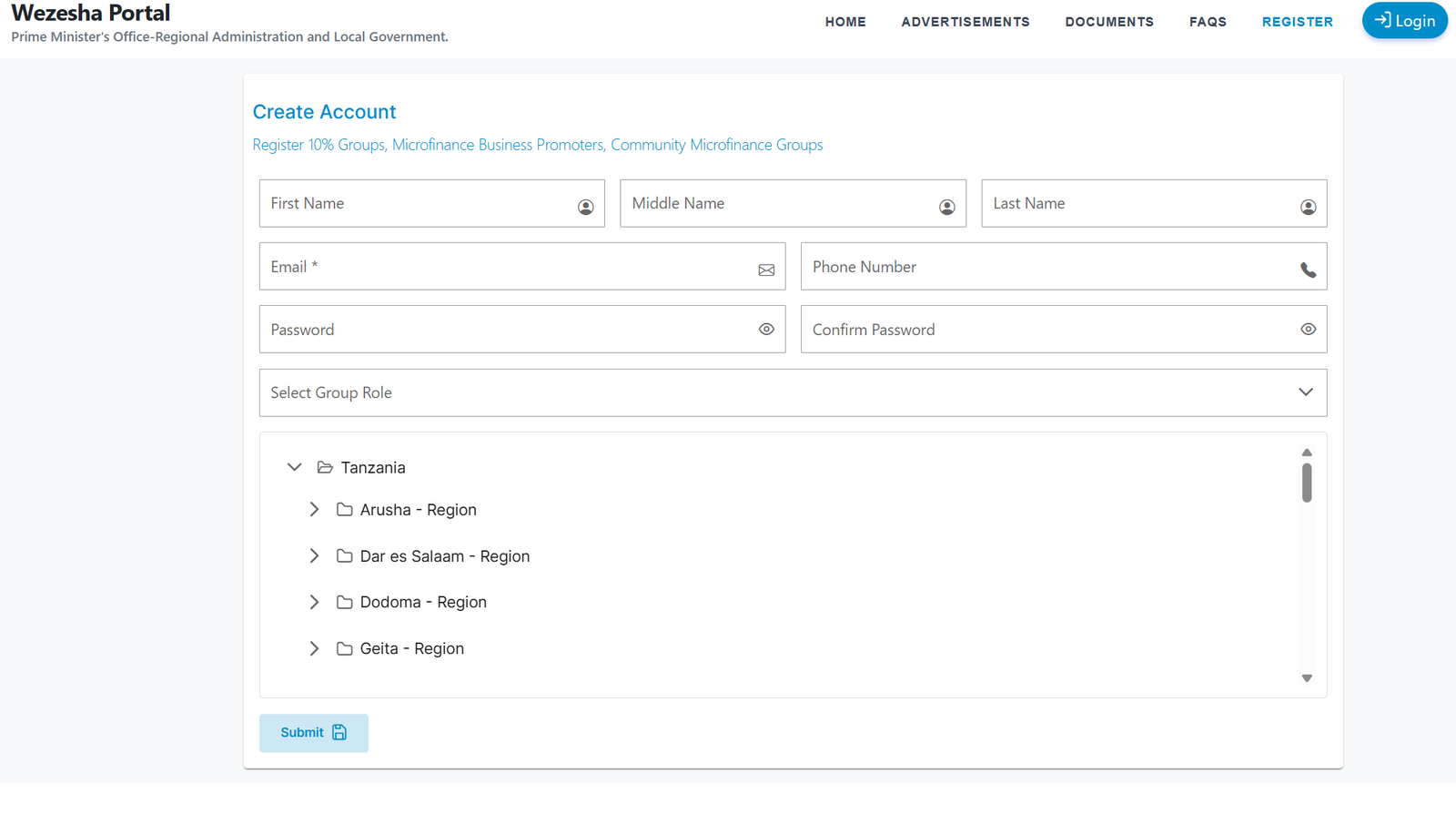
Step 2: Create Your Account
If you’re a new user, select “Register.” You’ll be asked to provide:
-
First Name
-
Middle Name
-
Last Name
-
Email Address
-
Phone Number
-
Password and Confirmation
-
Your Group Role (such as 10% Groups, Microfinance Business Promoters, or Community Microfinance Groups)
Take a moment to ensure your details are accurate before submitting.
Step 3: Log In to Your Dashboard
Once registered, return to the home screen and choose “Login.”
Enter:
-
Username or Cheque Number
-
Password
Complete the security verification and click to proceed. 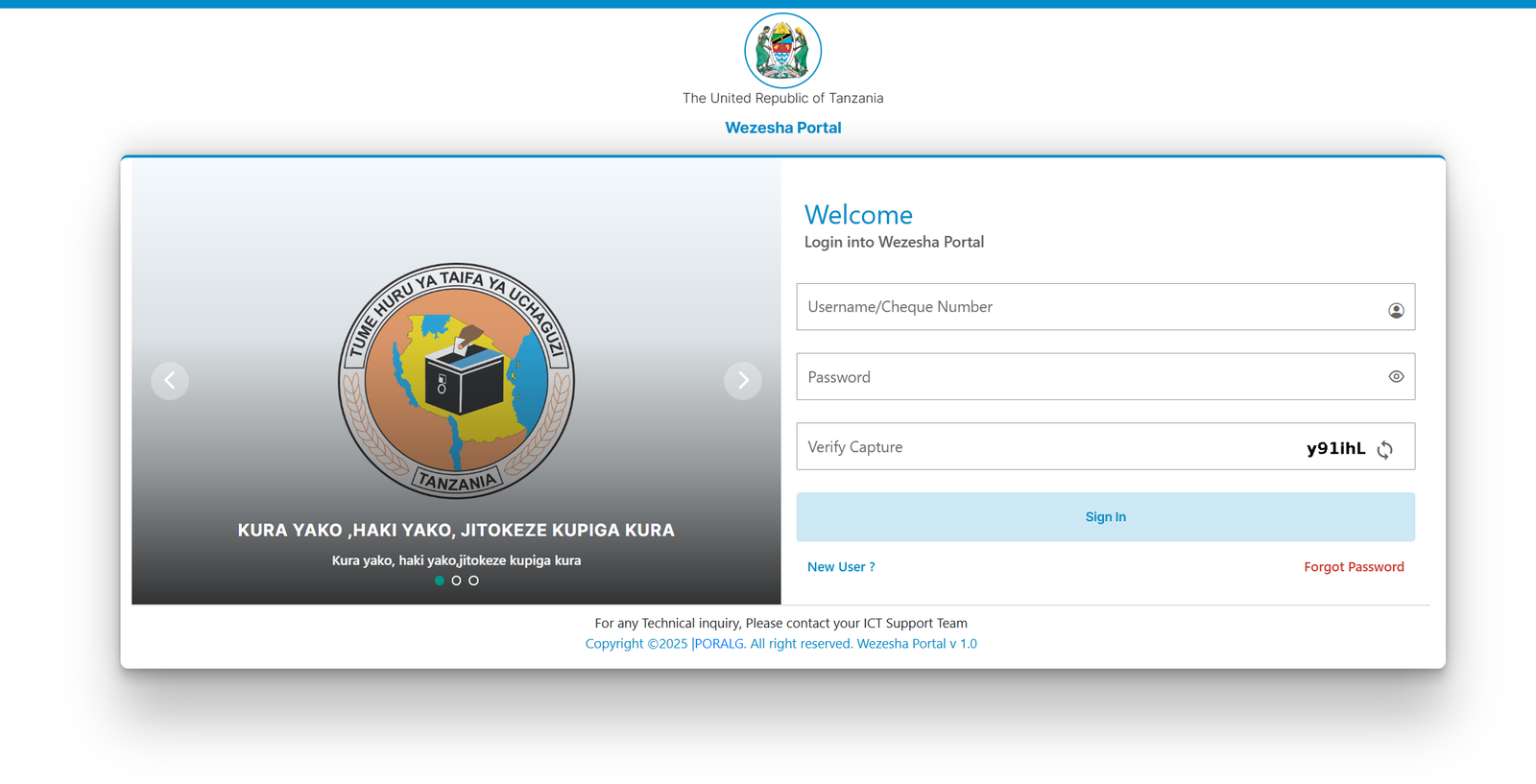
Step 4: Explore the Available Features
After logging in, the portal will guide you to key services, documents, and updates.
What You Can Do Inside the Wezesha Portal
Access Advertisements & Notices
Stay updated on the latest announcements from PO-RALG, including funding opportunities, community support updates, and official statements.
Review Documents
Find important reference documents and guidelines relevant to microfinance groups and local government requirements.
Check FAQs
The FAQ section gives quick answers to common questions, saving you time and helping you troubleshoot small issues on your own.
Register Groups
Groups can be registered directly through the platform, making it easier to comply with national requirements and access interest-free loans allocated from local government revenues.
Using the Wezesha Portal for Registration
If you belong to a recognized community group, registration helps formalize your participation and ensures your group meets eligibility requirements for microfinance programs.
Make sure your group information is:
-
Correct
-
Up to date
-
Consistent with government records
Resetting a Password on the Wezesha Portal
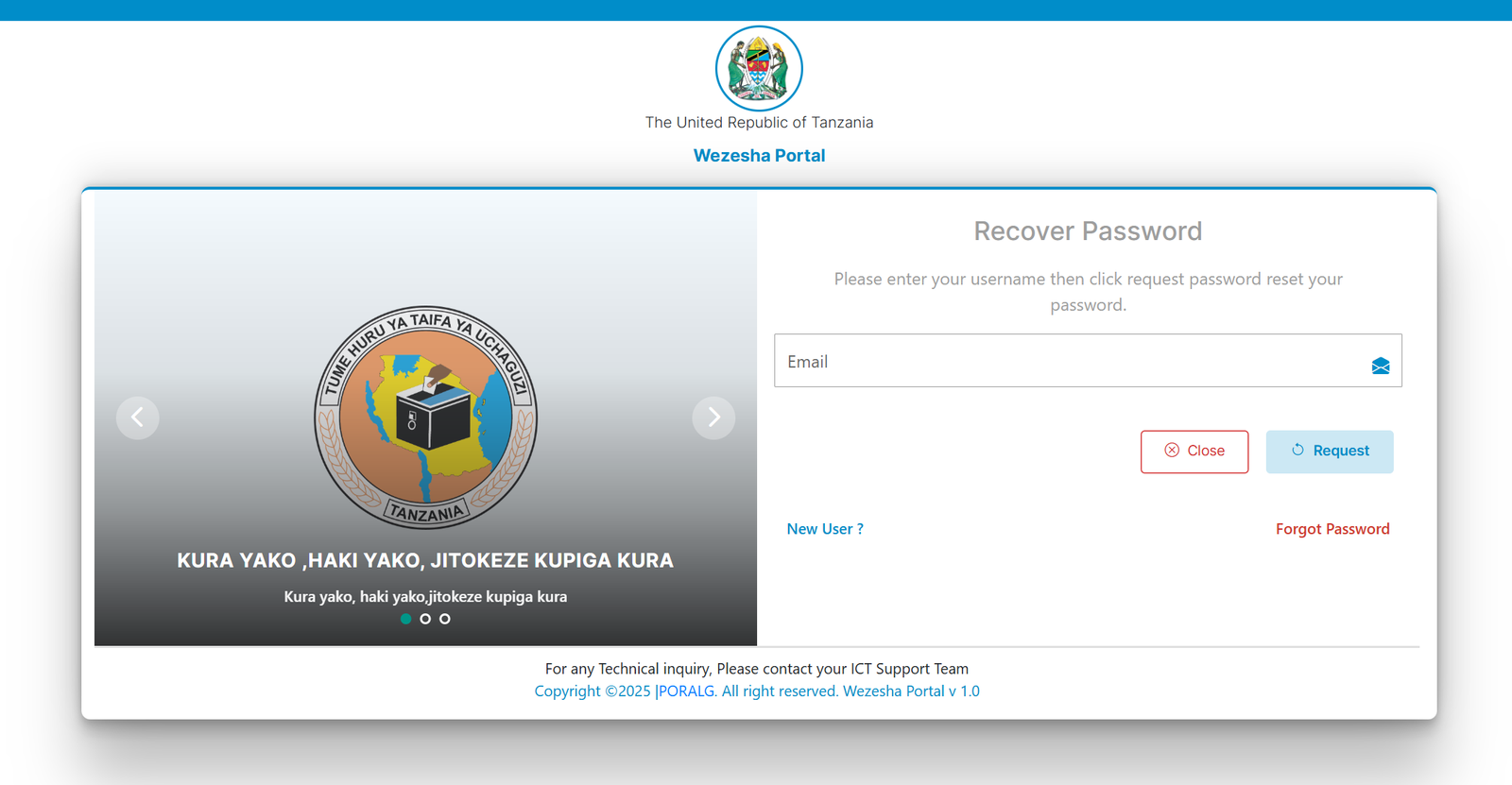
If you ever forget your password, the portal offers a quick recovery process.
How to Reset:
-
On the login page, select Forgot Password.
-
Enter your registered email.
-
Submit the request to receive a password reset link.
-
Follow the instructions sent to your inbox to create a new password.
This usually takes only a few minutes.
Tips & Quick Answers for Using the Wezesha Portal
-
Use accurate information: It ensures smooth verification during registration and login.
-
Keep your email active: Password resets and notifications depend on it.
-
Contact ICT support when needed: The portal recommends reaching your ICT support team for any technical issues.
-
Check regularly: New announcements or documents may appear without notice.
Extra Notes
The Wezesha Portal operates under PO-RALG and is guided by national policies such as allocating 10% of local government revenues to interest-free community loans. This makes the portal an essential tool for accessing opportunities fairly and transparently.
Conclusion
The Wezesha Portal gives community microfinance groups a straightforward way to register, stay informed, and manage their information. Once you understand the steps—creating an account, logging in, exploring services, and recovering your password—it becomes a valuable tool for accessing government-supported financial empowerment opportunities.
If you’re part of a community group working toward financial stability, this platform helps you move forward with confidence.
Go to our Homepage To Get Relevant Information.
Contents
- 1 Wezesha Portal: A Simple, Friendly Guide to Getting Started and Making the Most of It
- 1.1 Introduction
- 1.2 How to Begin with the Wezesha Portal
- 1.3 Step-by-Step Instructions for Using the Wezesha Portal
- 1.4 What You Can Do Inside the Wezesha Portal
- 1.5 Using the Wezesha Portal for Registration
- 1.6 Resetting a Password on the Wezesha Portal
- 1.7 Tips & Quick Answers for Using the Wezesha Portal
- 1.8 Extra Notes
- 1.9 Conclusion